

The Fee Due Report provides detailed insights into a student’s outstanding fees. The following information is included in the report:
- Admission Number of the student
- Student Name
- Academic Session
- Student Status
- Class and Section of the student
- Primary Contact Name
- Primary Contact Number
- Fee Category
- Fine (if applicable)
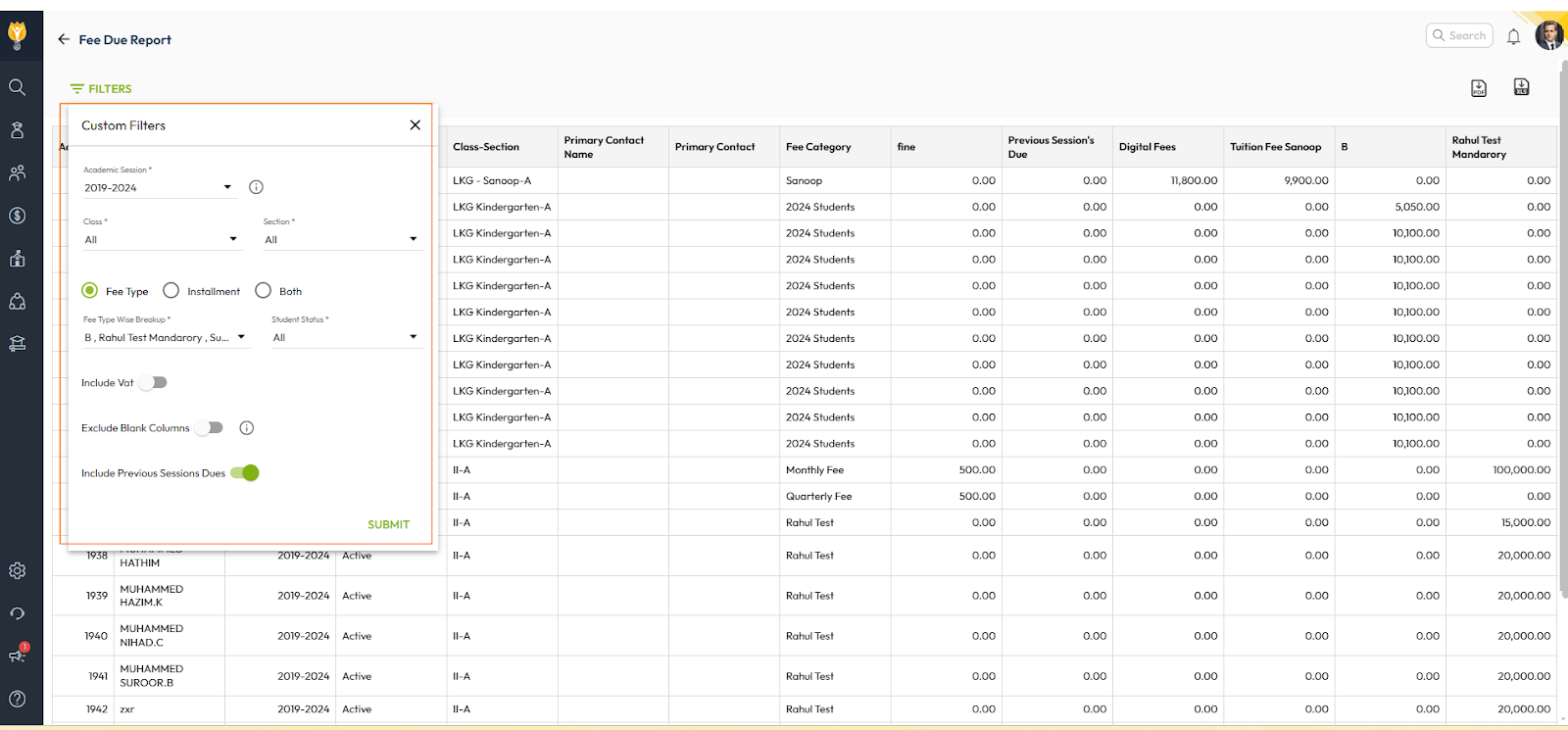
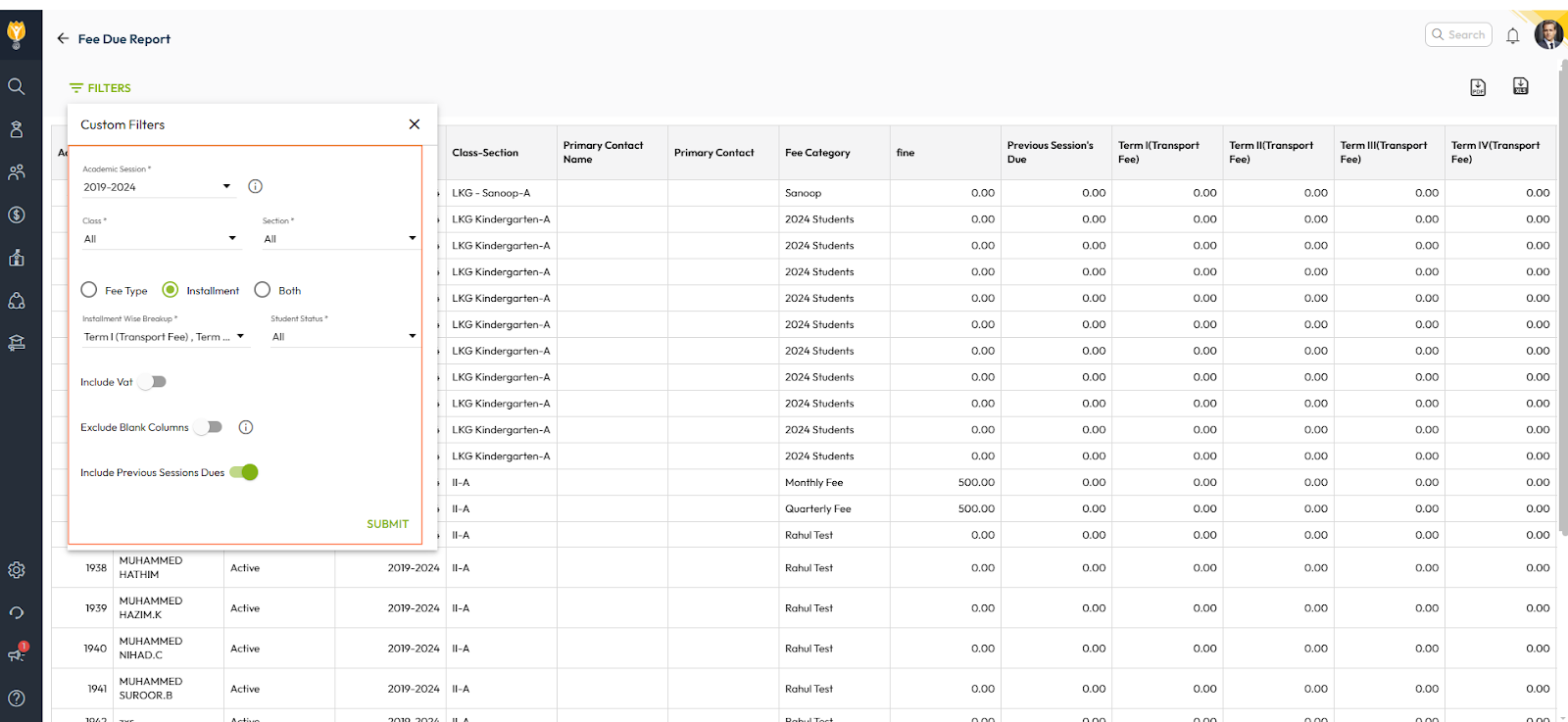
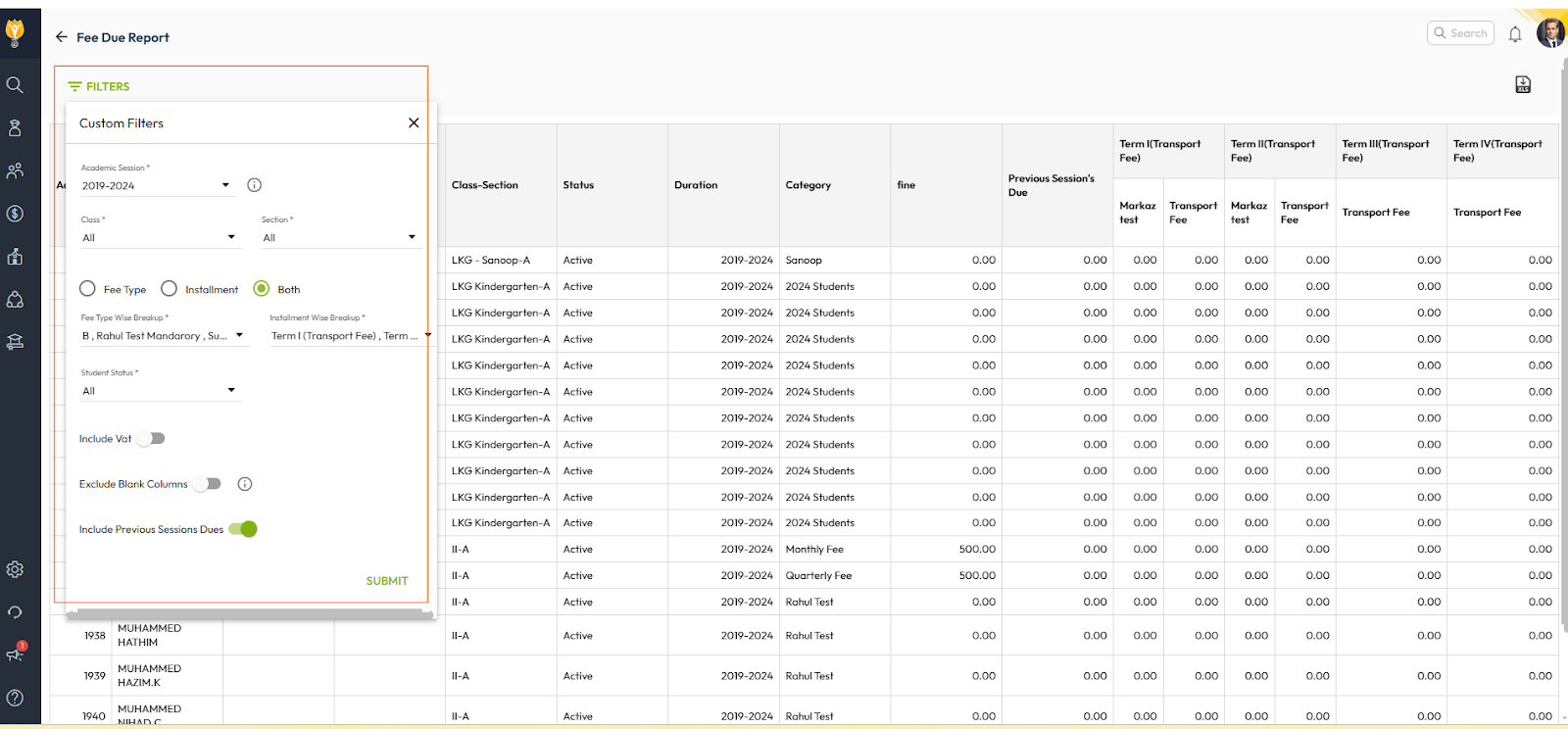
- Fee Type or Fee Instalment (based on the selected filters)
Can Parent Names and Contact Numbers Be Displayed?
Yes, the report can include parent names and contact numbers to facilitate communication regarding fee dues.
Steps to Generate the Fee Due Report
- Navigate to Finance > Fee > Fee Reports
- Locate the Fee Due Report.
- Use filters as per your requirements.
Tip : You can generate this report for Fee type-wise, Instalment-wise and for Both. - Click on Submit to generate the report.
- You can download this report in the Excel or PDF format.
Fee Type wise report
Instalment wise Report
Fee type and Instalment wise report
Was this article helpful to you?
Yes0
No0