

What Information Does the Fee Collection Report Include?
The Fee Collection Report provides a detailed and customizable overview of the school’s fee collection. It allows filtering and includes the following key details:
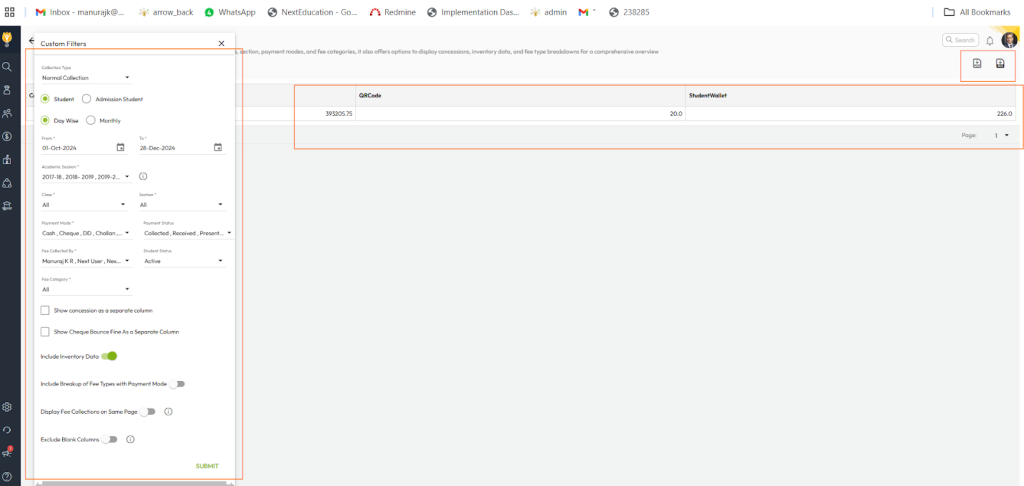
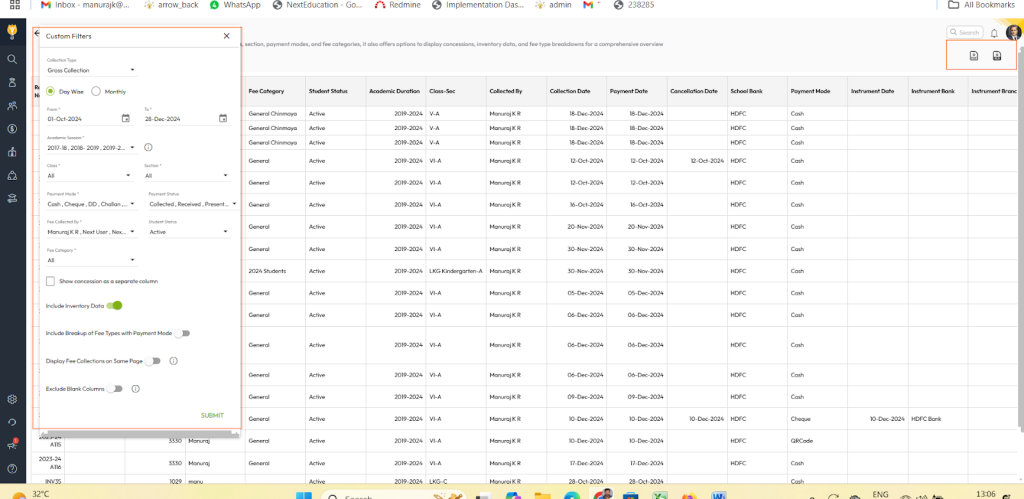
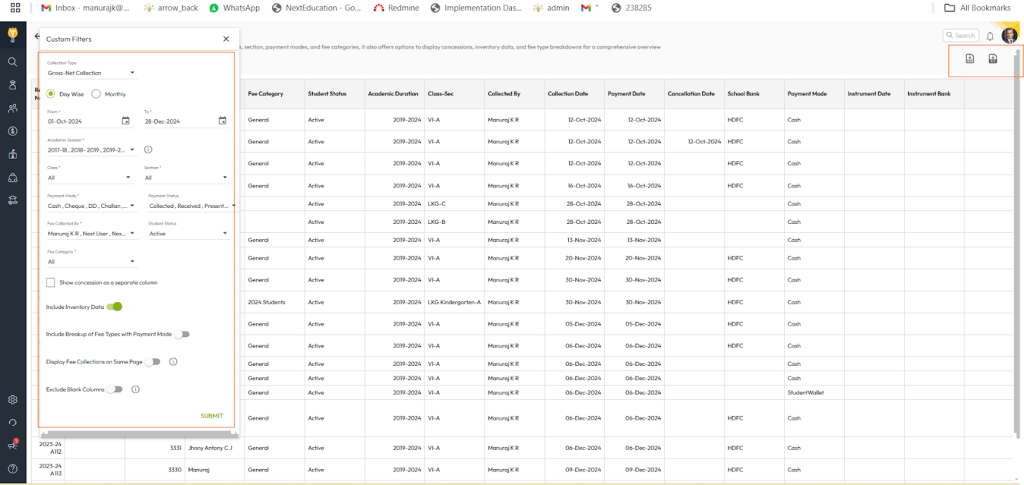
- Collection Type (Normal Collection, Gross Collection, or Gross-Net Collection)
- Class and Section
- Payment Modes
- Fee Category
- Concessions and Inventory Data
- Fee Type Breakdown
- Student Status (e.g., active or alumni)
- Generated By (user who generated the report)
- Payment Status (paid, unpaid, partially paid, etc.)
Additionally, the report can be generated in different formats:
- Student-Wise or Admission-Wise
- Day-Wise or Monthly-Wise
How Can It Help the School Accountant?
This report serves as a powerful tool for school accountants by:
- Customizable Insights: Accountants can use filters to generate specific reports tailored to their needs, making it easier to analyze collections by different categories.
- Tracking Payment Trends: Day-wise or monthly-wise reports help identify payment trends and patterns, aiding in better financial planning.
- Detailed Breakdown: Fee type breakdown and concessions offer transparency, enabling better reconciliation and auditing.
- Improved Communication: Student-wise or admission-wise reports include all necessary details, allowing for effective follow-up with students or parents regarding pending payments.
- Efficient Management: The report helps track overall collection performance and identify areas requiring attention, supporting efficient financial management.
Steps to Generate the Fee Collection Report
- Navigate to Finance > Fee > Fee Reports
- Locate the Fee Collection Report.
- Apply Filters
- Apply the required filters such as collection type, student fee category, payment mode, and date range.
- Click on Submit to generate the report.
- You can download this report in the Excel or PDF format.
NORMAL COLLECTION REPORT
GROSS COLLECTION REPORT
GROSS-NET COLLECTION REPORT
Was this article helpful to you?
Yes0
No0