

The Fee Collection Summary Report provides a concise overview of the total fee collections within a specified time period. It includes:
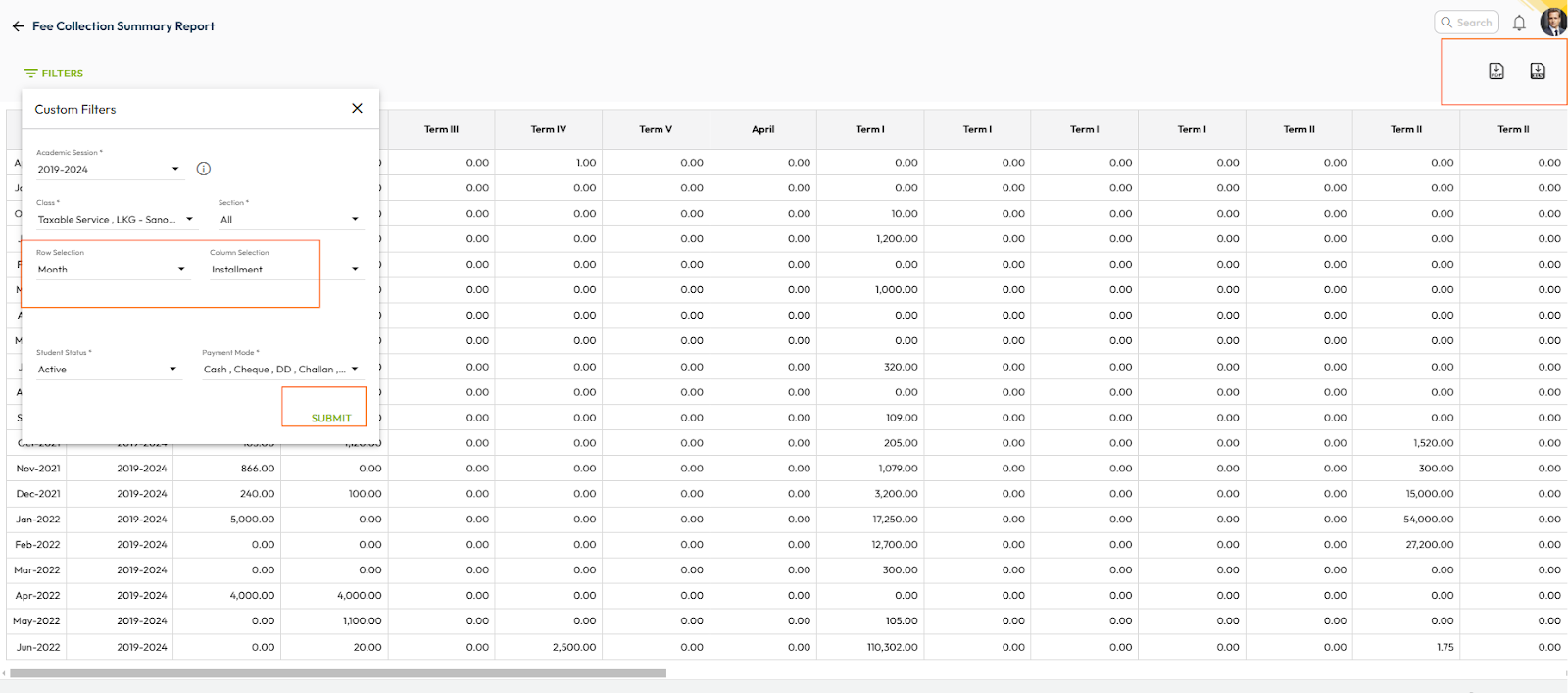
- Collection Summary: Total collections for a day, month, or a custom date range.
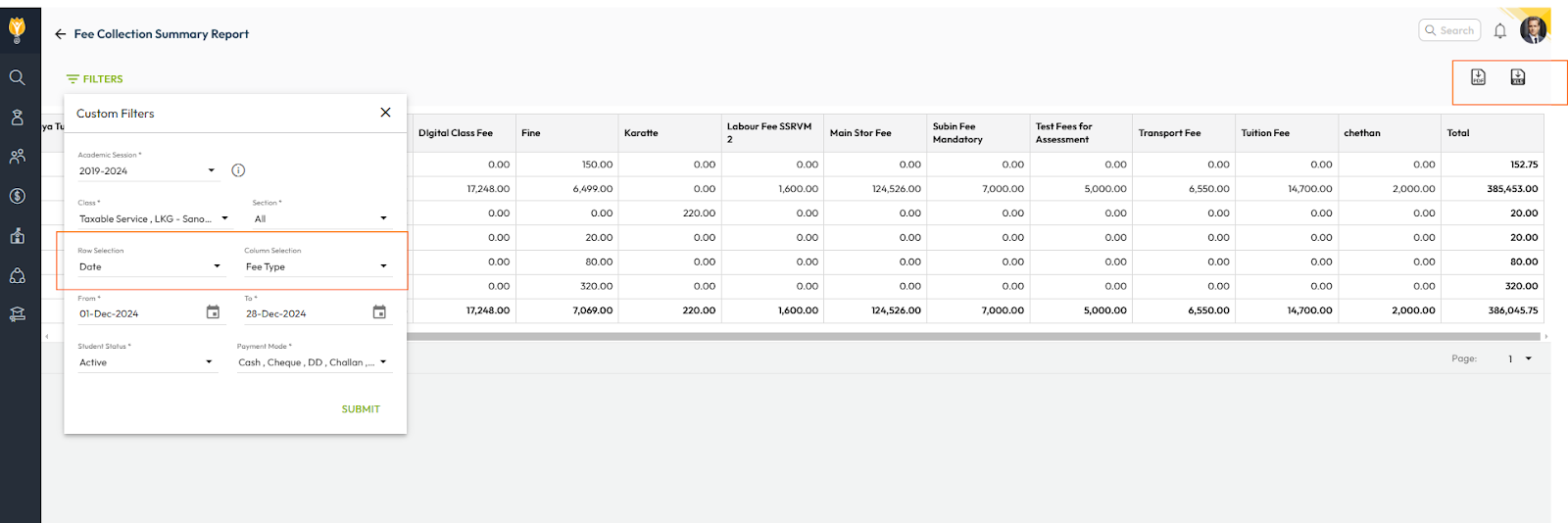
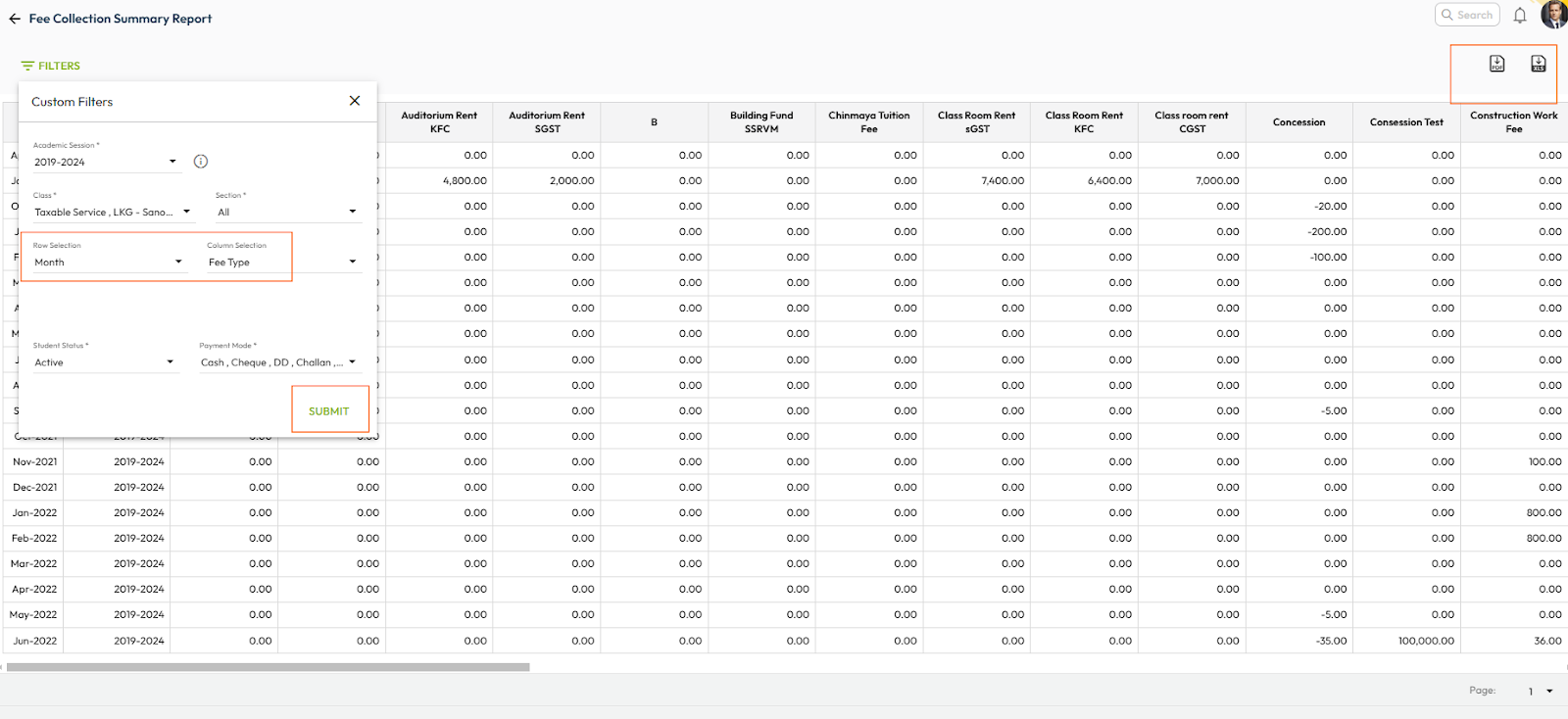
- Breakdown by Fee Type: Collections categorized by different fee types.
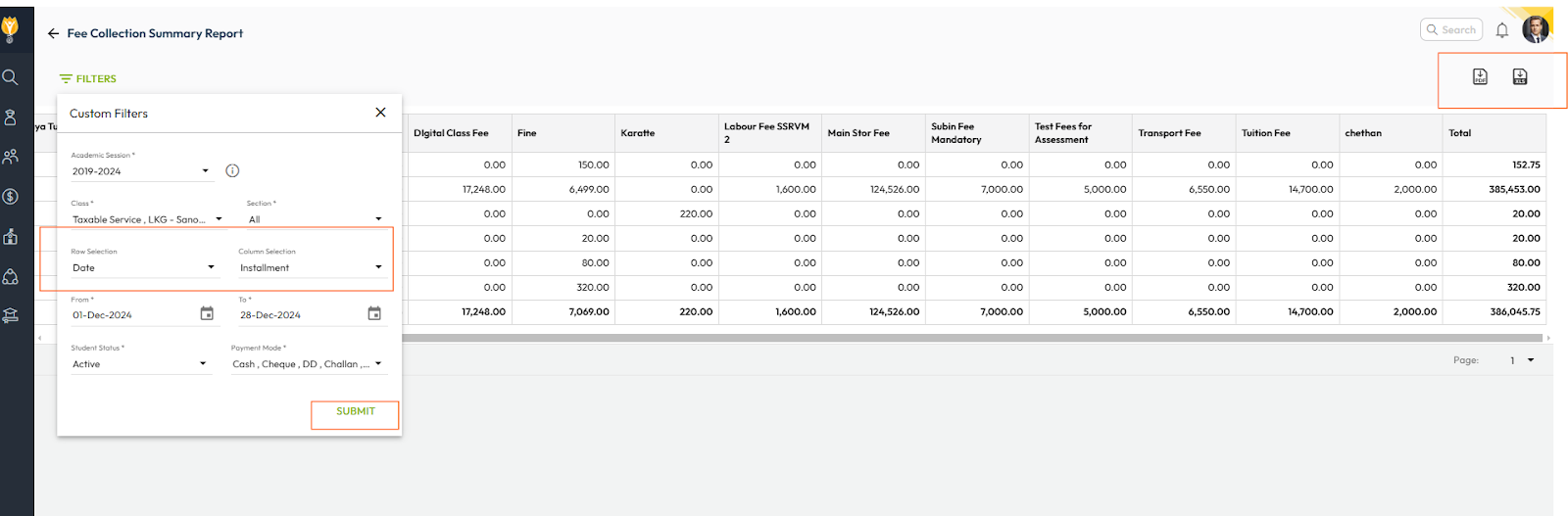
- Instalment-Wise Collections: Total amounts collected based on specific instalments.
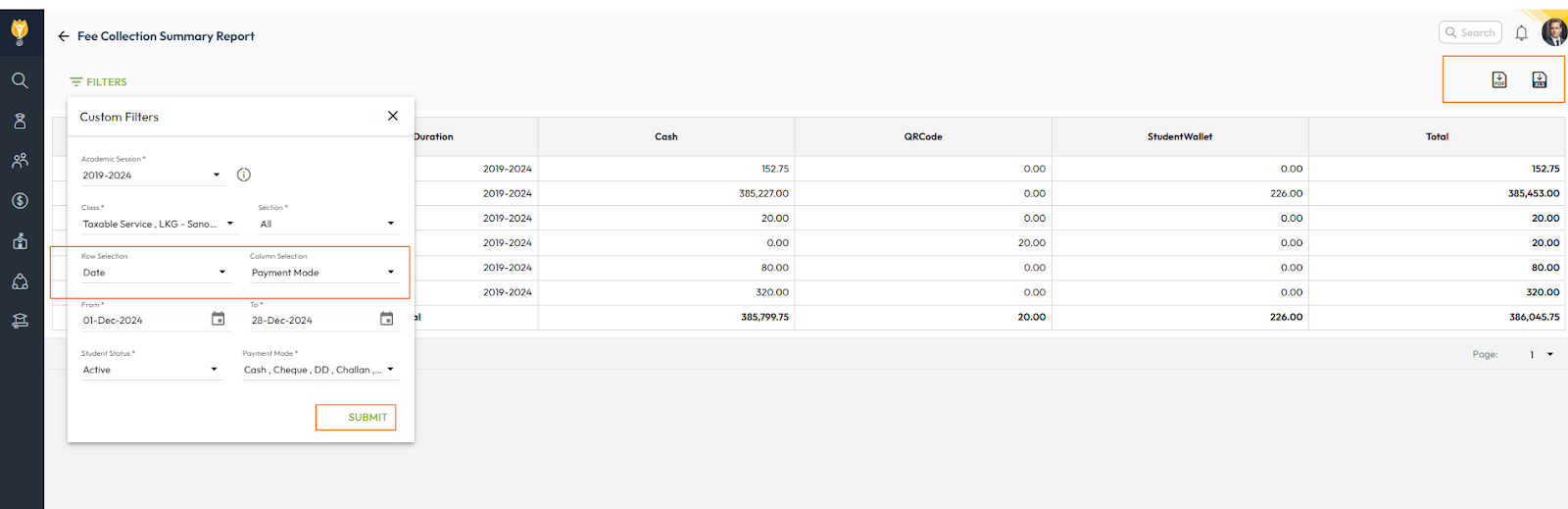
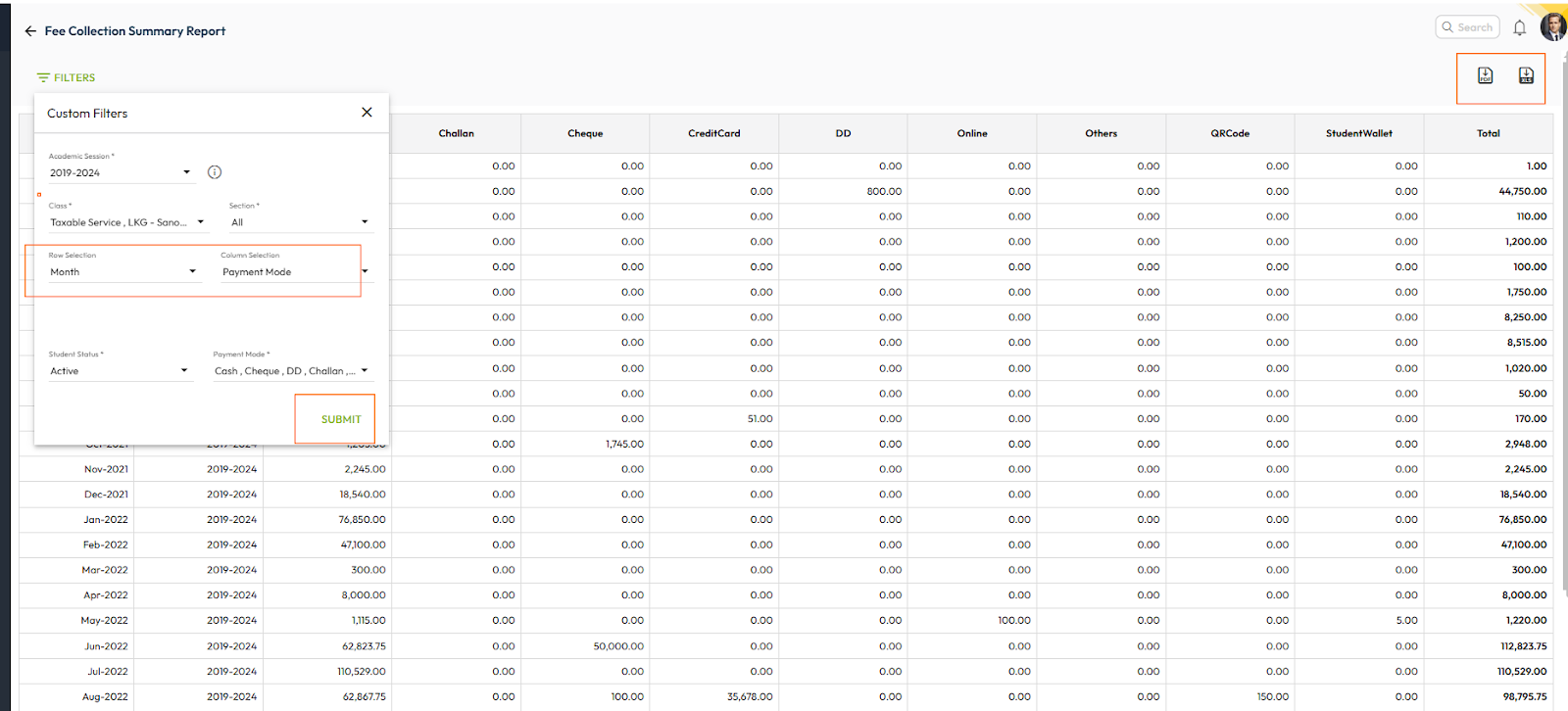
- Payment Mode: Summary of collections segregated by payment modes (e.g., cash, card, online).
- Class Scope: Report can be generated for a single class or multiple classes using filters.
How Can It Help the School Accountant?
- Quick Overview: Provides a high-level view of total collections for the specified period, helping accountants understand the financial performance at a glance.
- Flexible Filtering: Filters like fee type, instalment, and payment mode allow for easy categorization and analysis of collections.
- Financial Tracking: Helps track daily, monthly, or periodic financial inflow, ensuring the school meets its revenue targets.
- Simplified Reconciliation: Payment mode-wise breakdown assists in reconciling payments with banking or other payment systems.
- Targeted Analysis: Class-specific reports can highlight collection trends or challenges for specific groups of students.
Steps to Generate the Fee Collection Summary Report
- Navigate to Finance > Fee > Fee Reports
- Locate the Fee Collection Summary Report.
- Apply the required filters such as fee type, instalment, payment mode, date range, or class.
- Click on Submit to generate the summary.
- You can download this report in the Excel or PDF format.
DAY WISE REPORTS
MONTH WISE REPORT
Was this article helpful to you?
Yes0
No0