

The Fee Paid-Due Detailed Report provides a comprehensive view of the paid and due amounts for students, categorized by:
- Fee Type
- Master Fee Type
- Instalments
- Class-wise or Multiple Class-wise
This report helps you track financial details for a given academic year. It also includes:
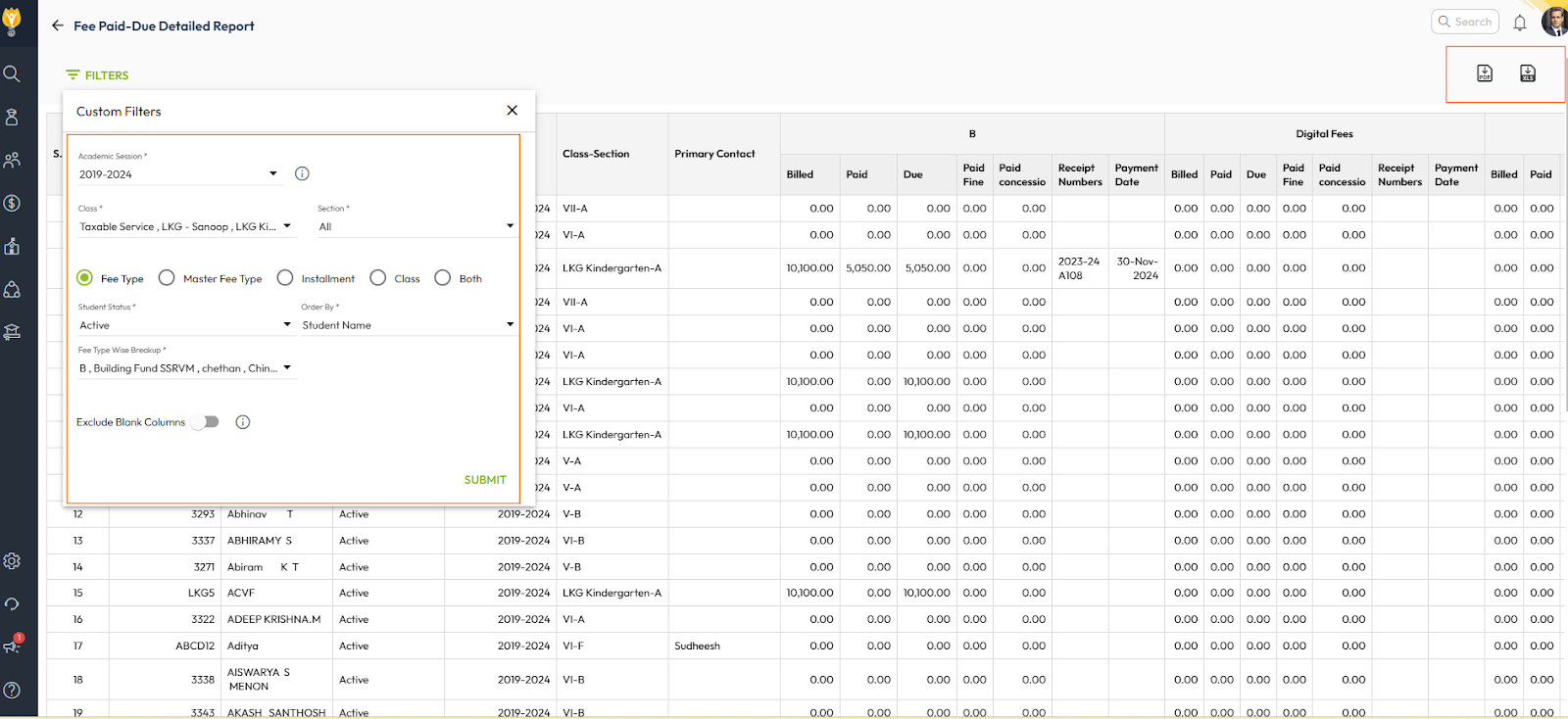
- Student Information: Name, admission number, and primary contact details.
- Fee Breakdown: Instalments and fee types in a single report.
The inclusion of contact details allows for easy communication with parents regarding fee dues and payments. The report can be downloaded in Excel or PDF format.
Steps to Generate the Fee Paid-Due Detailed Report
- Navigate to Finance > Fee > Fee Reports
- Locate the Fee Paid-Due Detailed Report.
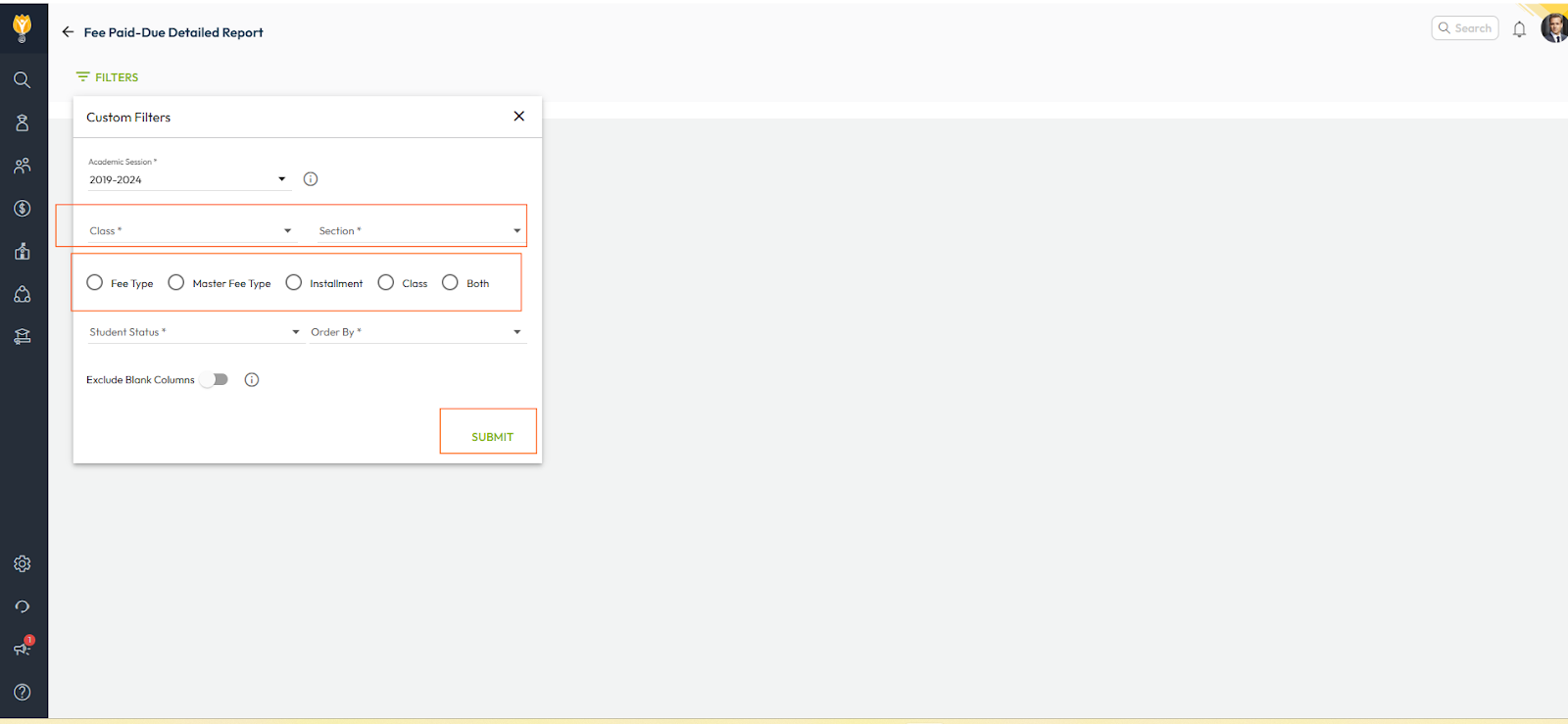
- Set the filters as per your requirements, such as specific class, fee type, or instalment.
- Click Submit to generate the report.
- You can download this report in the Excel or PDF format.
Was this article helpful to you?
Yes0
No0