

When a fee structure needs modification but collections have already begun, receipts against the affected fee head/instalment must be cancelled first before any edits can be made.
Step 1: Cancel the Collected Fees
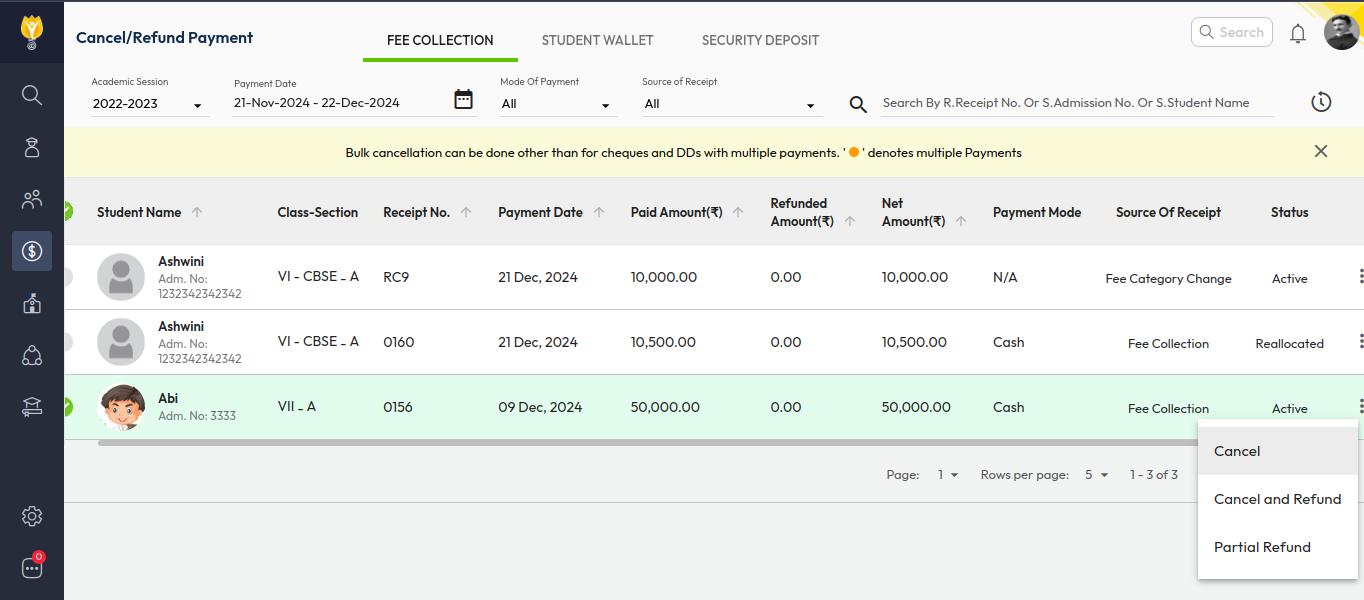
- Go to Finance > Fee > Cancel Fee.
- Select the payment date range.
- Search for the student(s) using receipt number, name, or admission number.
- Click the three dots (⋮) on the right and cancel the receipts collected against the related fee head / fee type for that class.
Step 2: Modify the Fee Structure
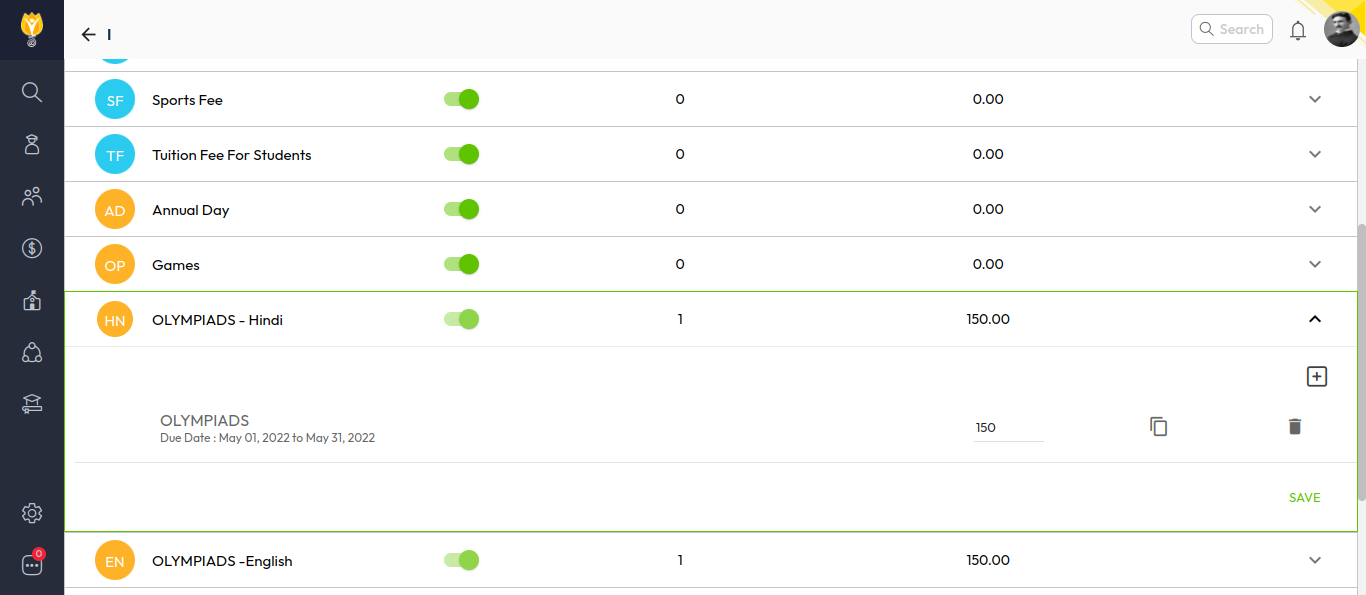
- Go to Settings > Finance > Fee > Fee Structure.
- Select the relevant class and fee structure.
- Update the fee amounts as required.
- Save to apply changes.
Note (optional for clarity)
After modification, the fee collection will reflect the updated amounts when fees are regenerated or recollected for the affected students.
Video Tutorial :
Was this article helpful to you?
Yes0
No0