

Fee Summary Report is one of the important reports in fee report , we can fetch the details Student wise or Class/section wise .
How it is helpful to Accountant?
The report is very useful to the school accountant as the total billed amount collected and the remaining amount can be fetched as per need and student wise or class section wise .
Steps to generate the report
- Navigate to Finance > Fee > Fee Reports
- Locate the Fee Summary Report .
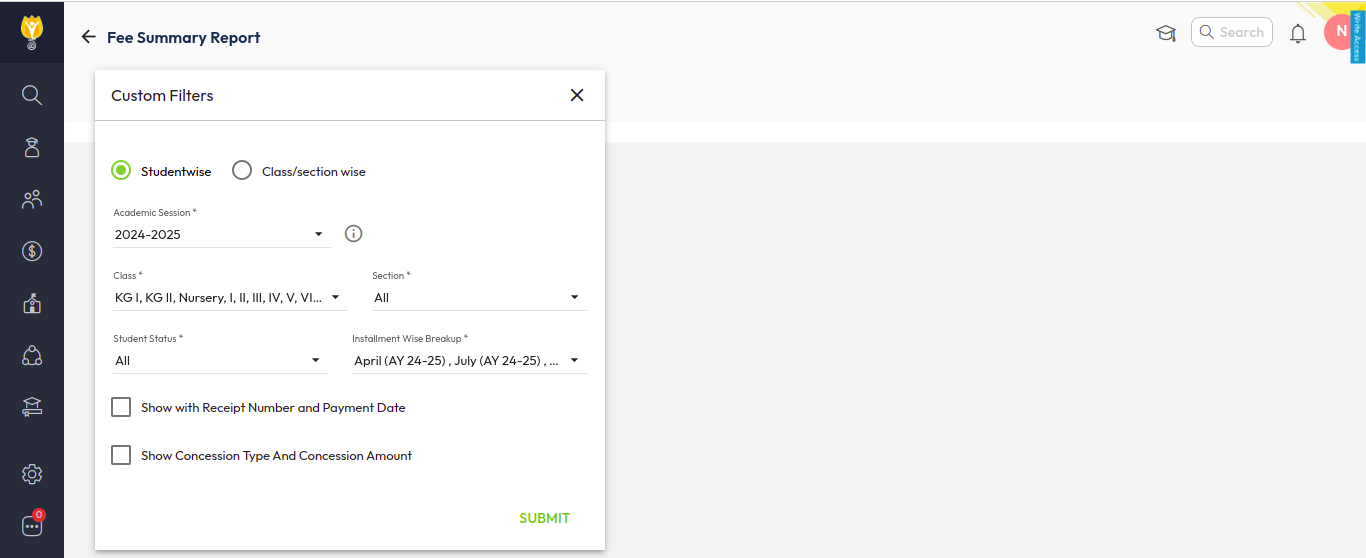
- Set the filters as per your requirements, such as Studentwise or Class/Section wise, class, and instalment.
- Click Submit to generate the report.
- You can download this report in the Excel or PDF format.
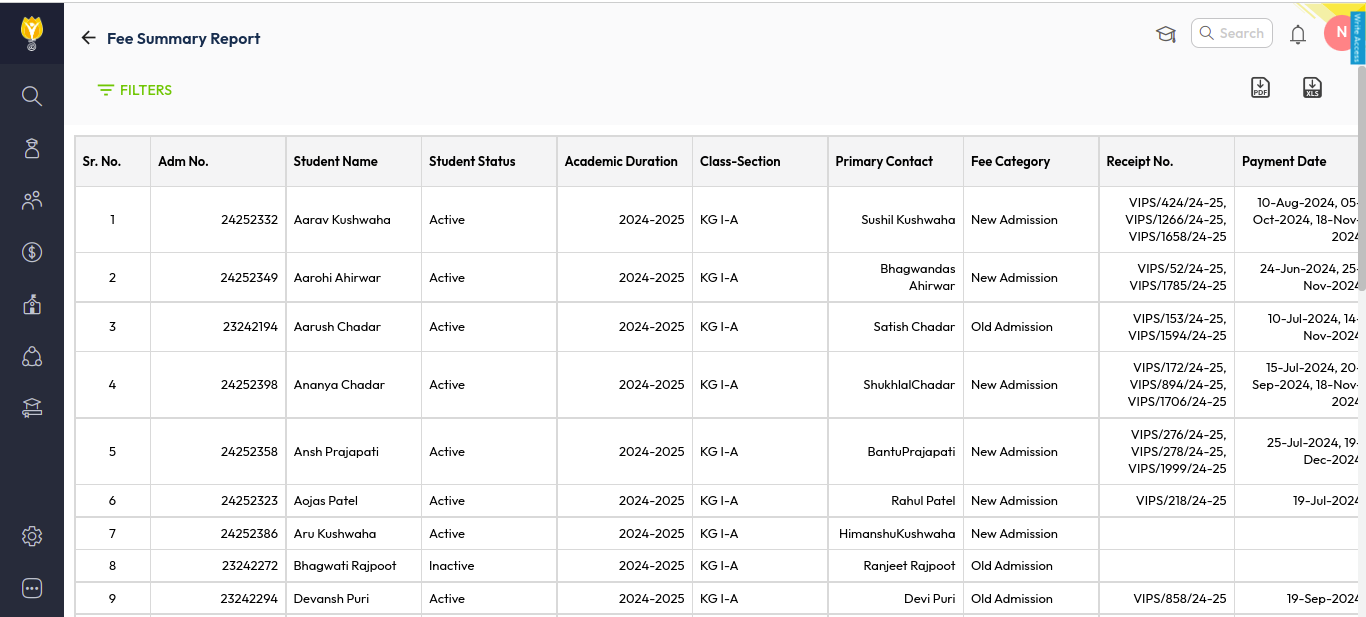
A: Information included in Student wise Fee summary report :

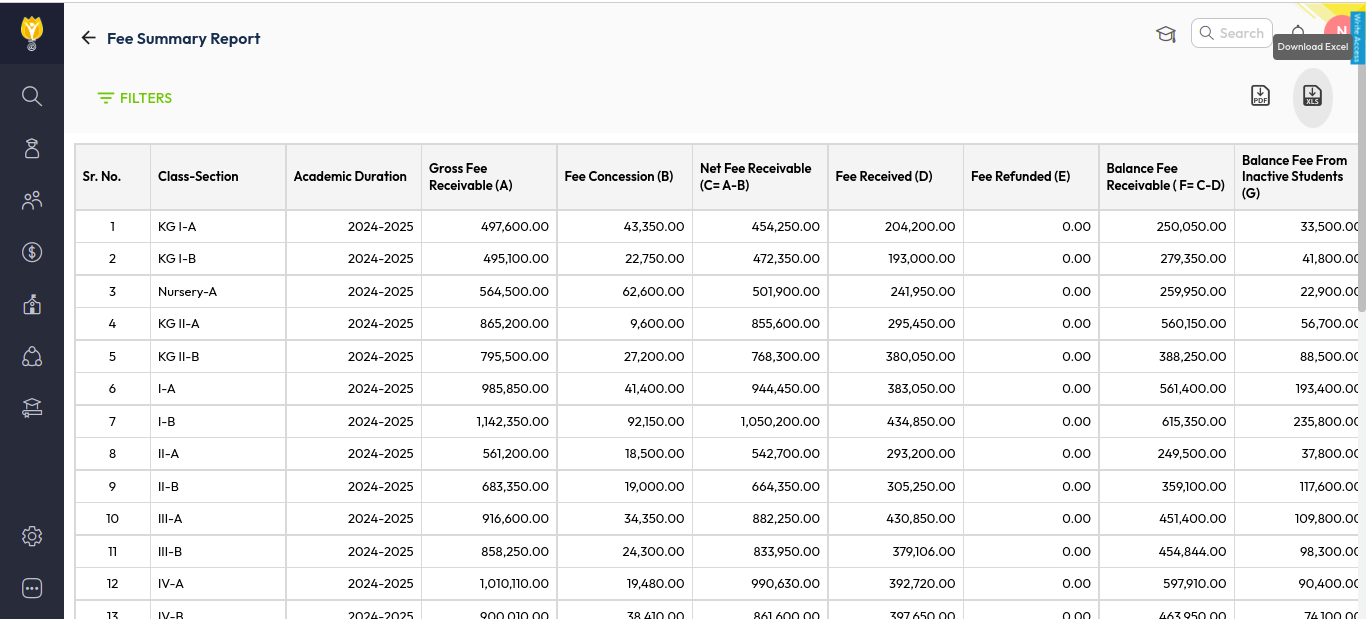
B:- Information included in Class/section wise Fee Summary Report:

Was this article helpful to you?
Yes0
No0