

 > Communication > Chat > open a group > group name > Group Info
Open the group and click the group name.
Click Group Info.
You will see:
Group Name
Group Info — the group description
Created By
Created Date
Group Type — for example, Staff_Parent
To change the name or description, click Edit and save.
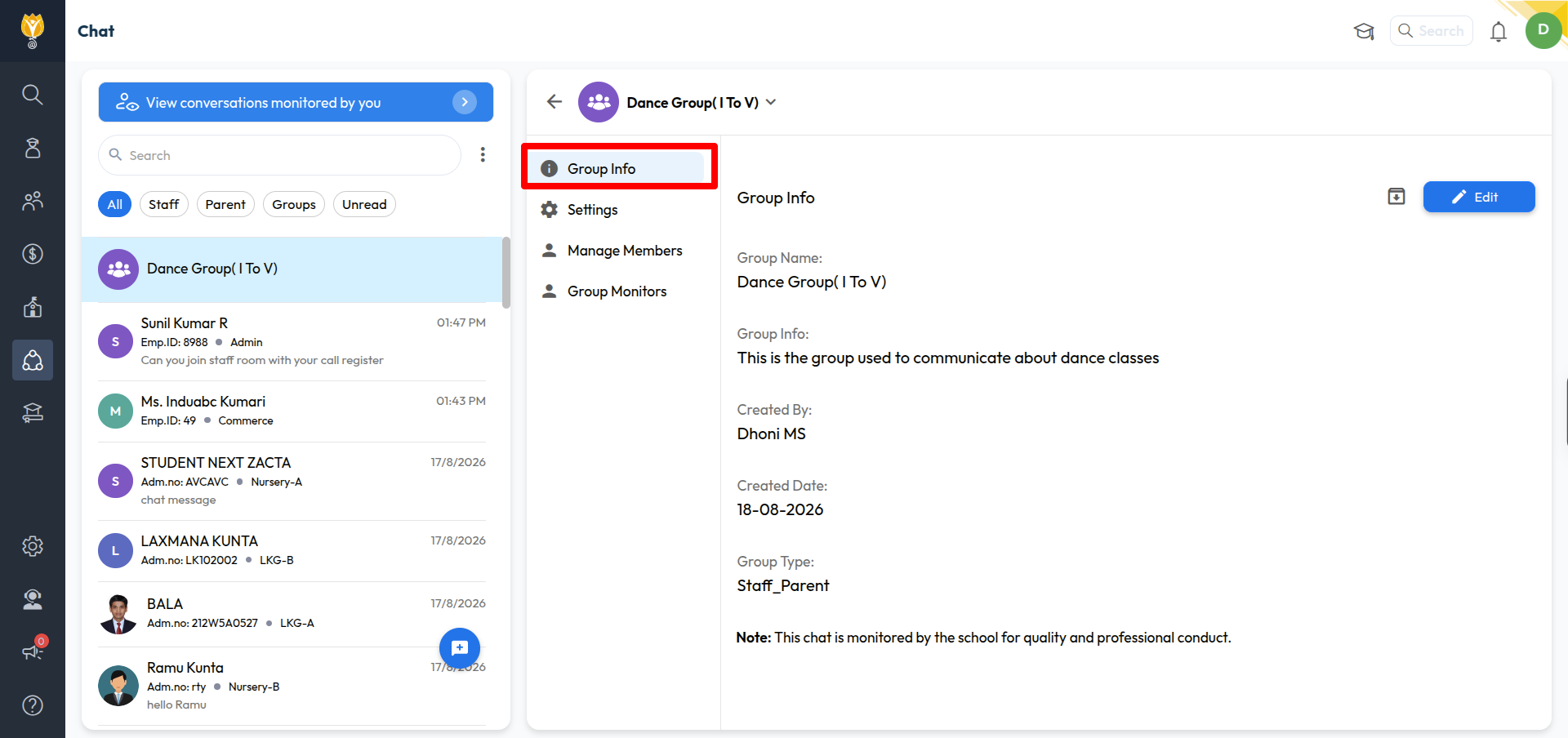
Note: Created By, Created Date, and Group Type cannot be changed.
Every group shows a note at the bottom: “This chat is monitored by the school for quality and professional conduct.” This is visible to all members.
Was this article helpful to you?
Yes0
No0