

You can replicate the fee structure using the Academic Session Copier to avoid manual reconfiguration for the new year.
Steps to Copy Fee Structure
- Navigate to Settings > Administration > School Setup > Academic Session Copier.
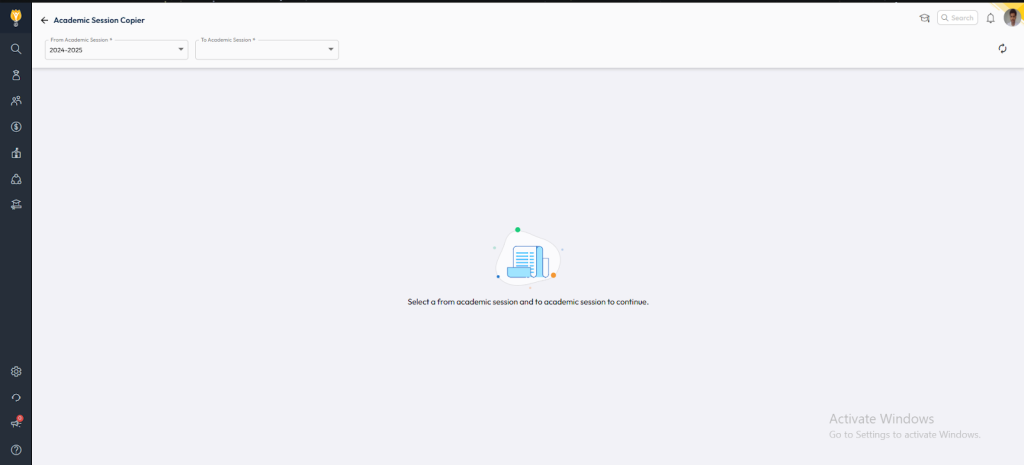
- Open the Academic Session Copier.
- If prompted, click Start Migration.
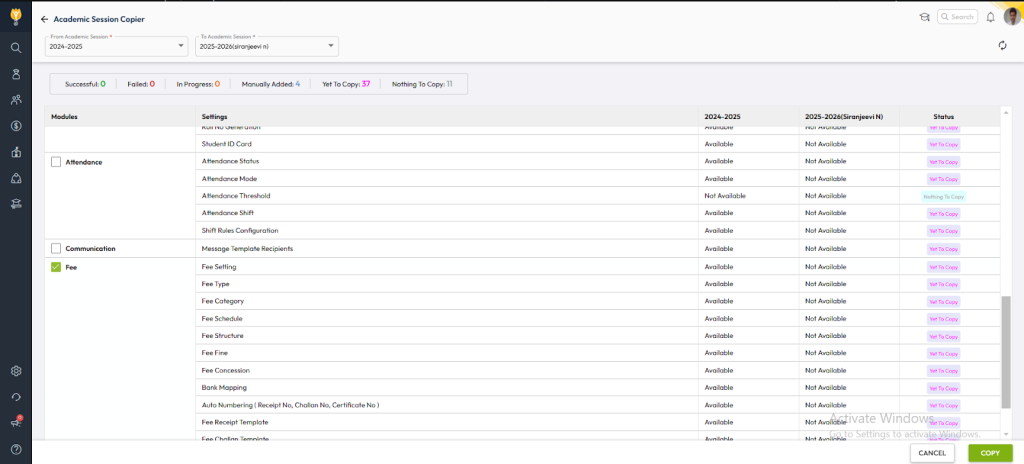
- Select the From Academic Session (current year) and the To Academic Session (future year).
- Locate the Fee module inside the copier.
- Click Copy to replicate all fee-related configurations, including:
- Fee Types
- Fee Categories
- Fee Structures
- Mappings & settings
Post-Copy Validation
After the copier finishes, Switch the academic session to future and :
- Navigate to Finance > Fee in the new academic session.
- Verify that all fee settings are correctly replicated.
- Check dependent configurations such as:
- Fee Schedules
- Concessions
- Optional Fee mappings
- Transport or Hostel Fee (if applicable)
Using this method ensures a smooth transition into the next academic year without manual duplication of fee settings.
Video Tutorial :
Was this article helpful to you?
Yes0
No0