

 > Settings > Admission > Pipelines & Stages > select pipeline > select stage
Parents see only the stages you choose, so internal stages can stay hidden.
- Select the stage.
- Tick Show in Applicant Portal at the top right.
- Click Save.
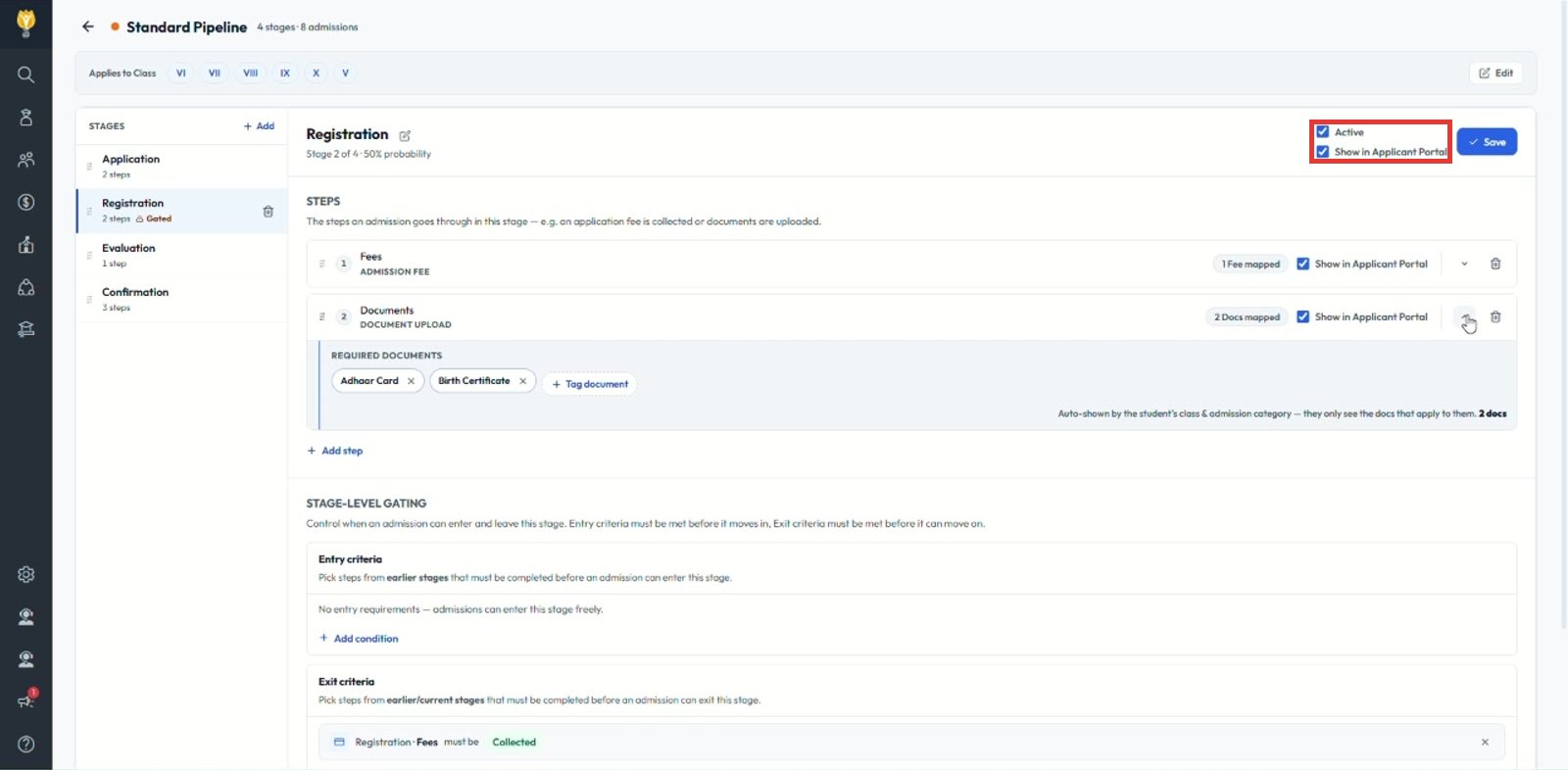
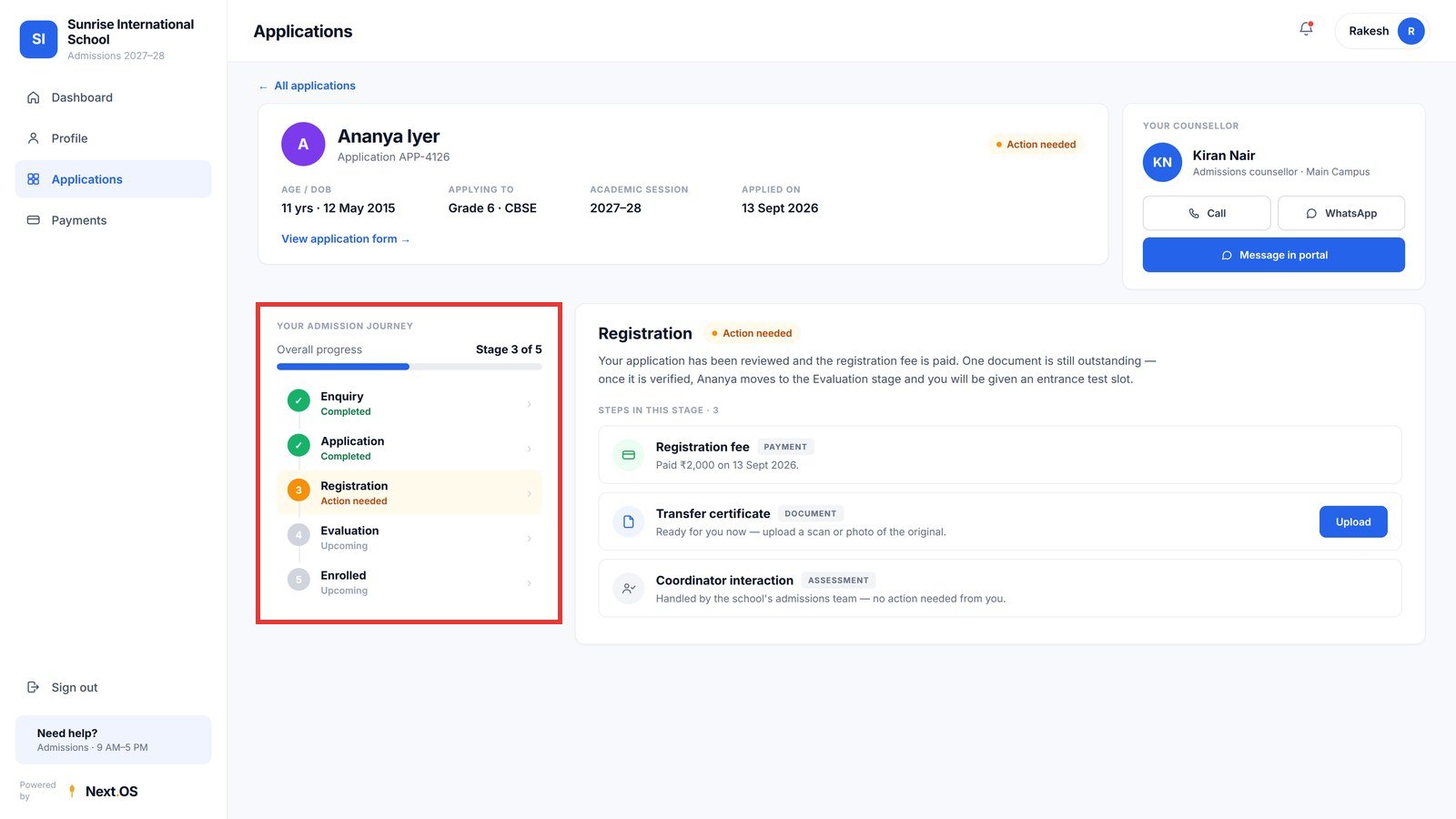
Note: Each step inside the stage also has its own Show in Applicant Portal box. Parents see the stage in their admission journey and the steps you have made visible.
Was this article helpful to you?
Yes0
No0