

- Go to Settings > Finance > Fee.
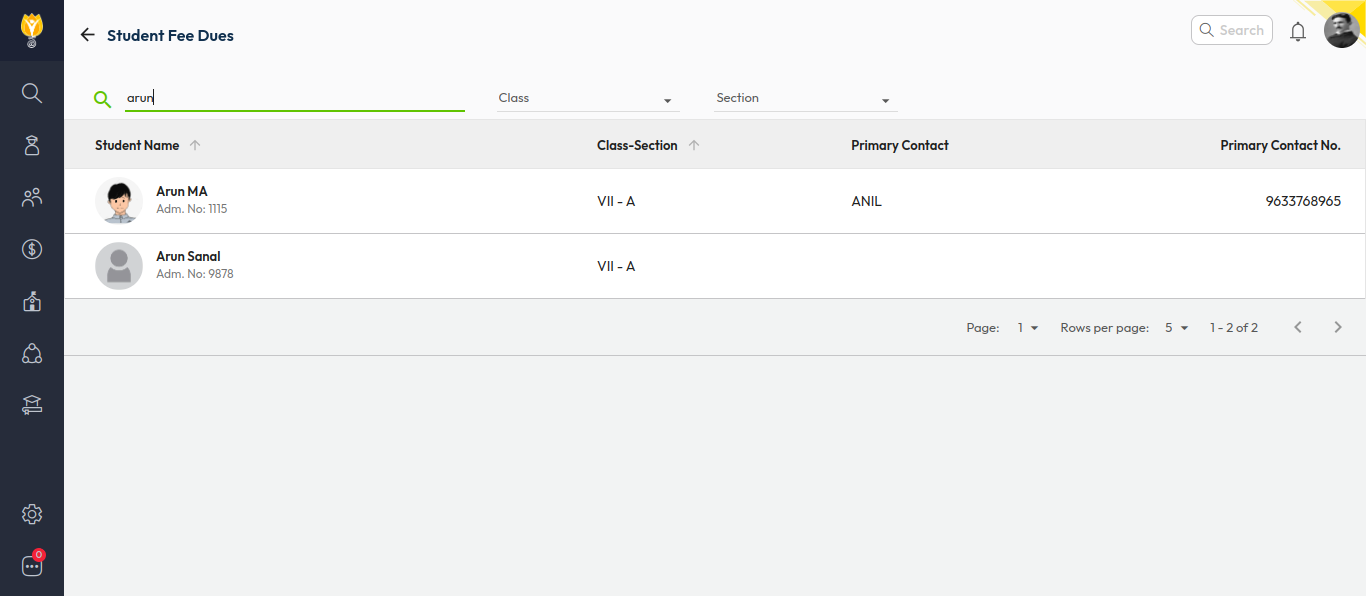
- Click on Student Fee Dues.
- Search for the student using Name / Admission Number or use Class & Section filters.
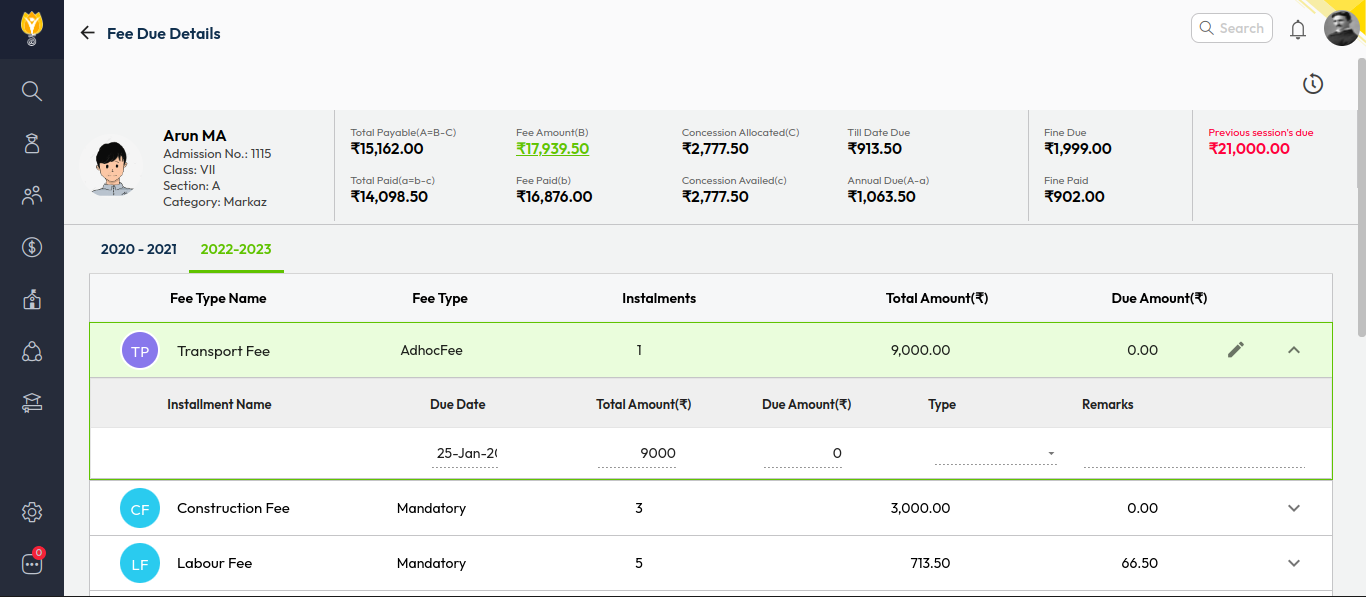
- Select the Fee Header you want to adjust.
- Click the pencil (edit) icon to modify the due.
- Select the required Type and enter the exact amount you want to reflect for the student.
- Save the changes.
Video Tutorial :
Was this article helpful to you?
Yes0
No0