

Fees for inactive students can be collected directly from the Fee Collection screen.
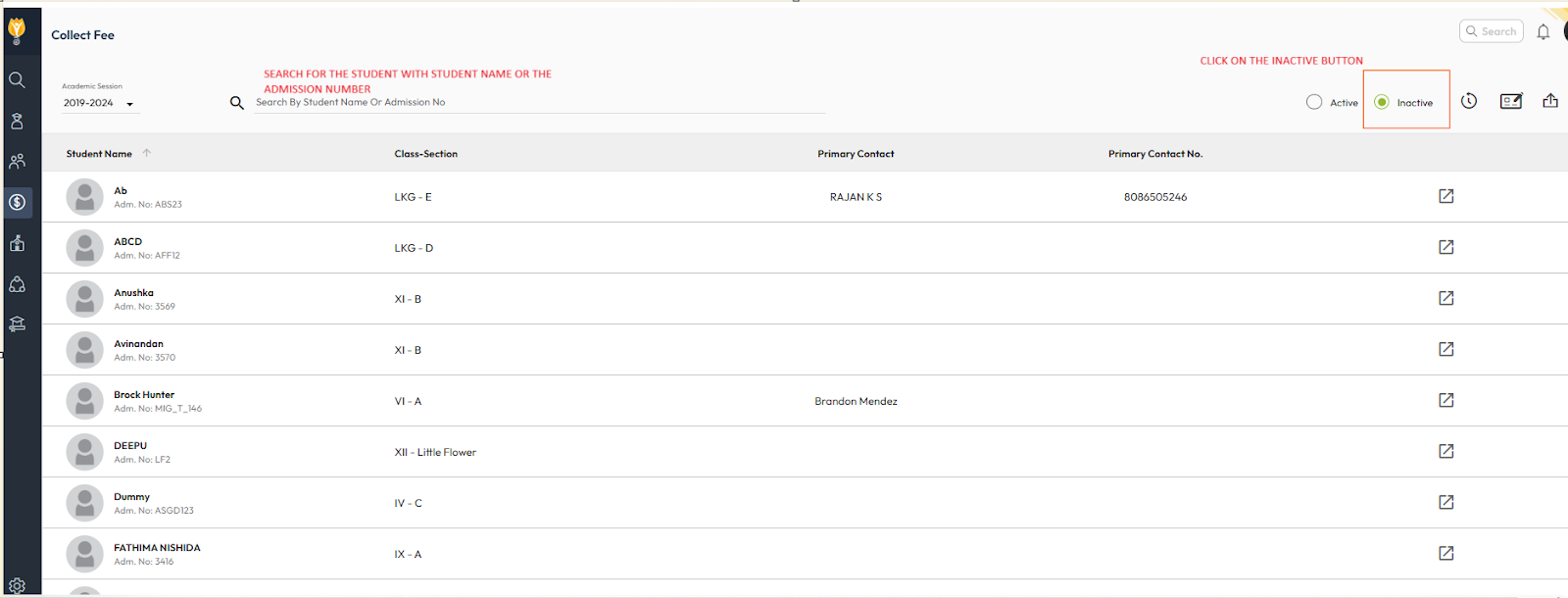
- Navigate to Finance > Fee > Collect Fee.
- Select the Inactive option to view inactive students.
- Search for the student using their name or admission number.
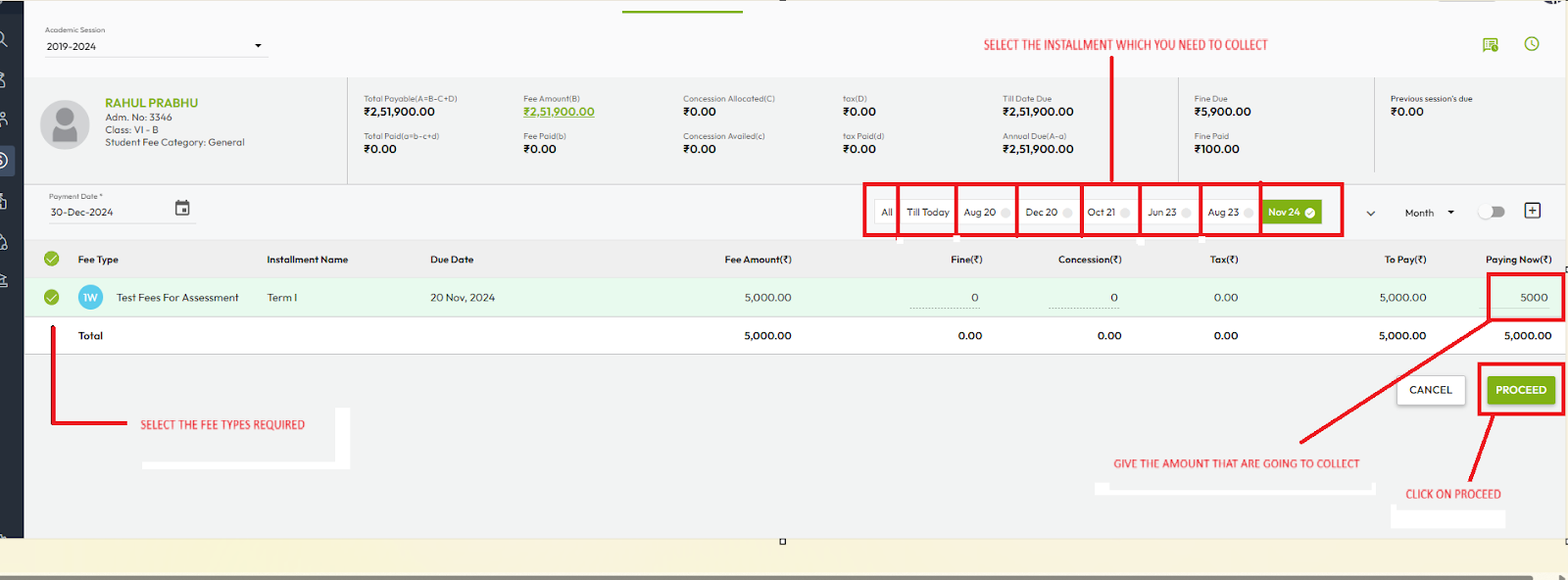
- Select the student and choose the required fee type and amount.
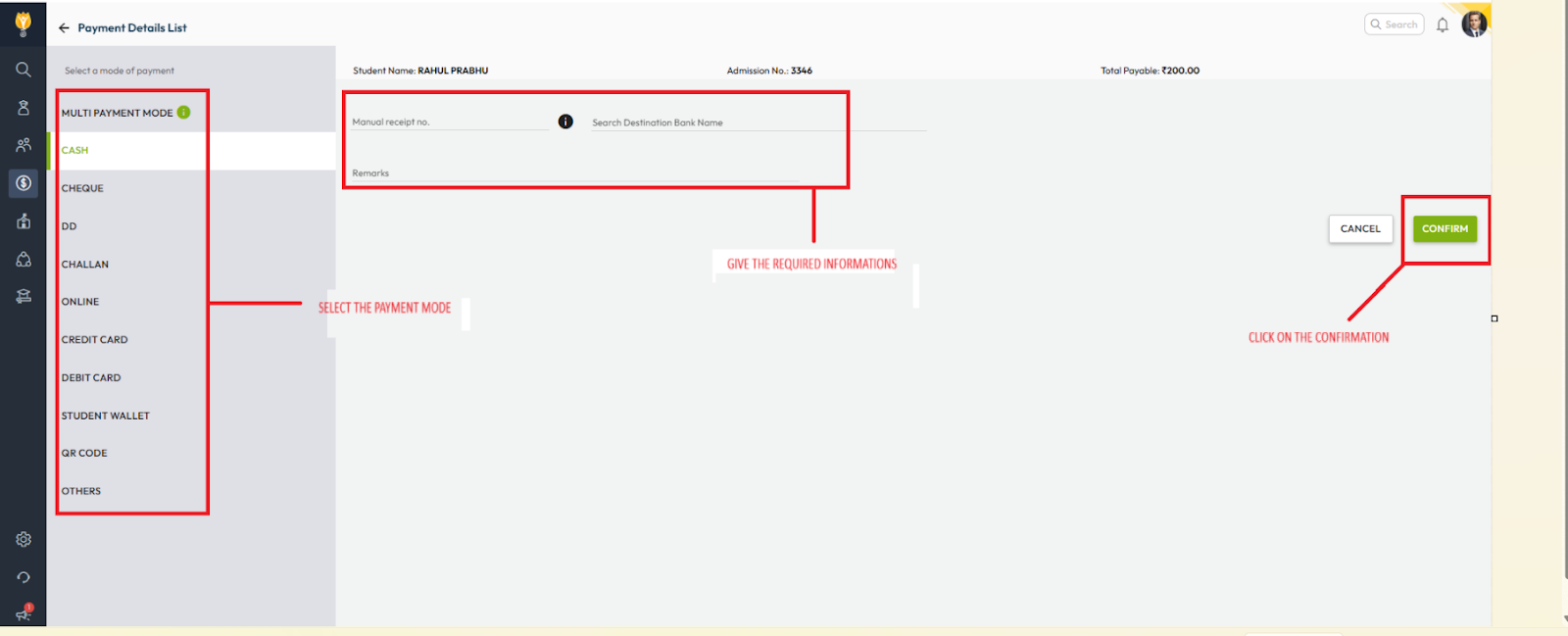
- Click Proceed, select the mode of payment, enter the required details, and click Confirm.
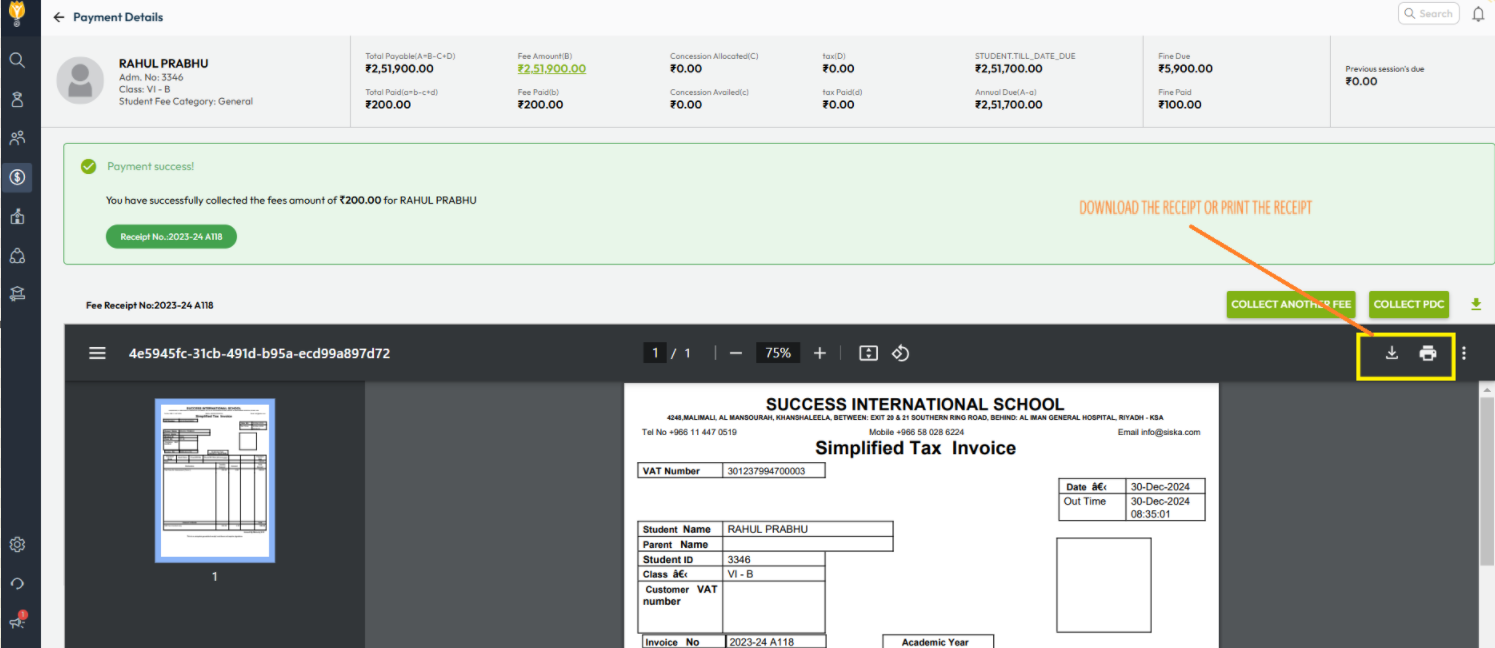
The fee will be successfully collected even if the student is inactive.
Video Tutorial :
Was this article helpful to you?
Yes0
No0