

Schools can allow parents to make partial fee payments instead of paying the full amount at once. This setting can be enabled from the Fee Collection configuration.
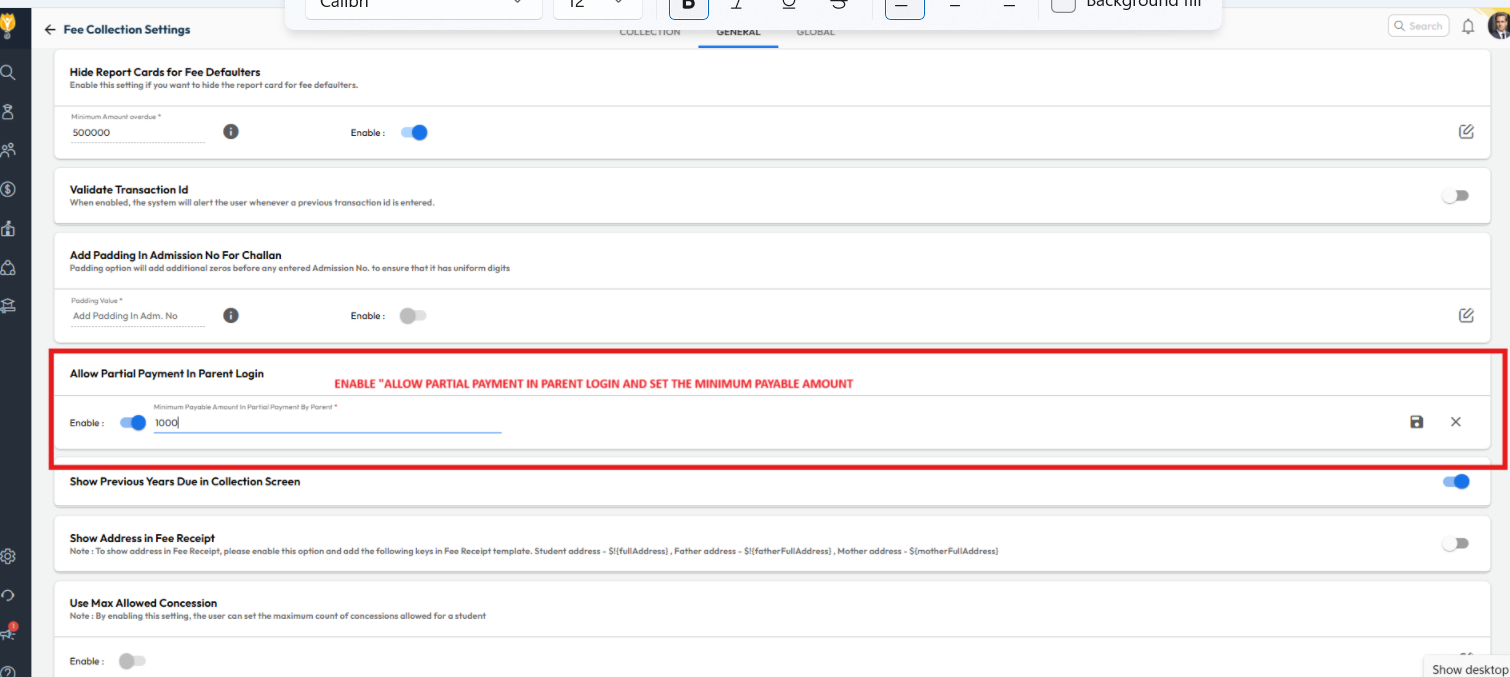
- Navigate to: Settings > Finance > Fee > Fee Collection
- Go to the General tab
- Toggle Allow Partial Payment in Parent Login
- Set Minimum Partial Amount (Optional):
Enter the minimum amount parents should be allowed to pay. - Click Save to apply the setting.
Outcome
Once enabled, parents will see a Pay Other Amount option in their login and can enter an amount of their choice (subject to the minimum set).
Video Tutorial :
Was this article helpful to you?
Yes0
No0