

We can fetch the details of the students using Fee Concession Report who have been offered concessions by the school.
Steps to Generate Report
- Navigate to Finance > Fee > Fee Reports
- Locate the Fee Concession Reports.
- Set the filters as per your requirements, such as specific class, fee type, or instalment.
- Click Submit to generate the report.
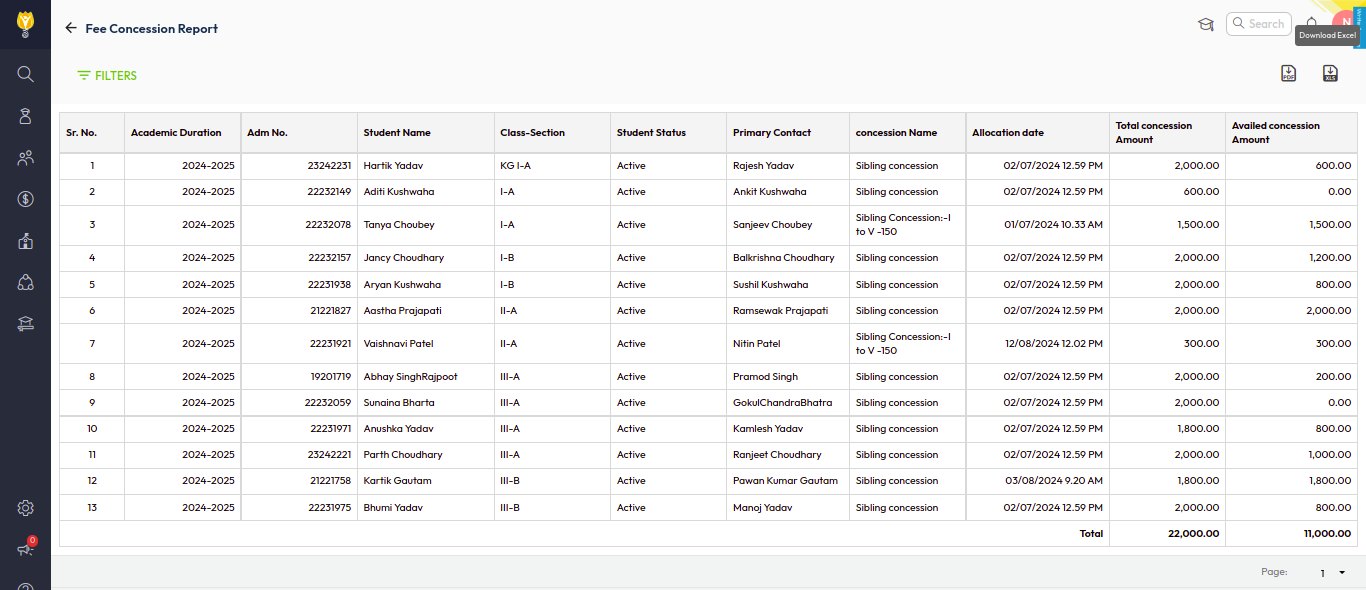
- You can download this report in the Excel or PDF format.
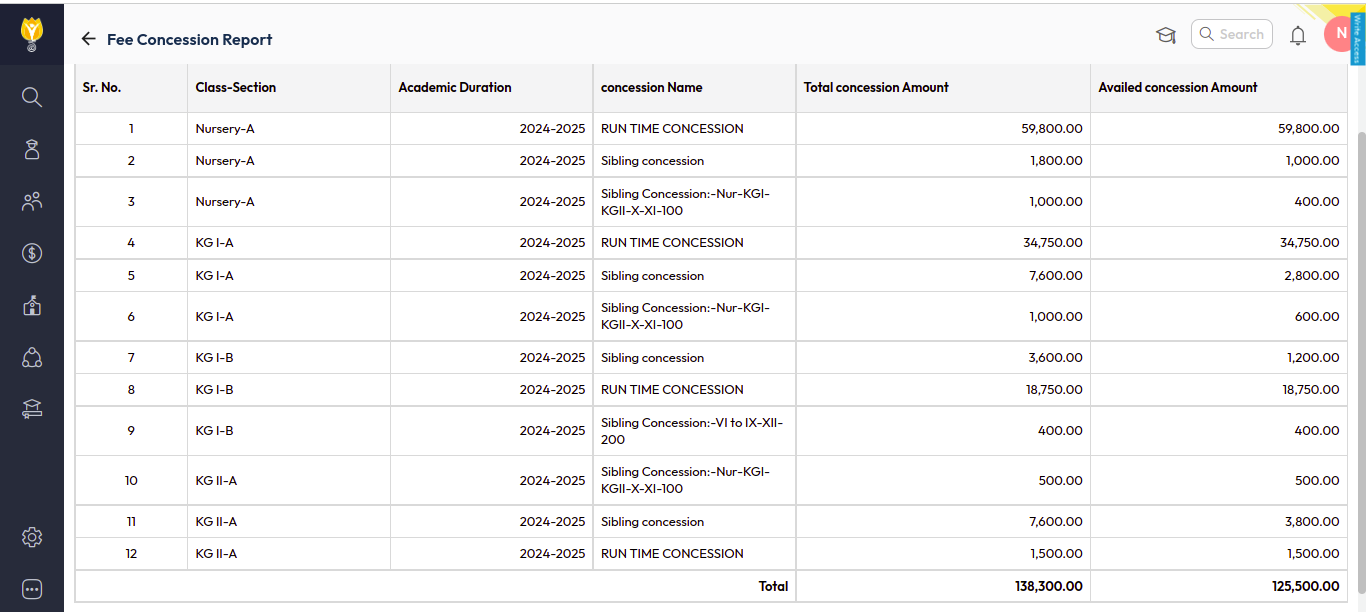
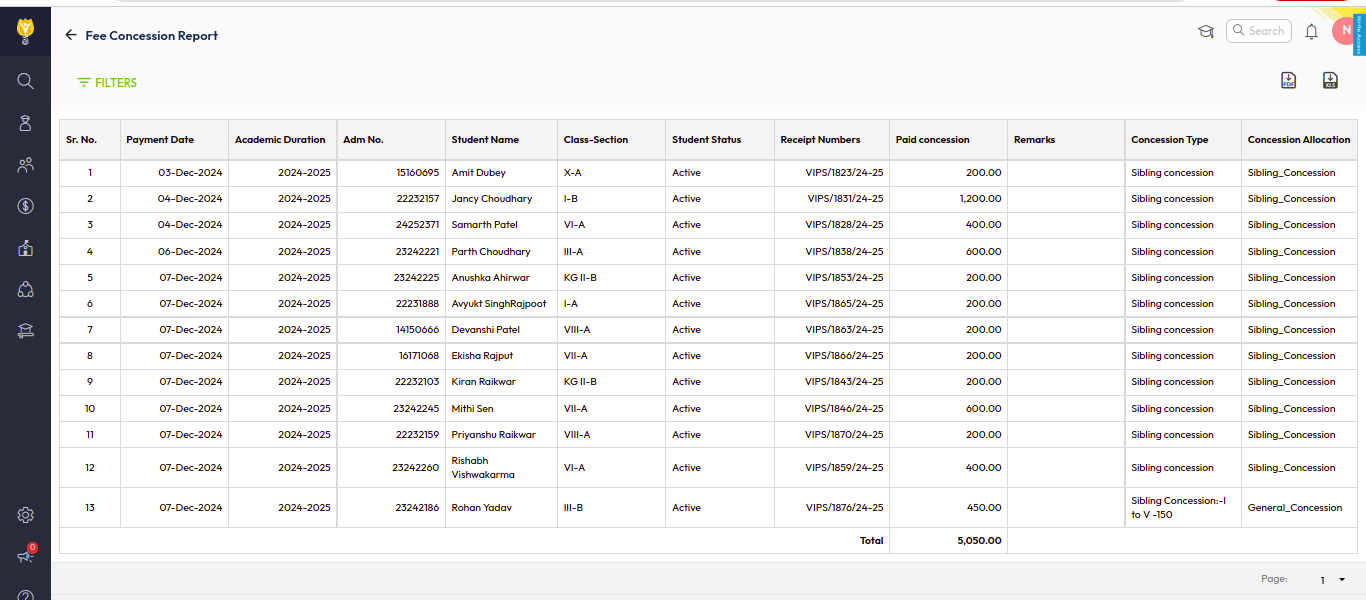
You can get the details classwise /Student wise / Day wise
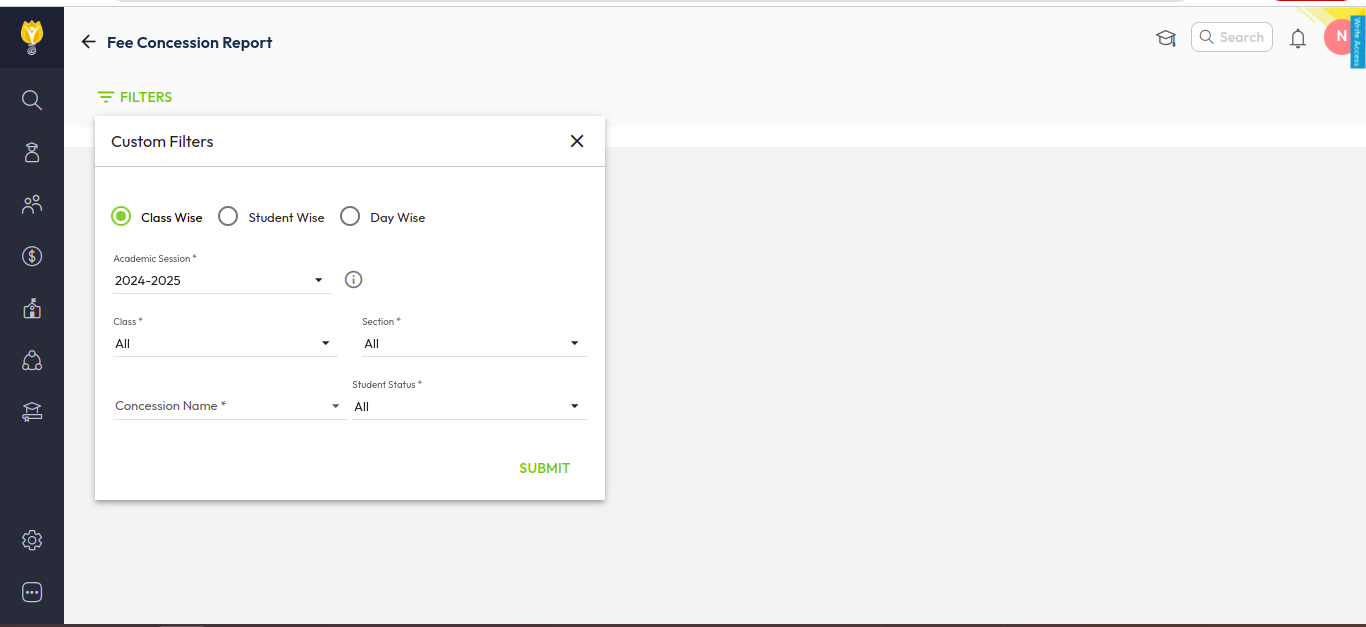
Class Wise
Student Wise
Day Wise
Was this article helpful to you?
Yes0
No0