

Before registering fingerprints, ensure the biometric device is configured and synced and showing Online in NextOS, and staff user mapping is completed. Since NextOS pushes staff data to the device automatically, there is no need to create users manually on the biometric device.
You can refer to the detailed guides below for step-by-step setup:
How to get started with Biometric attendance in NextOS?
How can I integrate biometric devices for my school?
Steps to register fingerprints
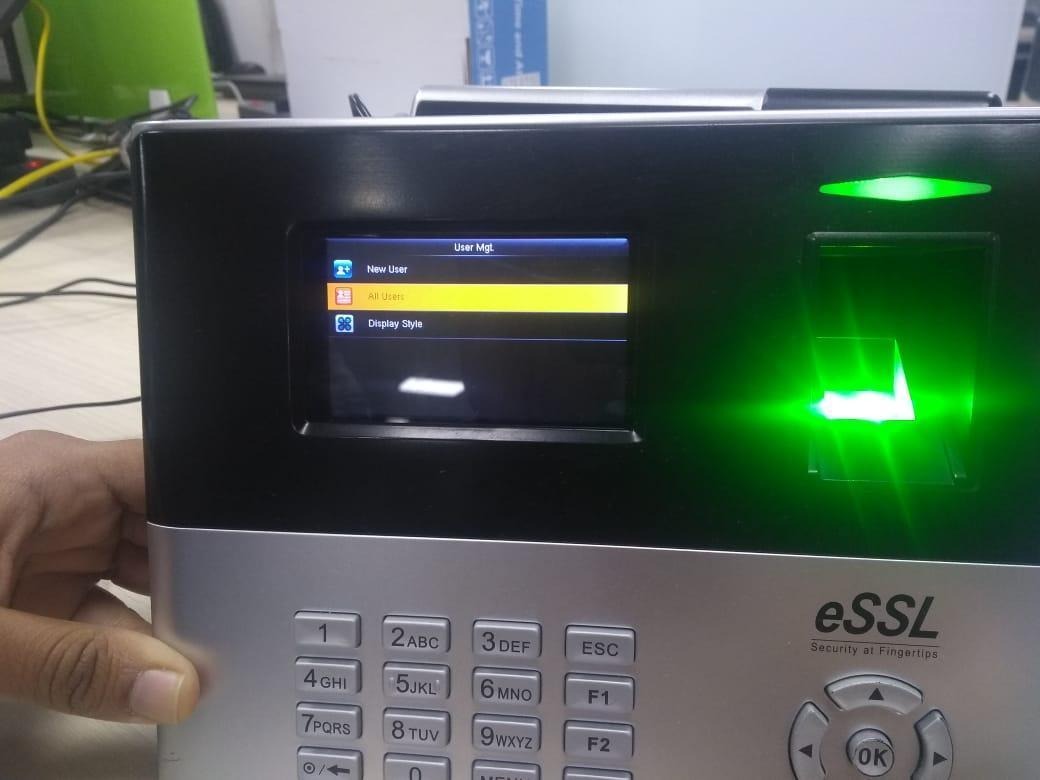
- On the biometric device, go to Menu > User Mgmt > All Users.
- You will see the list of staff users synced from NextOS.
- Select the required user and Edit.
- Choose Fingerprint and register the required fingerprint(s).
- Save the entry.
- Repeat the same steps for other users as needed.
Once completed, the registered fingerprints will be used for attendance marking and synced with NextOS.
Was this article helpful to you?
Yes0
No1