

You can track all report card template updates using the Version History feature in the Report Card Builder.
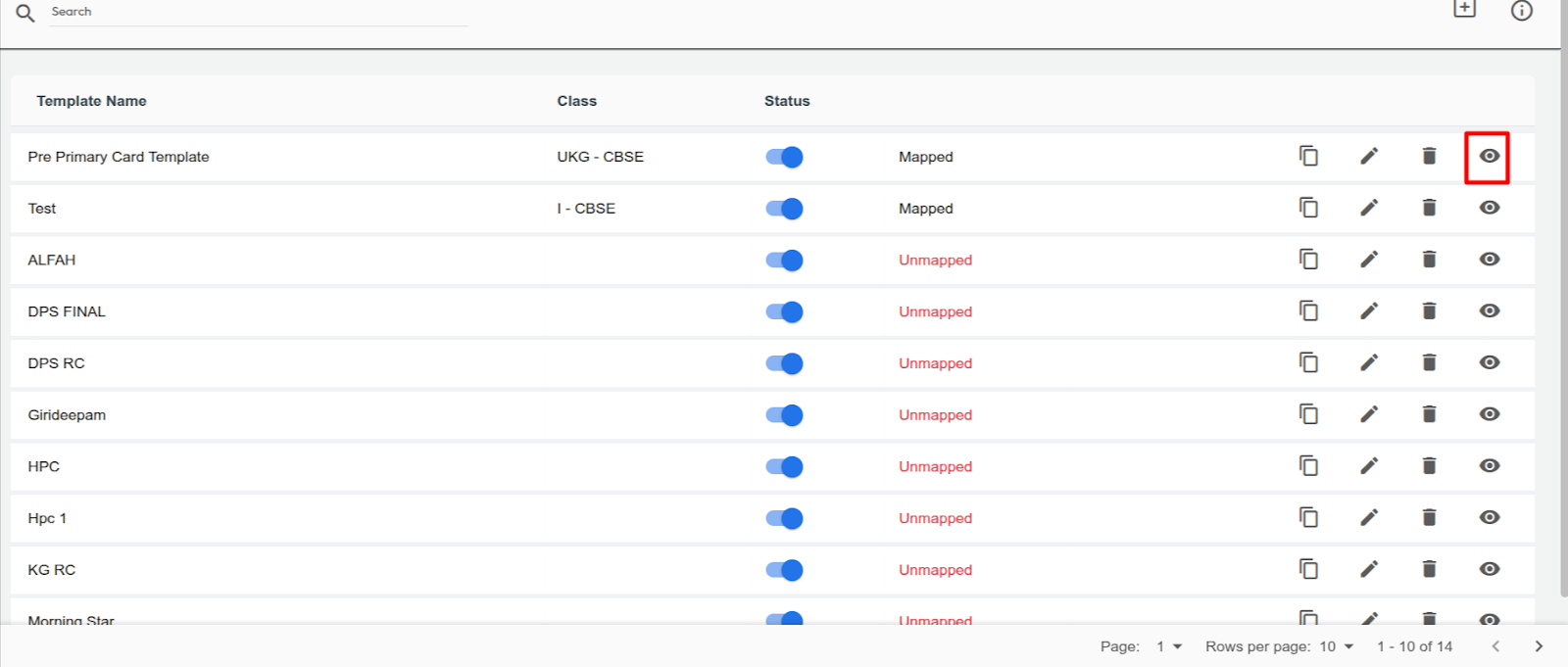
- Navigate to Settings > Student > Examination > Report Card Builder.
- Select the report card template you want to review.
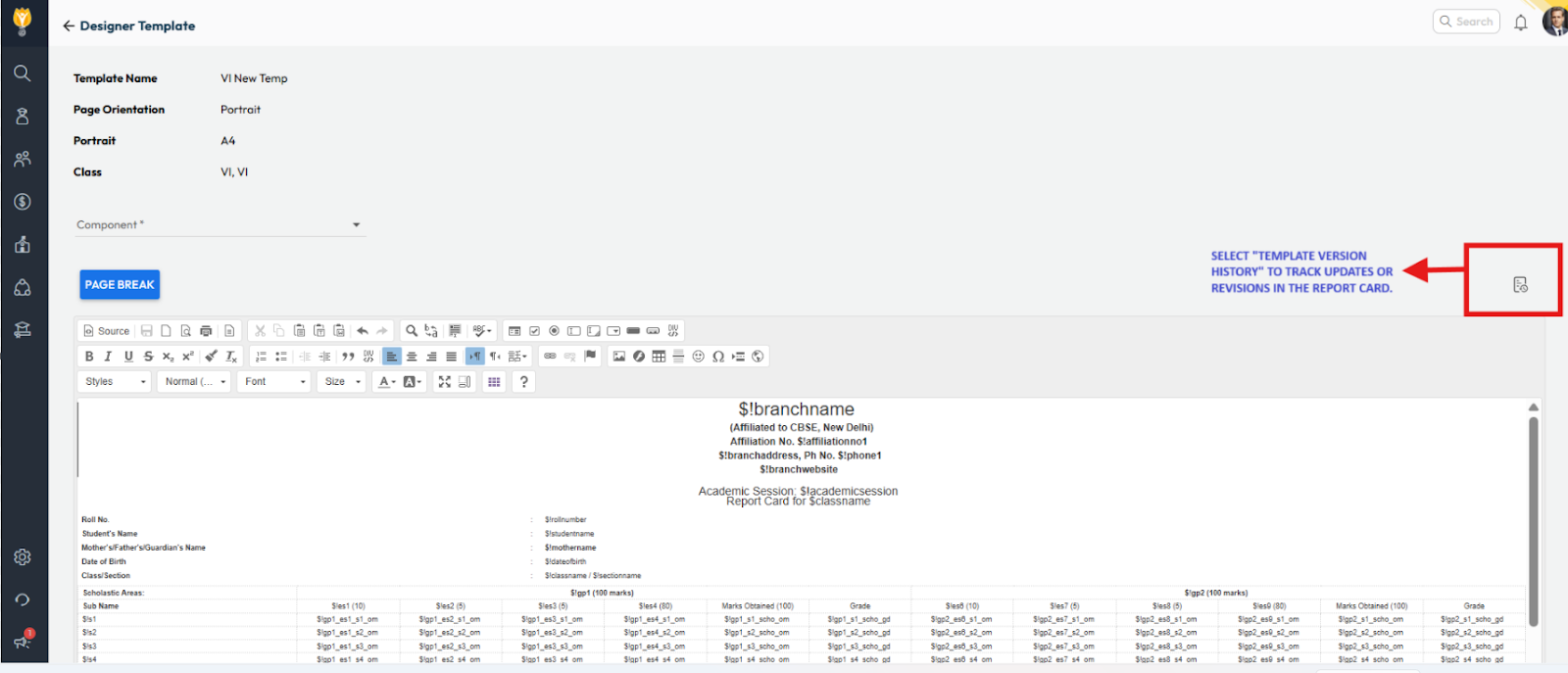
- Click on Version History.
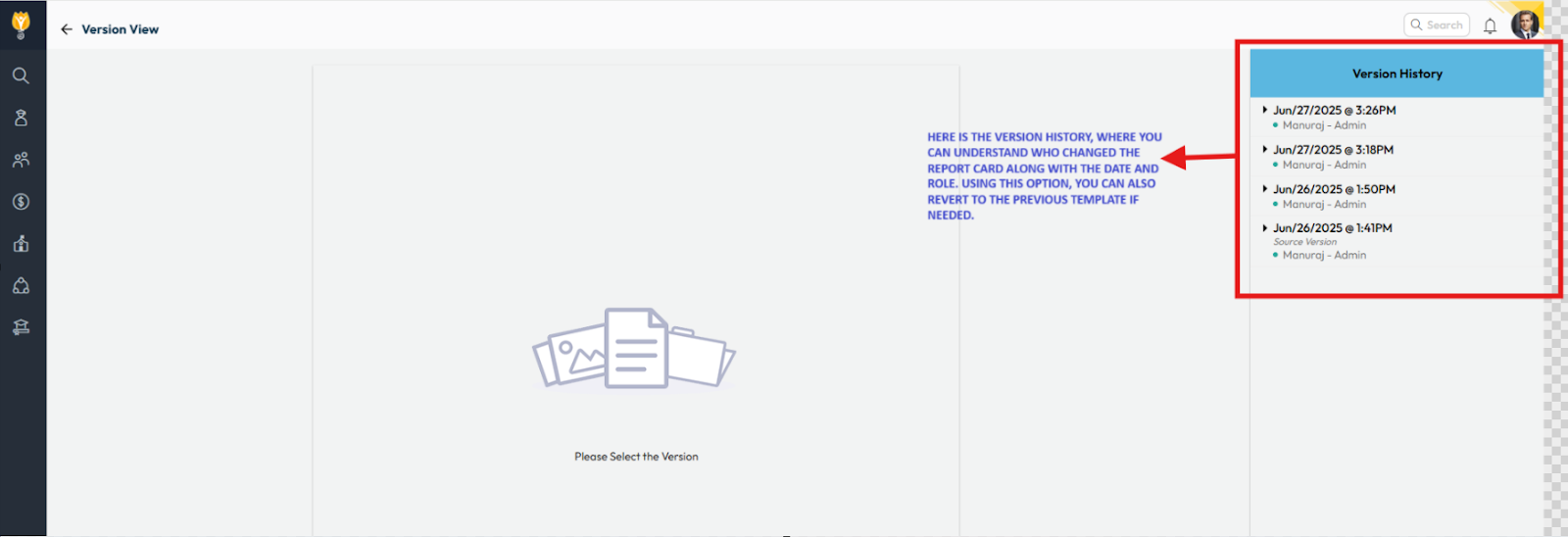
- Here, you can view all changes made to the template, along with the date, time, user name, and user role.
- If required, you can also restore a previous version of the template from the same screen.
This helps you monitor all modifications and maintain a clean revision history for report card templates.
Was this article helpful to you?
Yes0
No0