

You can verify pending mark entries using either the Marks Entry page or the Report Card Publish page.
Method 1: Using Marks Entry Page
- Navigate to Student > Examination > Marks Entry.
- Select the Class, Section, Term, Assessment, and Subject.
- Review the mark entries and look for any blank or missing entries.
Method 2: Using Report Card Publish Page
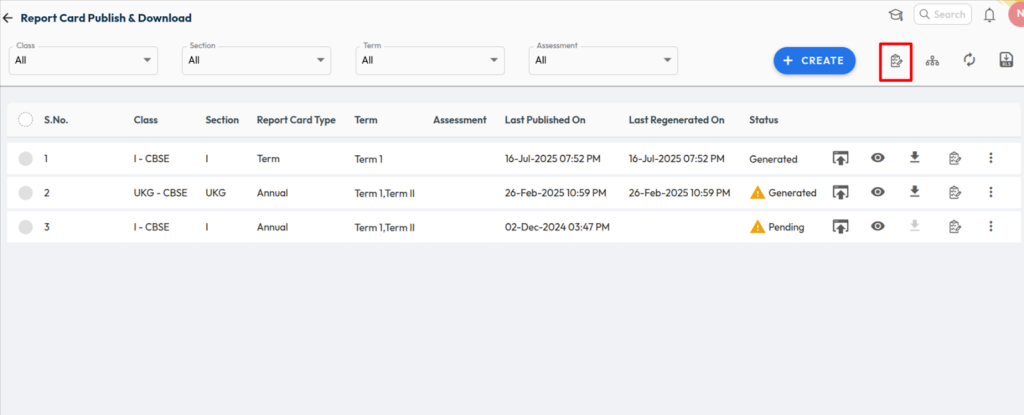
- Navigate to Student > Examination > Report Card Publish.
- Open the Marks Entry List Report.
- This report displays all pending mark entries across classes, sections, and subjects.
Was this article helpful to you?
Yes0
No0