

You can remove or correct incorrect installment amounts from the fee structure only if no payment has been collected for that installment.
If any payment exists, the amount cannot be edited or deleted.
- Navigate to Settings > Finance > Fee > Fee Structure.
- Select the required Class and Fee Schedule.
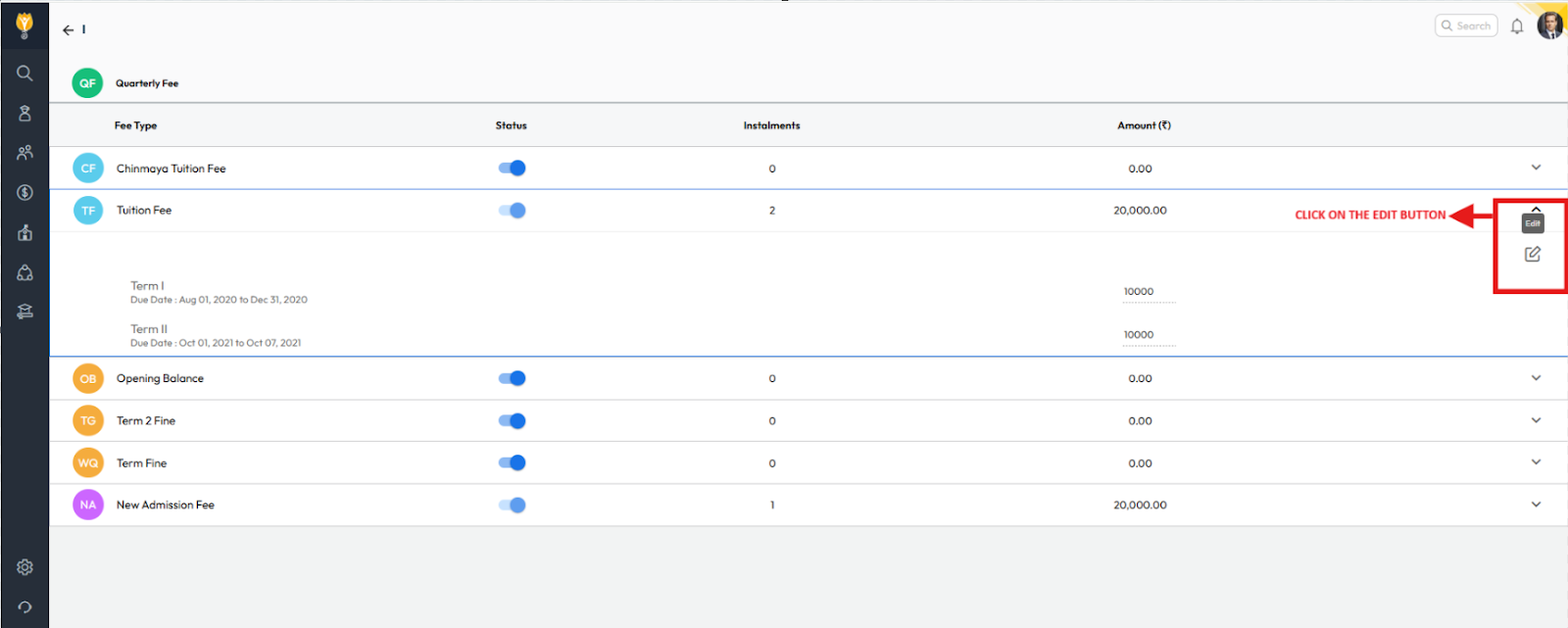
- Choose the relevant Fee Type.
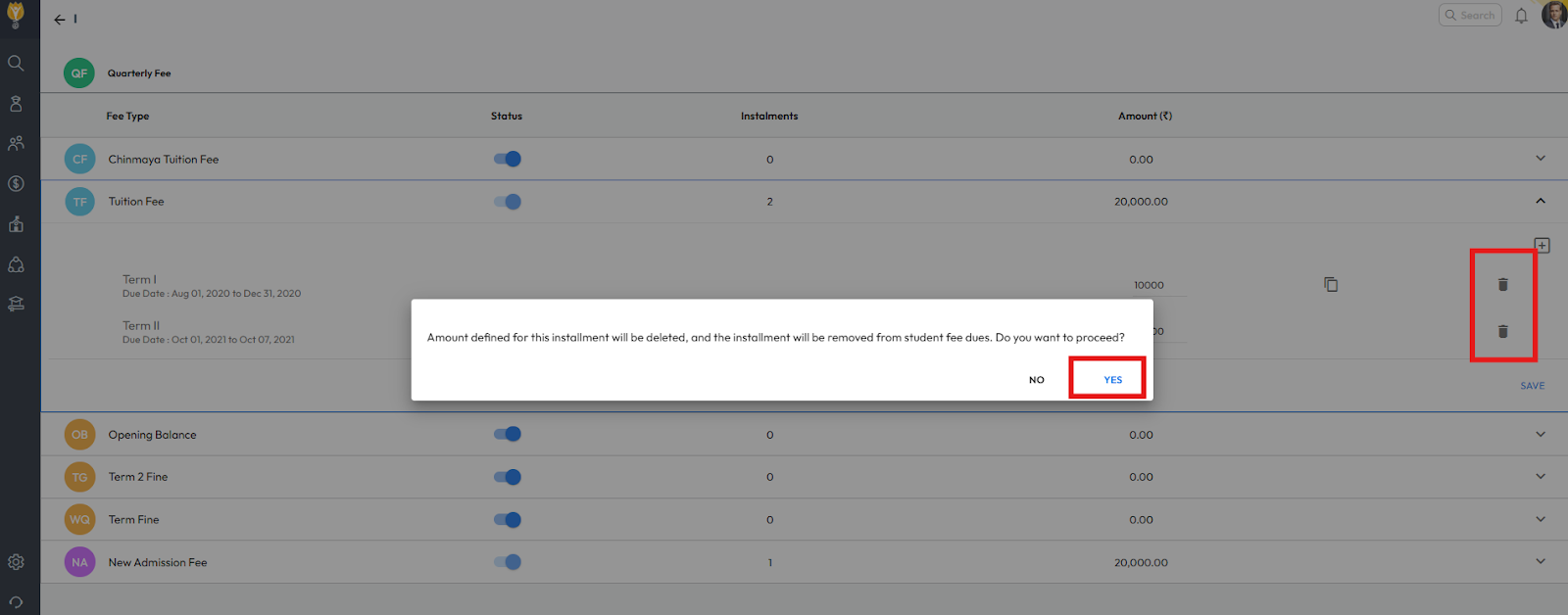
- Edit the incorrect amount or delete the installment amount as required.
- Click Save to apply the changes.
Video Tutorial :
Was this article helpful to you?
Yes0
No0