

 > Settings > Admission > Pipelines & Stages > select pipeline > select stage
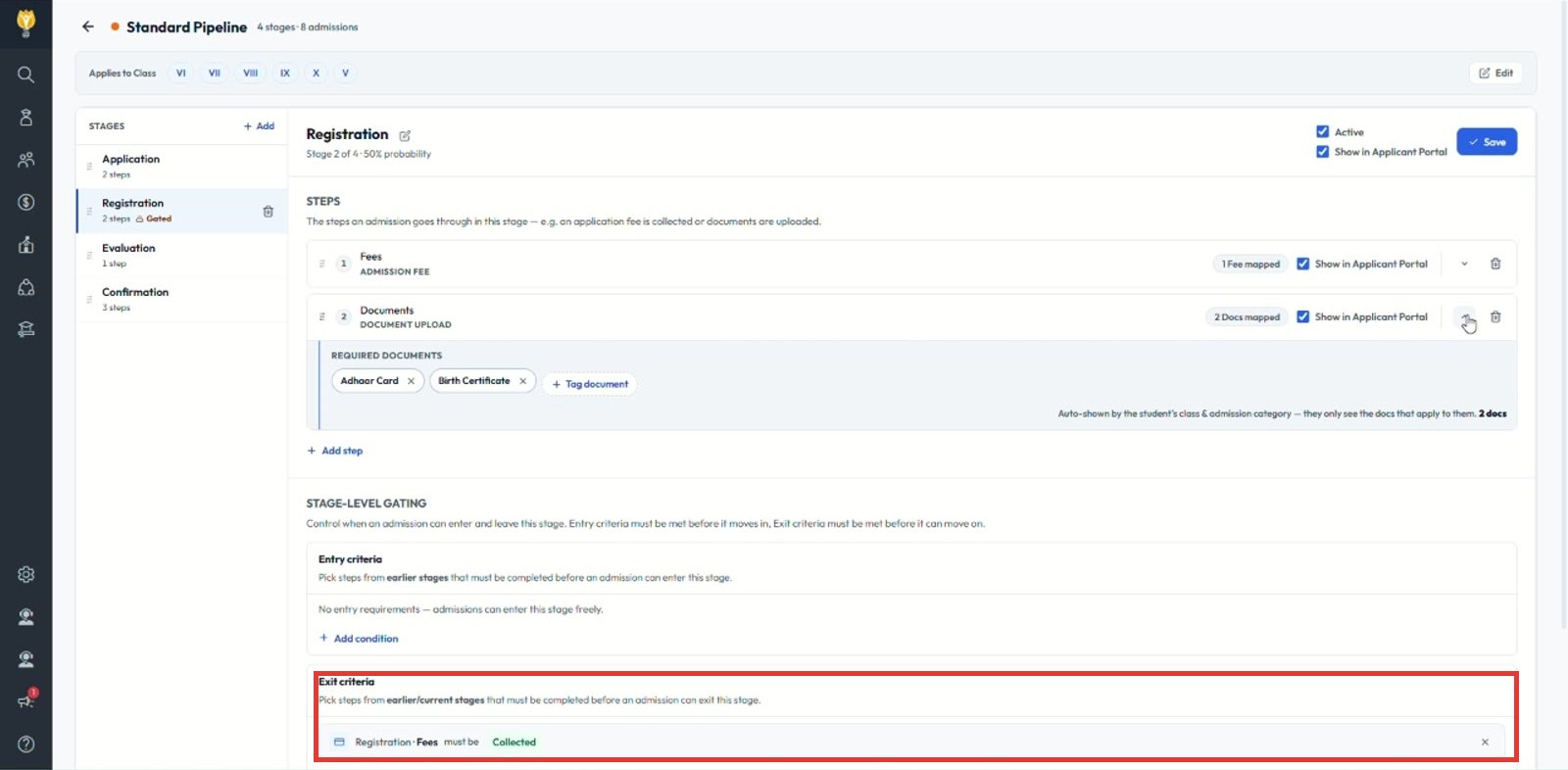
Use exit criteria. The admission cannot leave the stage until every exit criterion is met.
- Select the stage and scroll to Exit criteria.
- Click + Add condition.
- Choose the step and its required status, for example Registration · Fees must be Collected.
- Click Save.
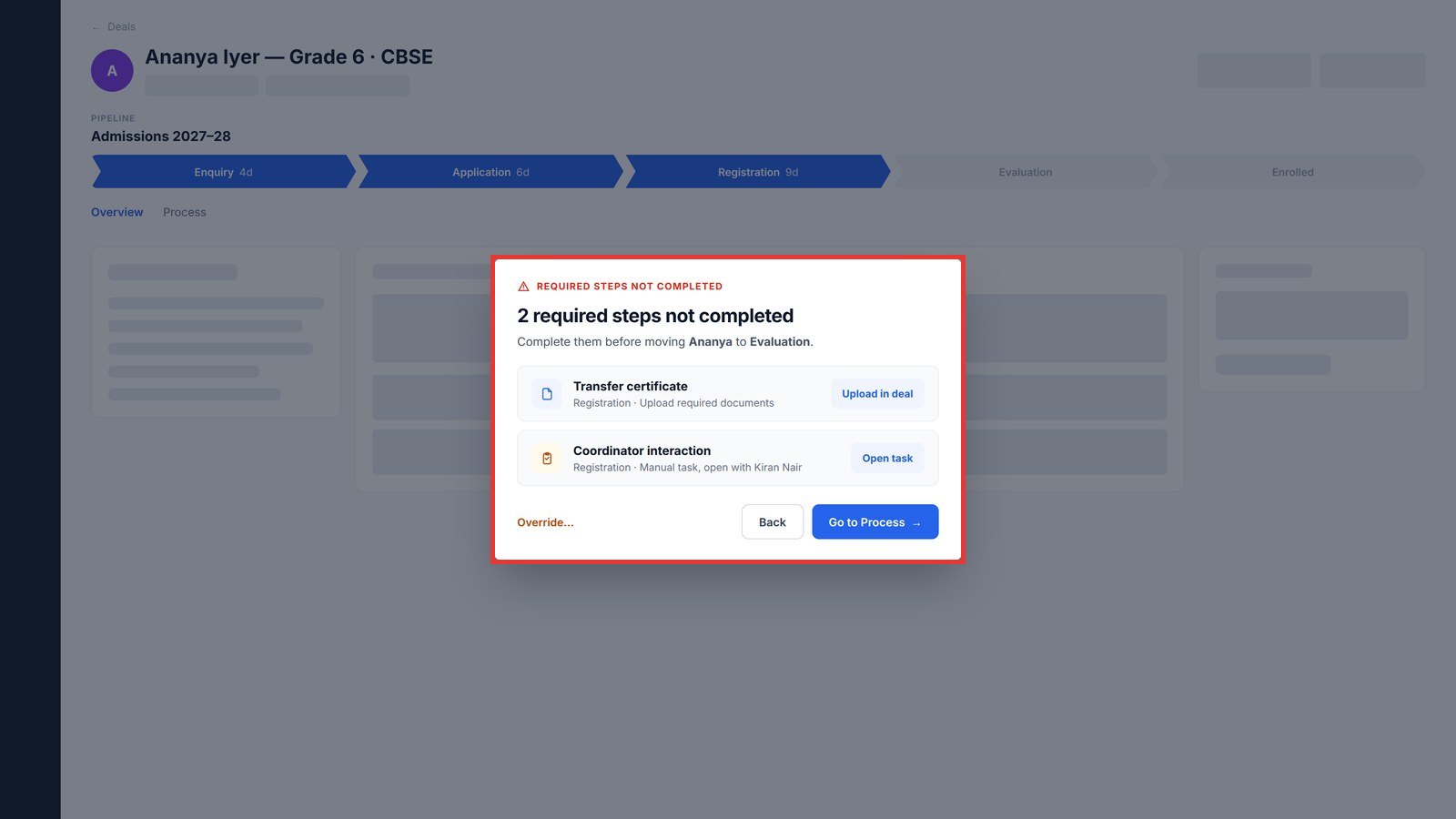
Note: If a counsellor tries to move the admission early, a message lists the steps still pending, with buttons to complete them.
Was this article helpful to you?
Yes0
No0