

⚠️ Important:
Editing a Fee Receipt Template should only be done if you are familiar with the Visual/HTML Editor. Incorrect modifications may break the layout or disrupt data mapping.
- Navigate to Settings > Finance > Fee > Fee Receipt Template.
- Locate the relevant fee receipt template.
- Click the three-dot menu next to the template and select Edit.
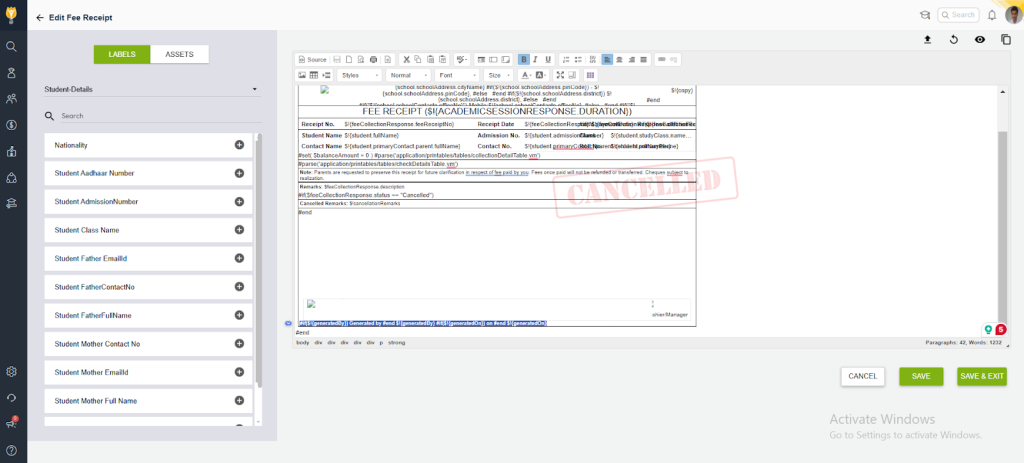
- Insert the following code snippet where you want the creator’s name and the creation time to appear on the receipt:
- #if($!{generatedBy}) Generated by #end $!{generatedBy}
- #if($!{generatedOn}) on #end $!{generatedOn}
- After editing the template, save the changes.
- Generate a sample receipt and ensure the creator’s name and creation timestamp appear correctly.
Contact Support Team
If the above steps do not solve your purpose, feel free to contact our support team:
📧 Email: support@nexteducation.in
📞 Toll-free: 1800 200 5566
💬 WhatsApp: 7337554528
Video Tutorial :
Was this article helpful to you?
Yes0
No0