

 > Settings > Admission > Pipelines & Stages > select pipeline > select stage
Steps like fee payment and document upload can be completed by the parent from the applicant portal.
- Select the stage.
- Tick Show in Applicant Portal for the stage.
- Tick Show in Applicant Portal against each step the parent should see.
- Click Save.
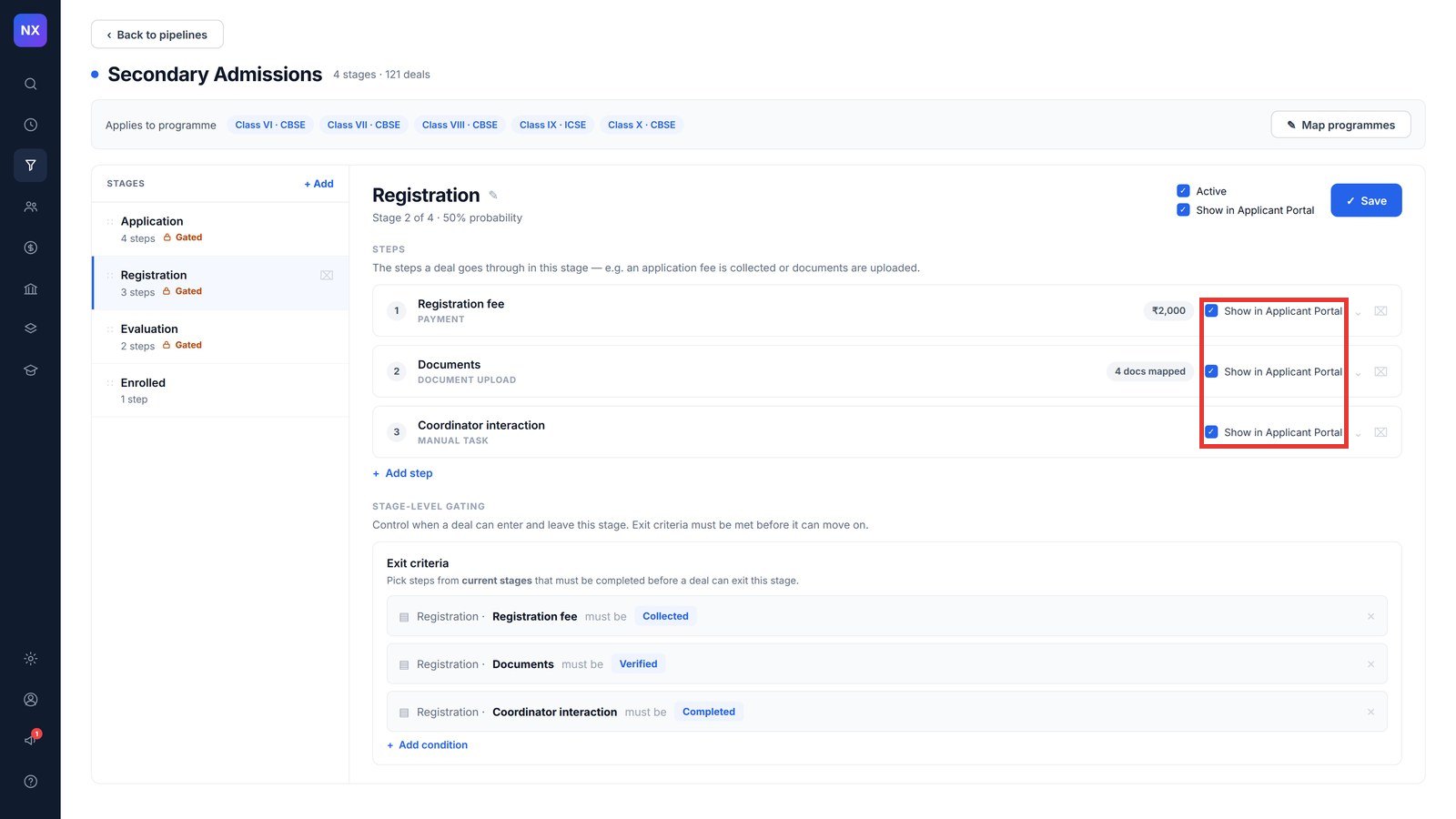
Note: Steps handled only by the school, such as a coordinator interaction, show to parents as “no action needed from you”.
Was this article helpful to you?
Yes0
No0