

 > Settings > Admission > Pipelines & Stages > select pipeline > select stage > + Add step
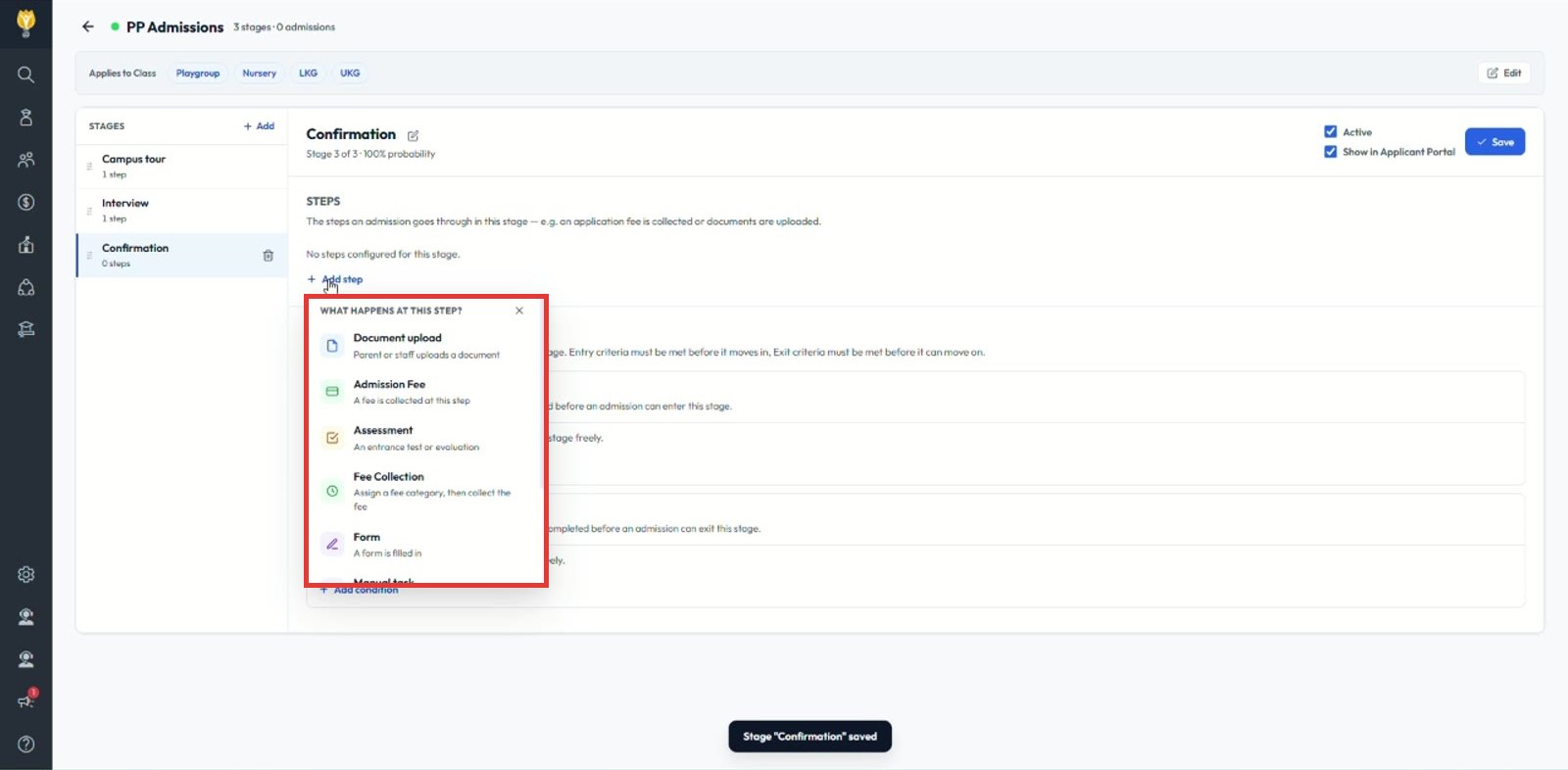
A step is a piece of work done inside a stage. When an admission enters the stage, its steps appear in the admission’s Process tab. Click + Add step to choose what happens at the step.
| Step type | What it does | Example |
|---|---|---|
| Document upload | Parent or staff uploads a document | Birth certificate, Aadhaar card |
| Admission Fee | A fixed fee is collected at this step | Application fee, registration fee |
| Assessment | An entrance test or evaluation | Entrance test, interview score |
| Fee Collection | Assigns a fee category, then collects that fee | School fee based on class |
| Form | A form is filled in | Admission application form |
| Manual task | A task staff complete and mark done | Campus tour, coordinator interaction |
Note: Steps are shown in the order you add them. To make a step mandatory, add it to the stage’s exit criteria.
Was this article helpful to you?
Yes0
No0