

You can collect a security deposit by configuring it as an optional and refundable fee, then collecting it through fee collection.
1. Create the Security Deposit fee type
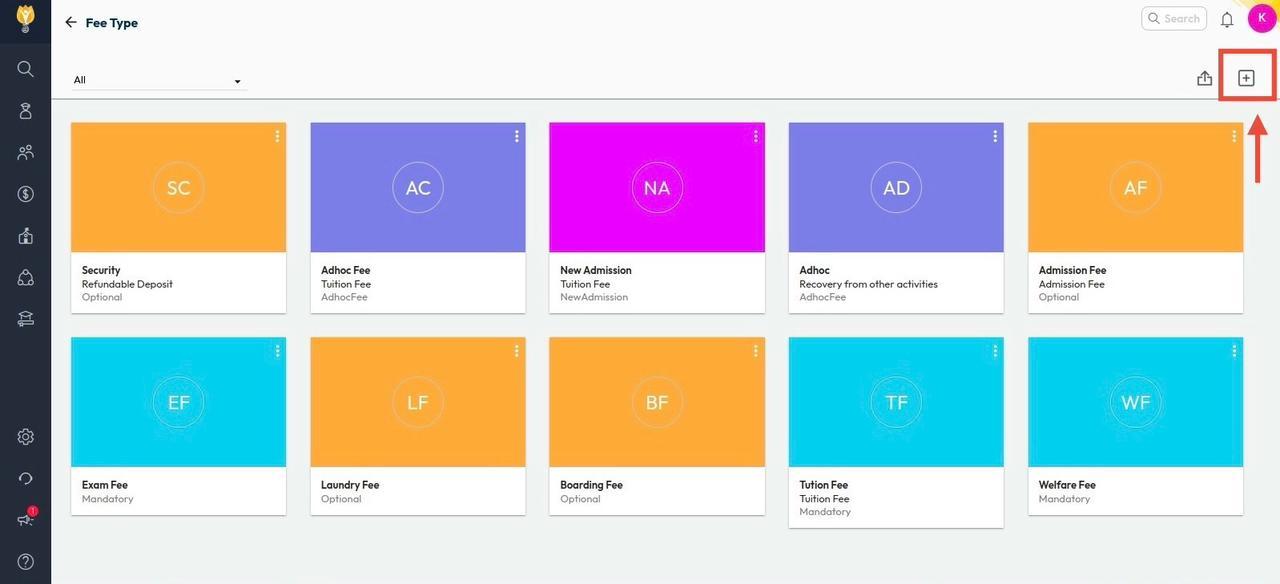
- Navigate to Settings > Finance > Fee > Fee Type.
- Click (+) Add Fee Type.
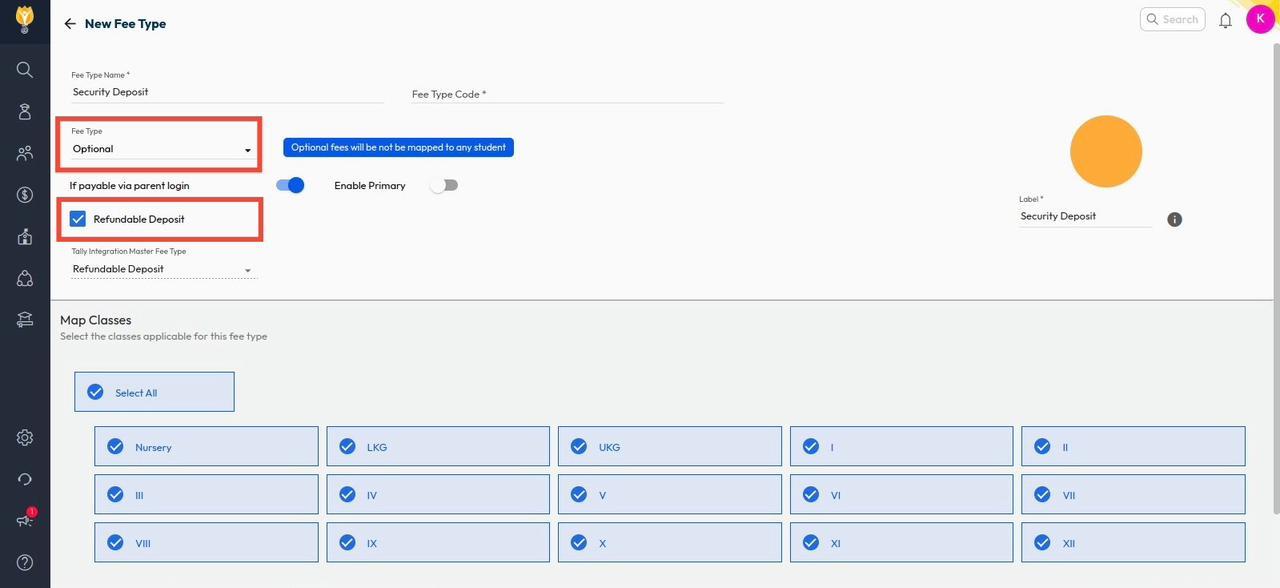
- Enter the fee name as Security Deposit.
- Select Fee Type: Optional and mark it as Refundable Deposit.
- Map the applicable classes and click Save.
2. Map installments and students
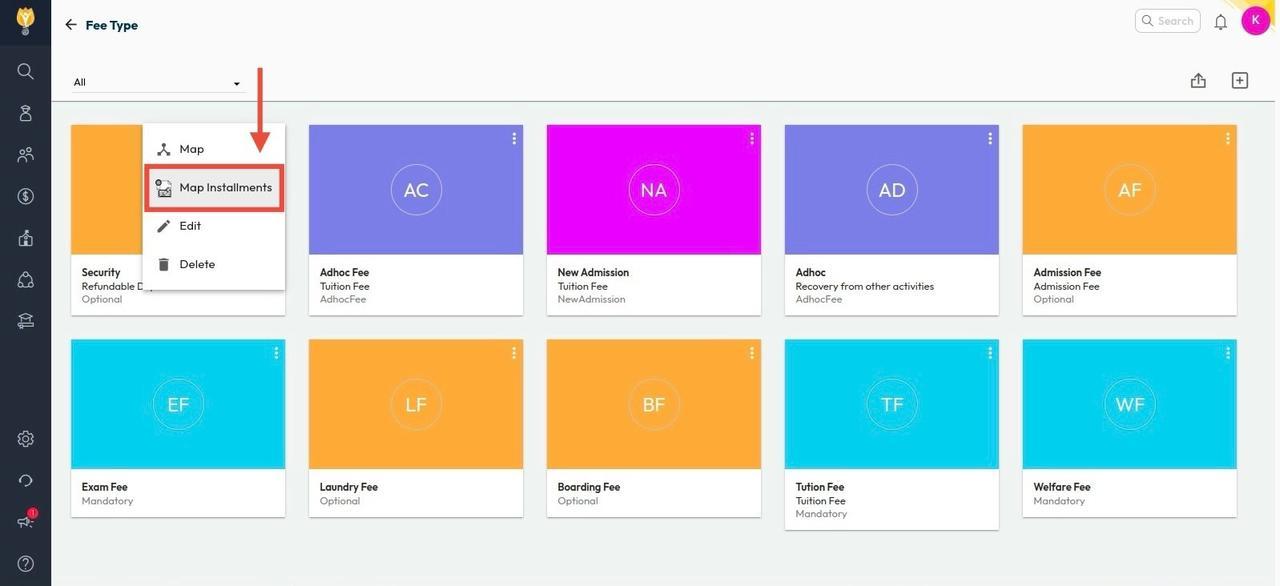
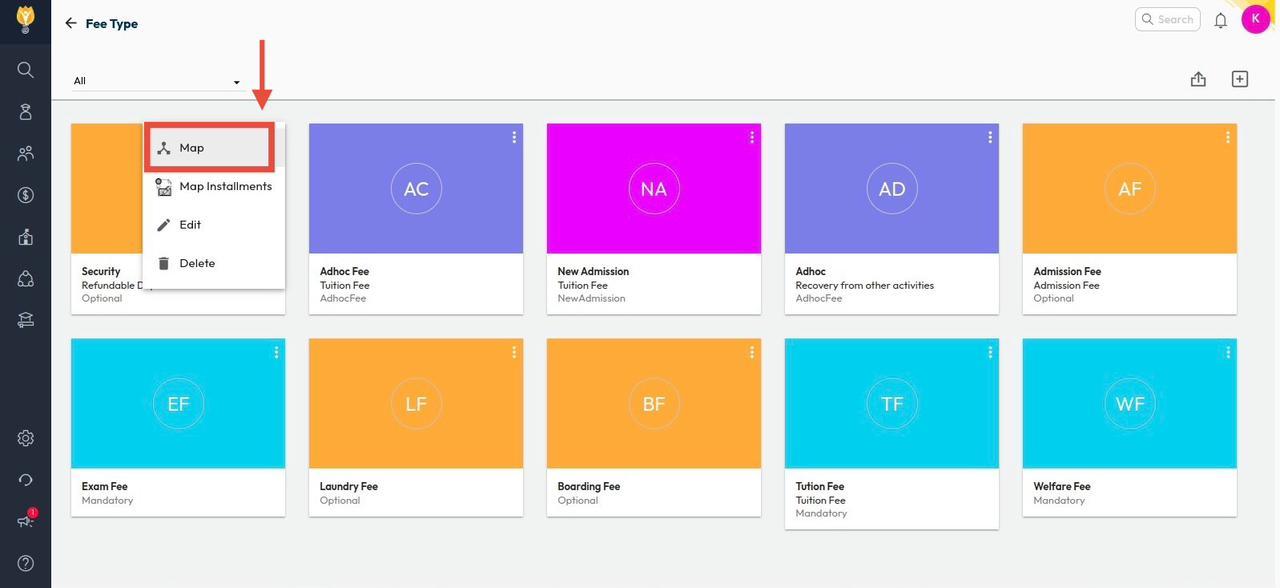
- Click the three dots next to the Security Deposit fee type.
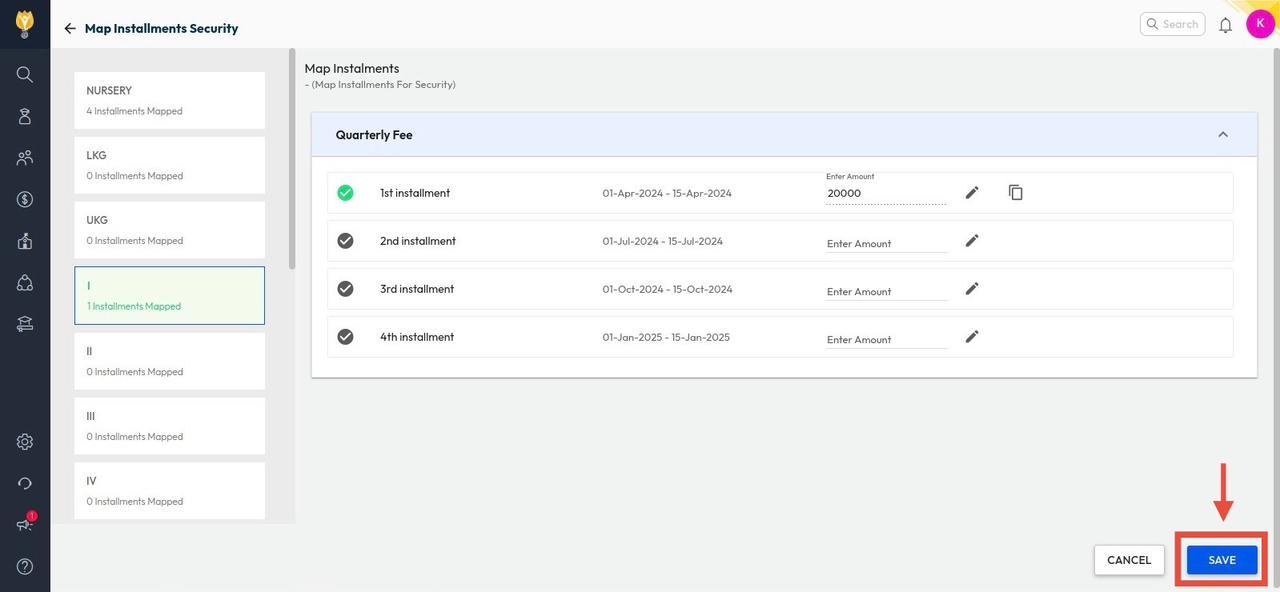
- Select Map Installments, choose the required installment(s), and Save.
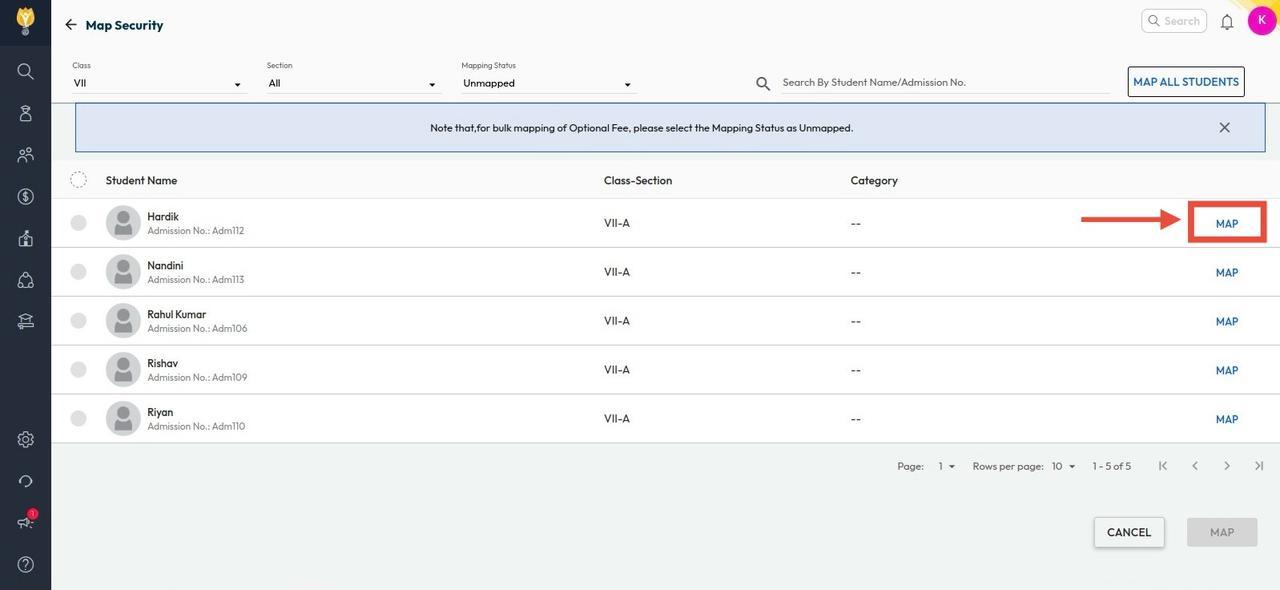
- Again, click the three dots and select Map to assign the fee to students.
3. Collect the Security Deposit
- Navigate to Finance > Fee > Collect Fee.
- Search for the student.
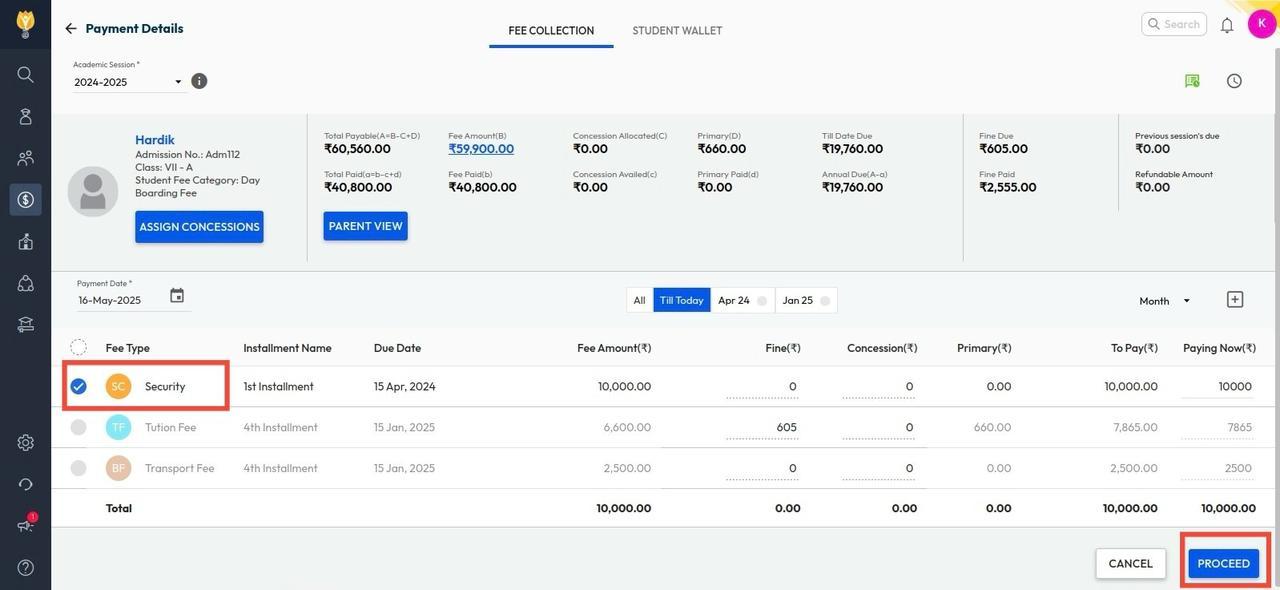
- Select Security Deposit and click Proceed.
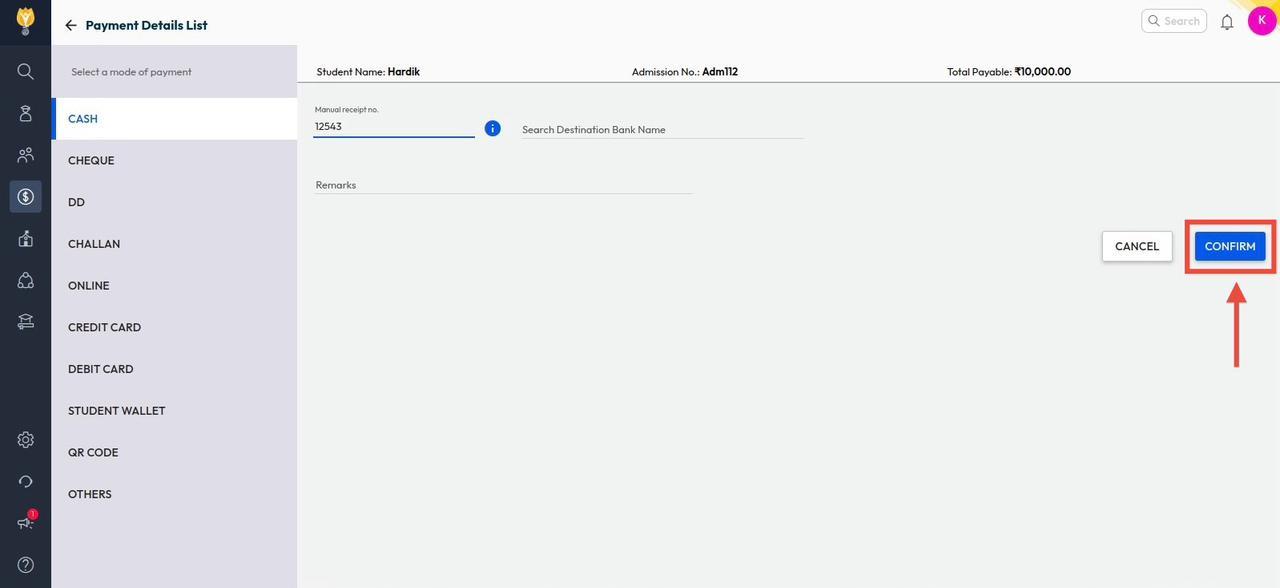
- Choose the payment mode, enter details, and click Confirm.
Watch the video.
Was this article helpful to you?
Yes0
No0