

To Assign Transport Services to a Student
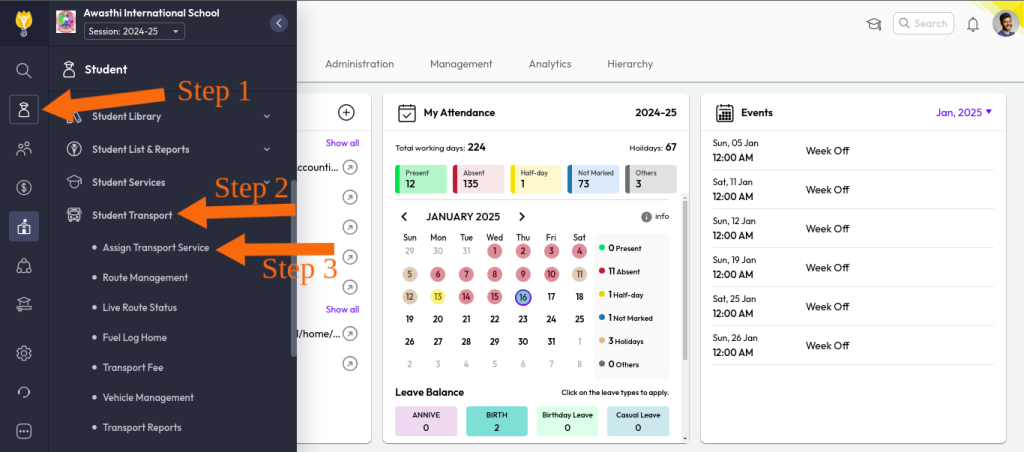
Step 1: Click on the Student Module (Transactional Side).
Step 2: Go to Student Transport.
Step 3: From the list, click on Assign Transport Service.
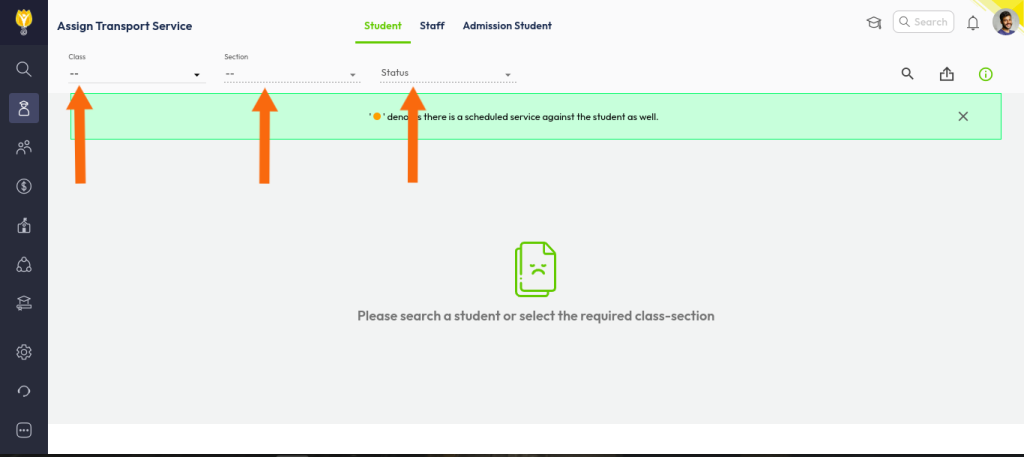
- Select the class, section, and status.
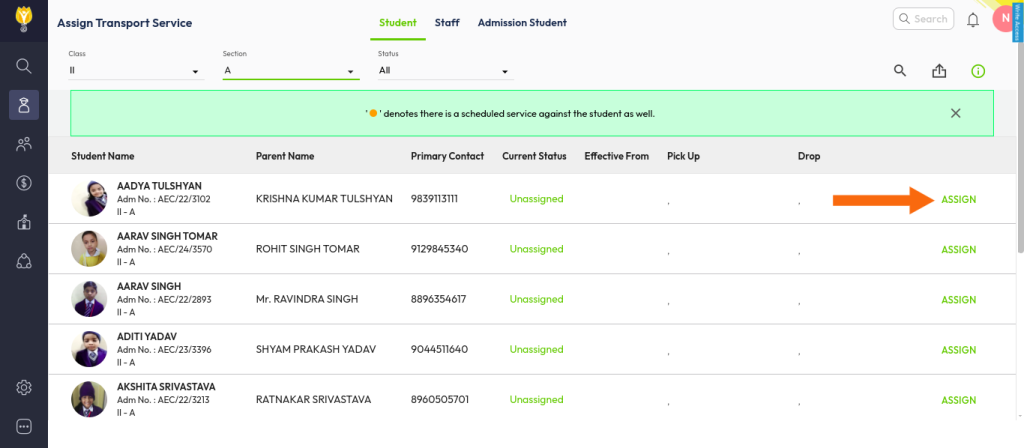
- Select the student to whom you want to assign transport services.
- Assign the pick-up and drop services as required.
- Click the Save button.
After completing these steps, the transport fee will be successfully assigned to the selected student.
Video Tutorial :
Was this article helpful to you?
Yes0
No0