

 > Communication > Chat > open a group > group name > Settings
Open the group and click the group name.
Click Settings.
Turn the toggles on or off.
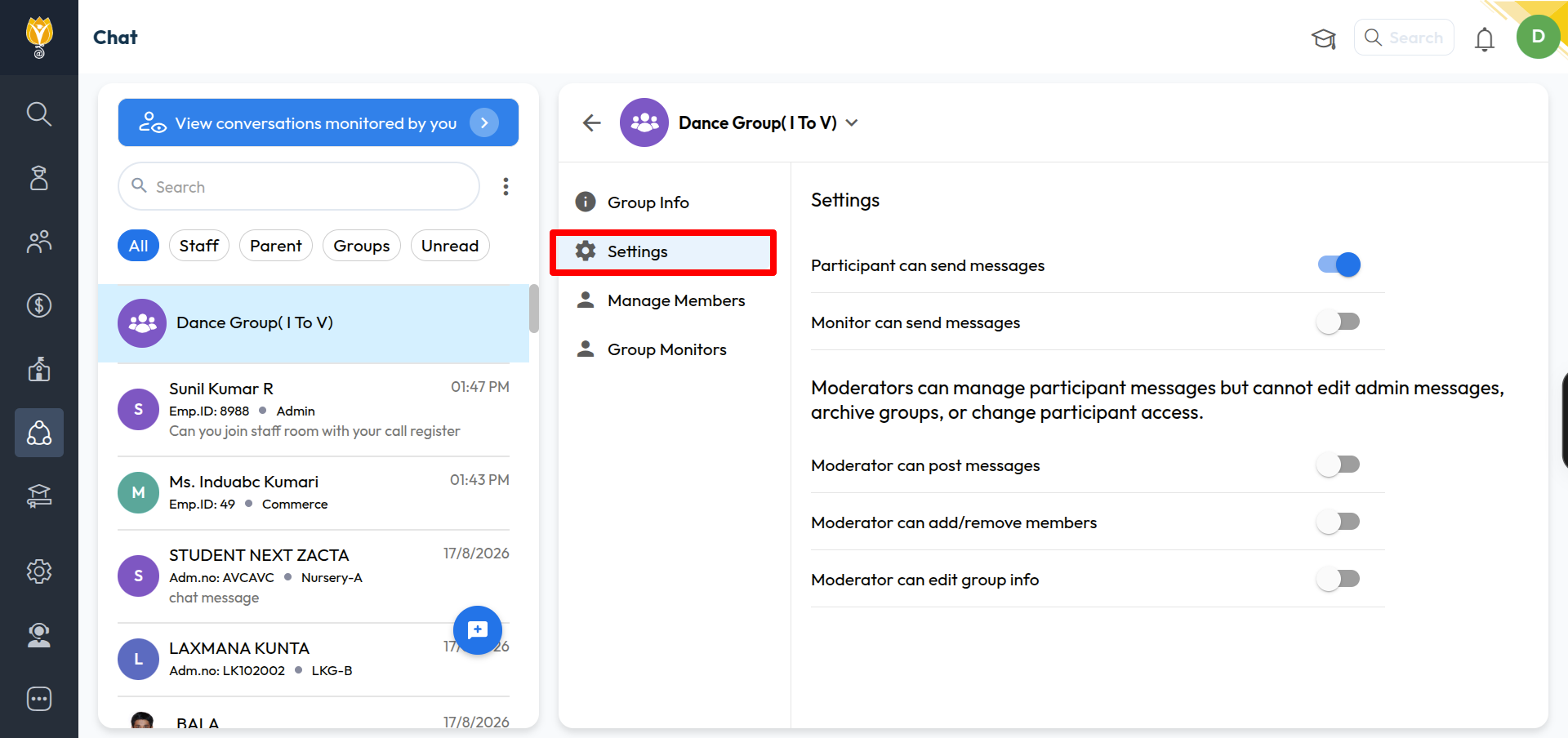
Messaging
Participant can send messages — lets members send messages in the group. Turn this off for an announcement-only group.
Monitor can send messages — lets a Monitor send messages instead of only watching.
Moderator rights
Moderators can manage participant messages but cannot edit admin messages, archive groups, or change participant access.
Moderator can post messages
Moderator can add/remove members
Moderator can edit group info
Note: Monitor and Moderator are different roles. A Monitor watches the conversation. A Moderator helps manage the group, within the limits you set here.
Was this article helpful to you?
Yes0
No0