

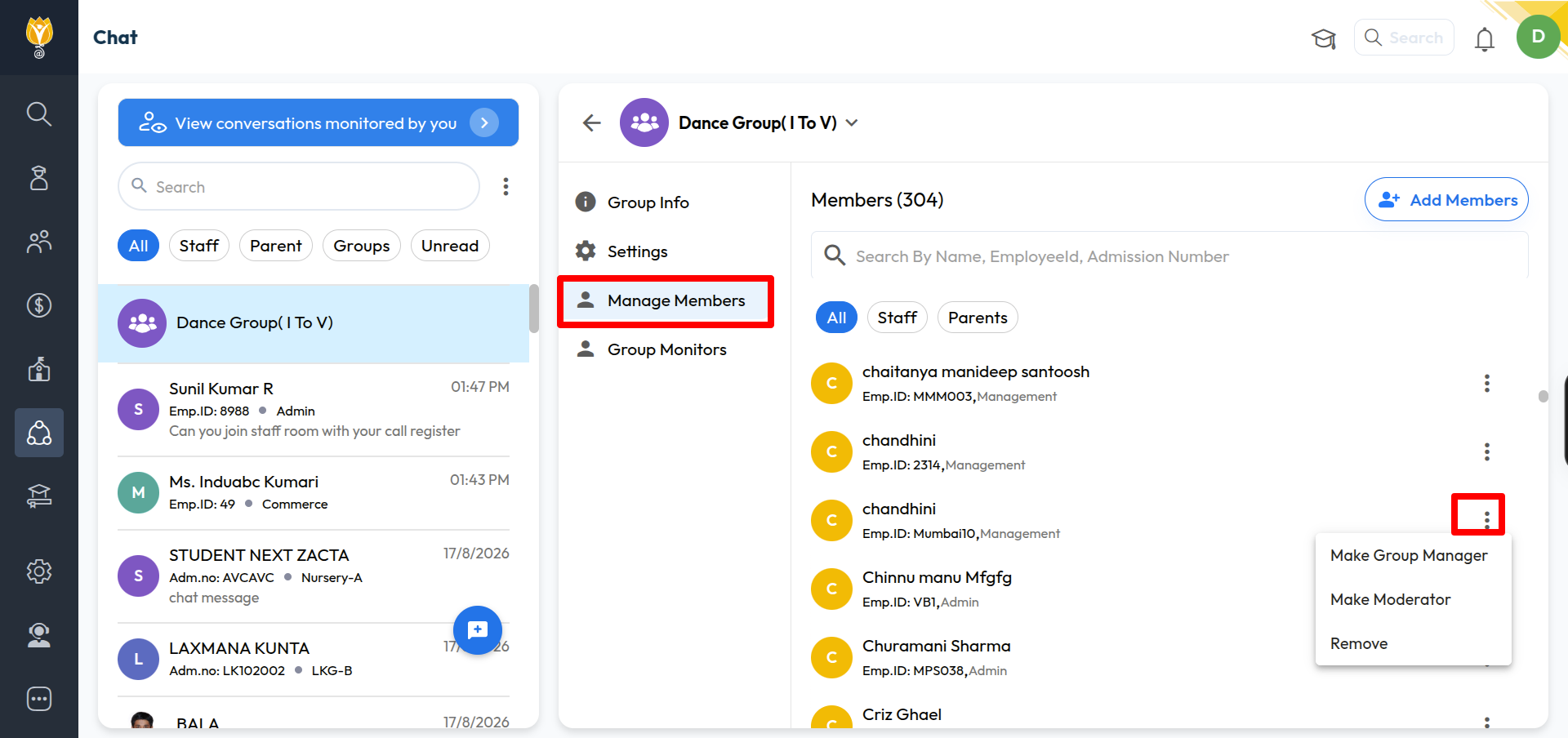
 > Communication > Chat > open a group > group name > Manage Members
Open the group and click the group name.
Click Manage Members. You will see the member count at the top.
To add: click Add Members, search or filter, select the members, and confirm.
To remove: click the ⋮ icon next to the member and click Remove.
You will see “Group Members Updated Successfully” once done.
Was this article helpful to you?
Yes0
No0