

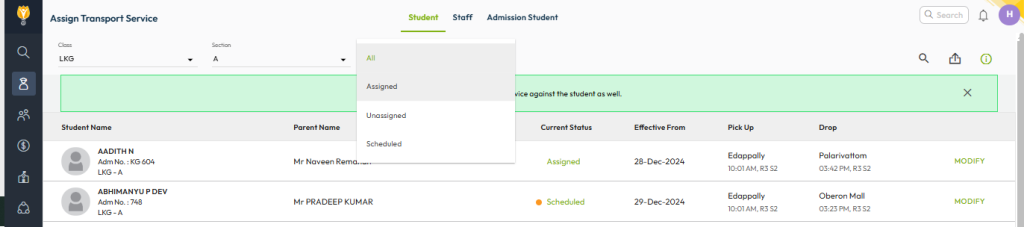
- Navigate to Student > Student Transport > Assign Student Transport.
- Use the filters to find the student you want to modify.
- Click Modify on the right-hand side.
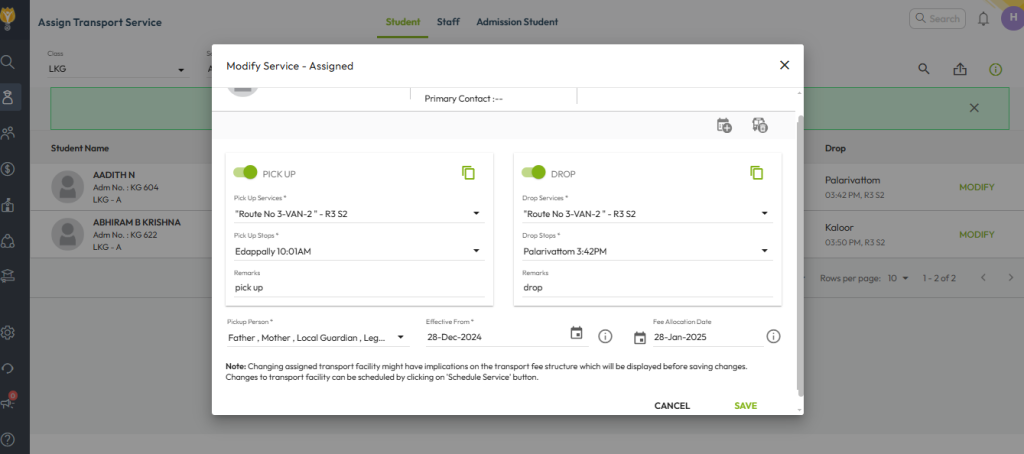
- Update the required transport service details.
- Click Save.
- On the next screen review the updated fee details as per the new route and stop.
- Click Confirm to apply and save the changes finally.
Video Tutorial :
Was this article helpful to you?
Yes0
No0