

If the school prefers to display Late Fee Charges instead of the default word Fine, this can be updated directly from the fine configuration.
Steps to Update :
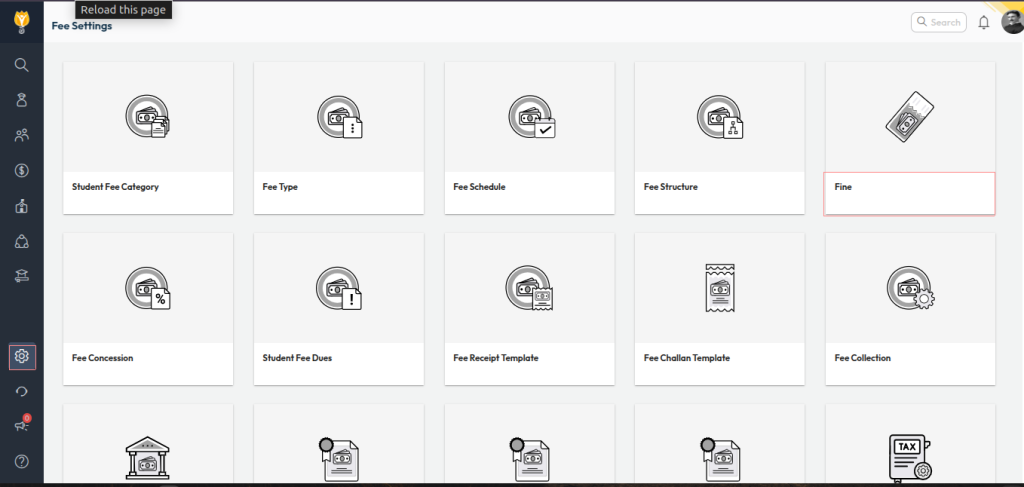
- Navigate to: Settings > Finance > Fee
- Open Fine
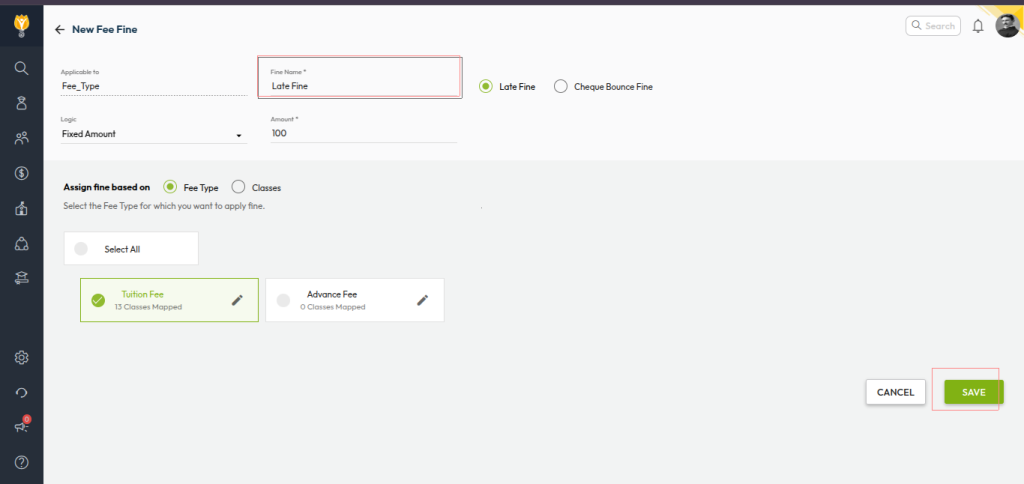
- Update the Fine Name to the label you want displayed (e.g., Late Fee Charges)
- Click Save to apply the changes
Once saved, the updated label will reflect on the fee receipt wherever fine amounts are collected.
Video Tutorial :
Was this article helpful to you?
Yes0
No0