

 > Settings > Admission > Pipelines & Stages
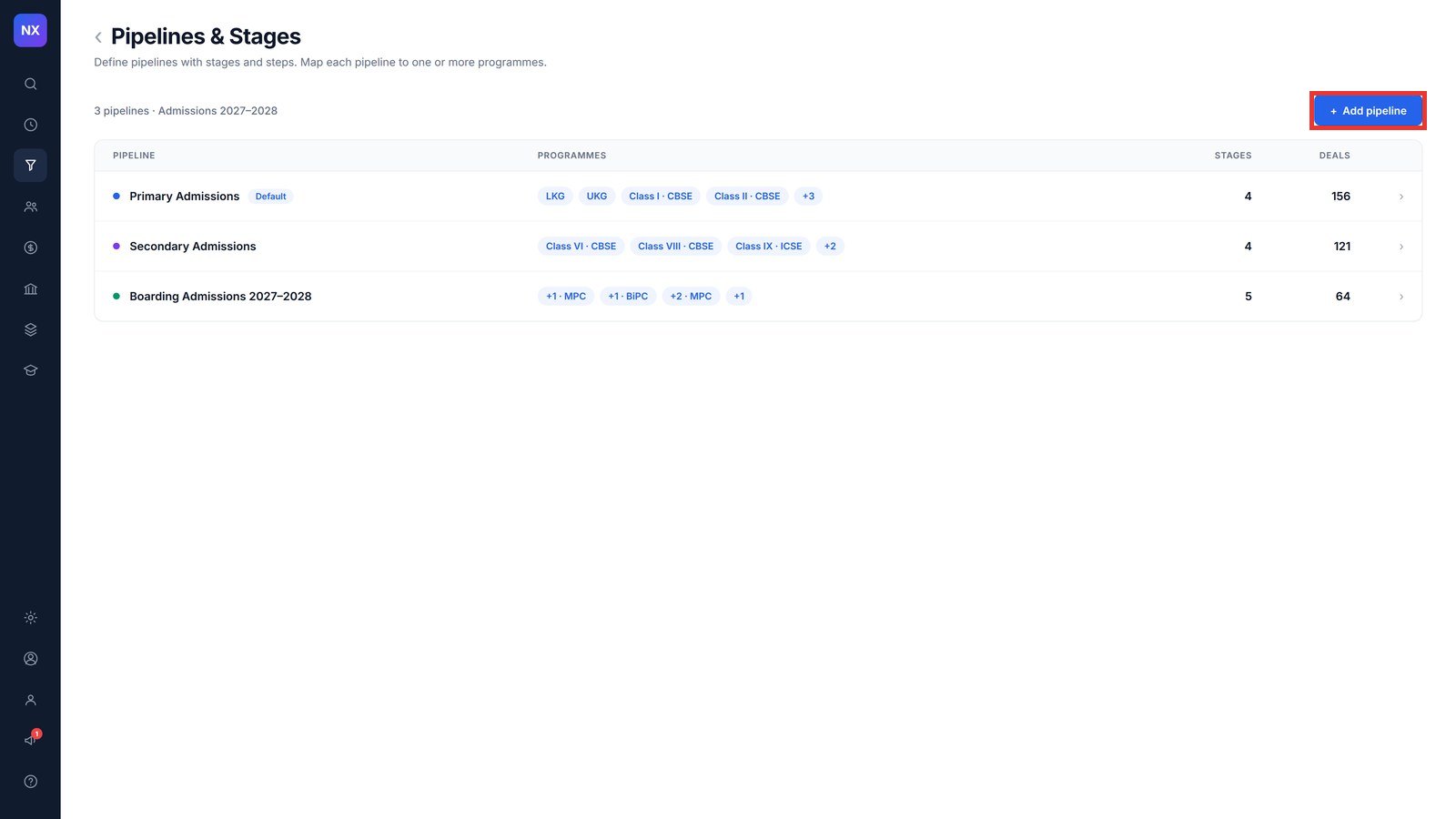
An admission process is called a pipeline. It is the path an applicant follows from enquiry to enrolment. You create a pipeline once and map the classes or programmes it applies to.
- Go to Pipelines & Stages and click + Add pipeline.
- Enter the Pipeline name, for example Primary Admissions 2027–28.
- Under Applies to programme(s), tick the classes this process is for. Use Select all to pick every class.
- Click Create pipeline. The pipeline opens so you can add its stages.
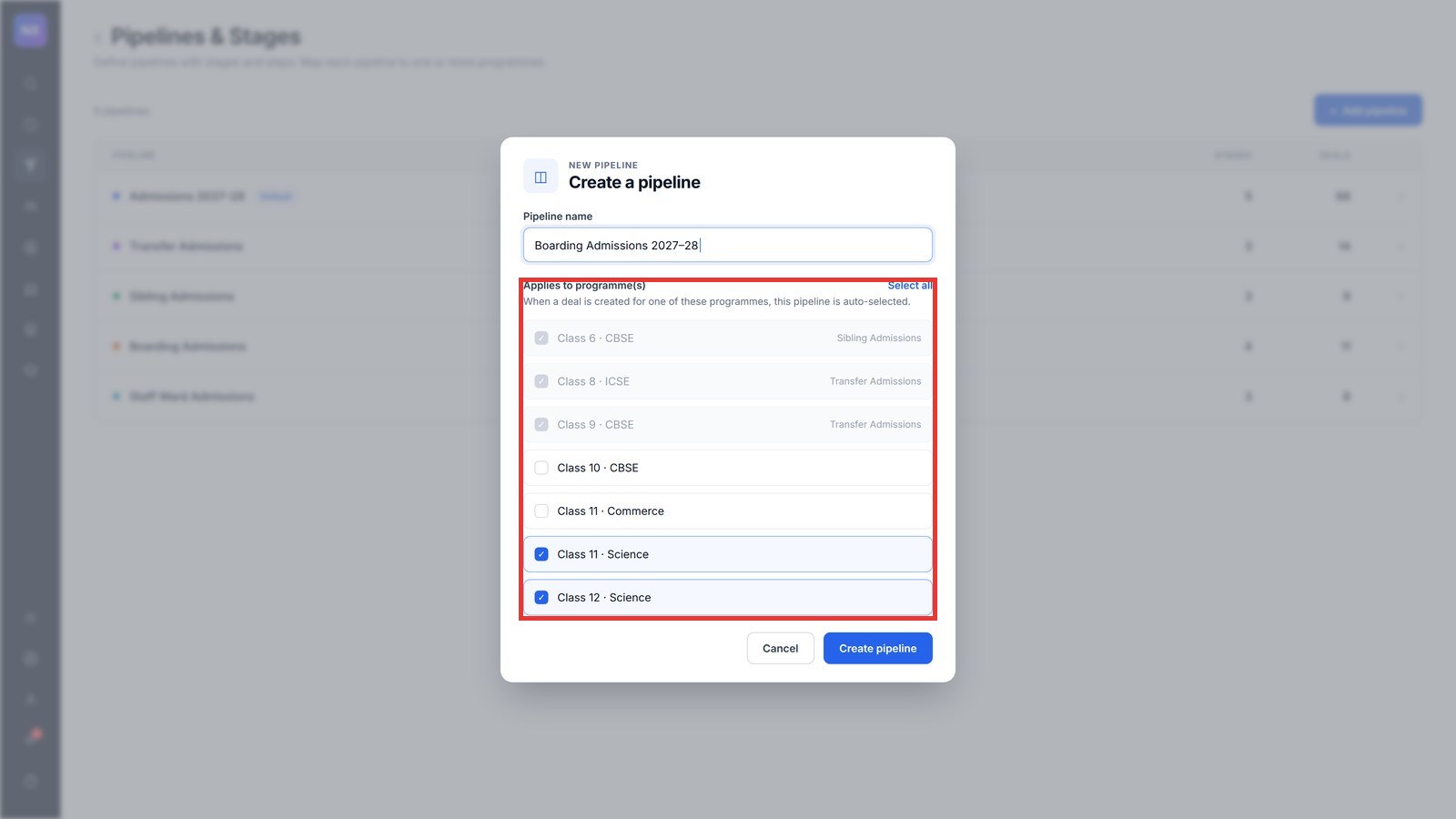
Note: When an admission is created for one of the mapped programmes, this pipeline is selected automatically. Next, add the stages. See: How to define the stages in an admission pipeline?
Was this article helpful to you?
Yes0
No0