

 > Settings > Admission > Pipelines & Stages > select pipeline > select stage
Use entry criteria for steps that must be complete before an admission can enter this stage.
- Select the stage and scroll to Entry criteria.
- Click + Add condition.
- Choose a step from an earlier stage and its required status.
- Click Save.
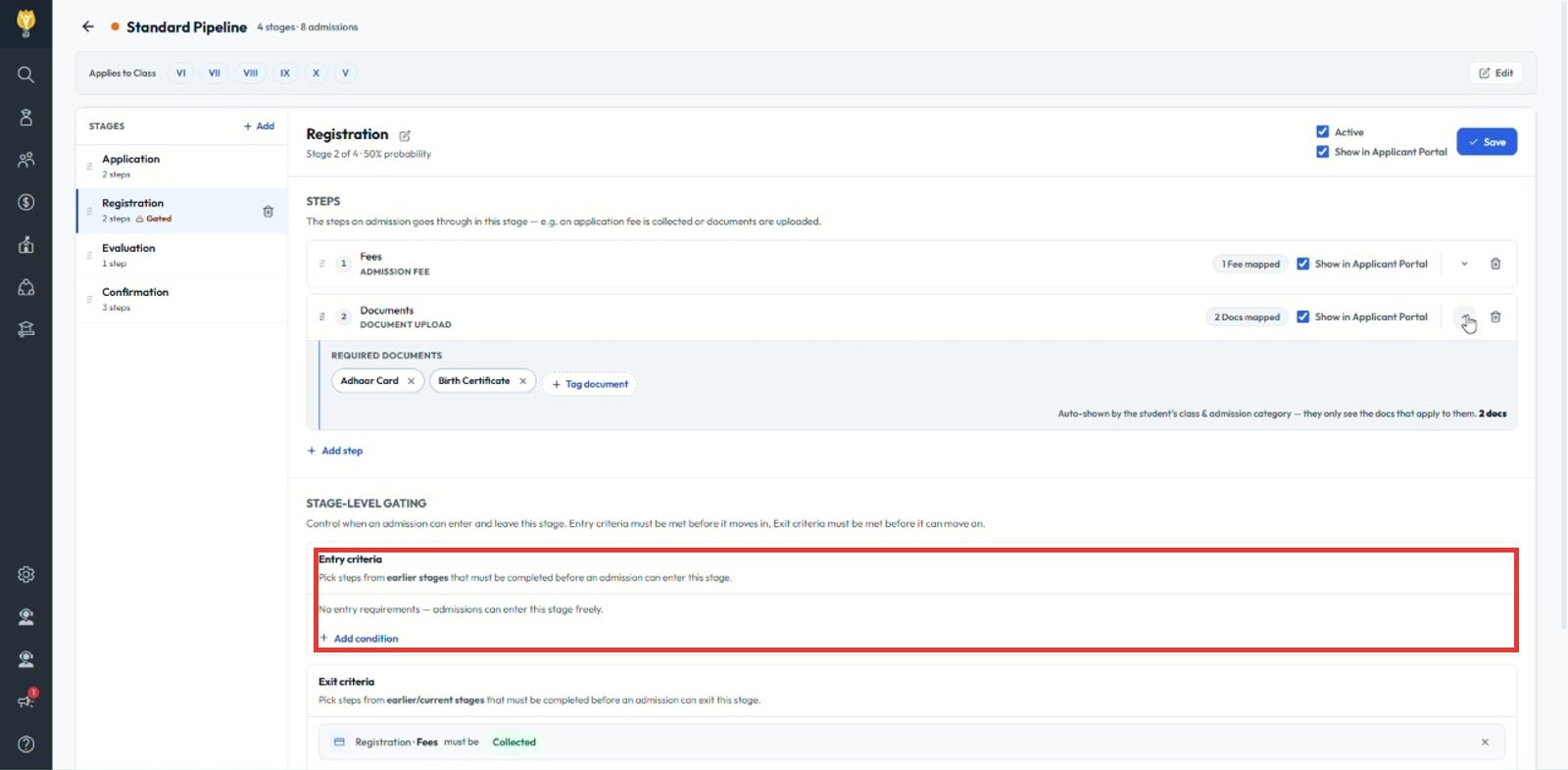
Note: With no entry criteria, admissions can enter the stage freely.
Was this article helpful to you?
Yes0
No0