

 > Settings > Admission > Pipelines & Stages > select pipeline
Stages are the milestones an applicant passes through, for example Application, Registration, Evaluation, Confirmation. Each stage holds steps (work to be done) and gating (conditions to enter or leave).
- Open the pipeline.
- In the STAGES panel, click + Add.
- Enter the Stage name, for example Document Verification, and click Add stage.
- Select the stage to add its steps and gating, then click Save.
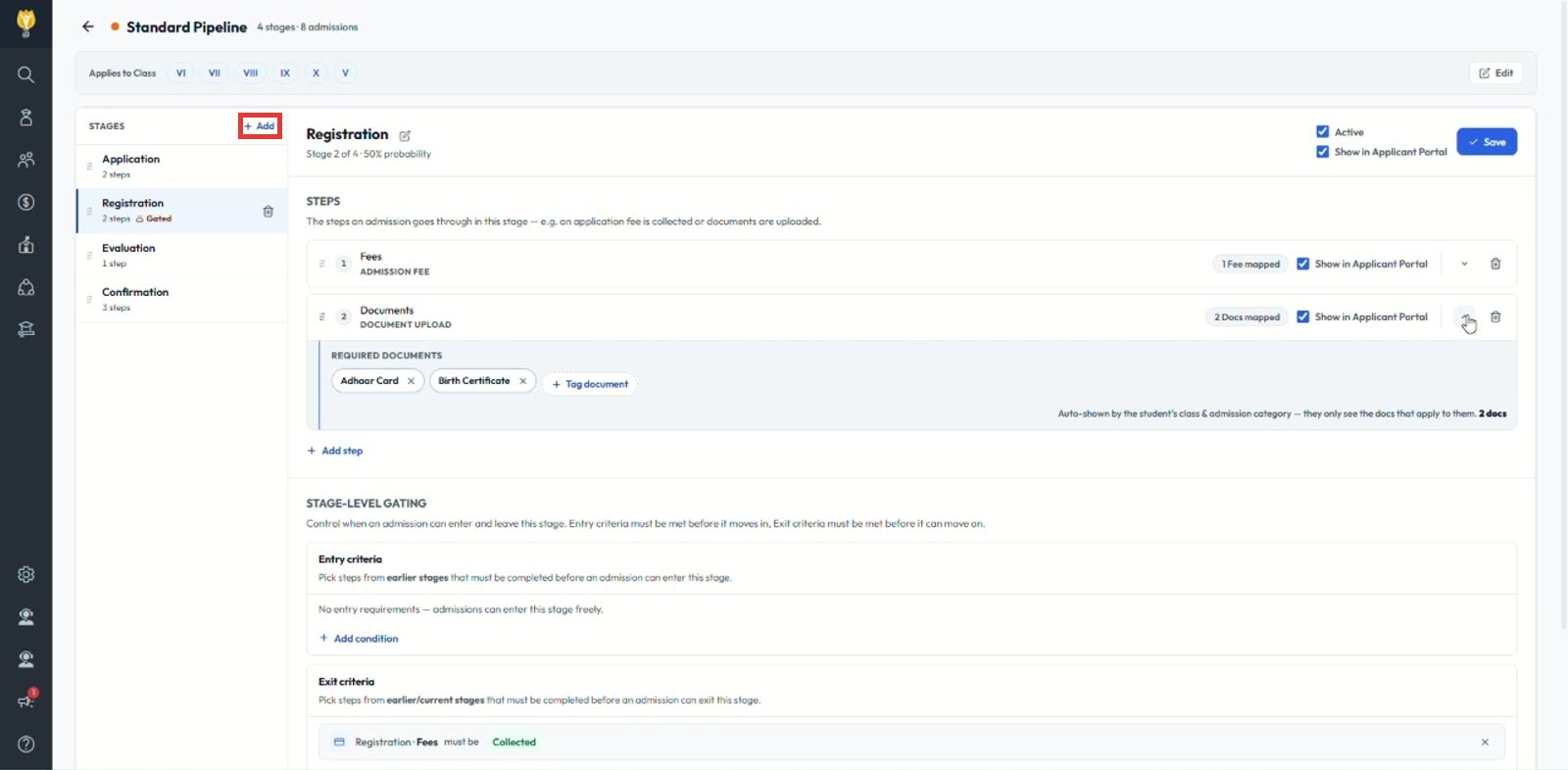
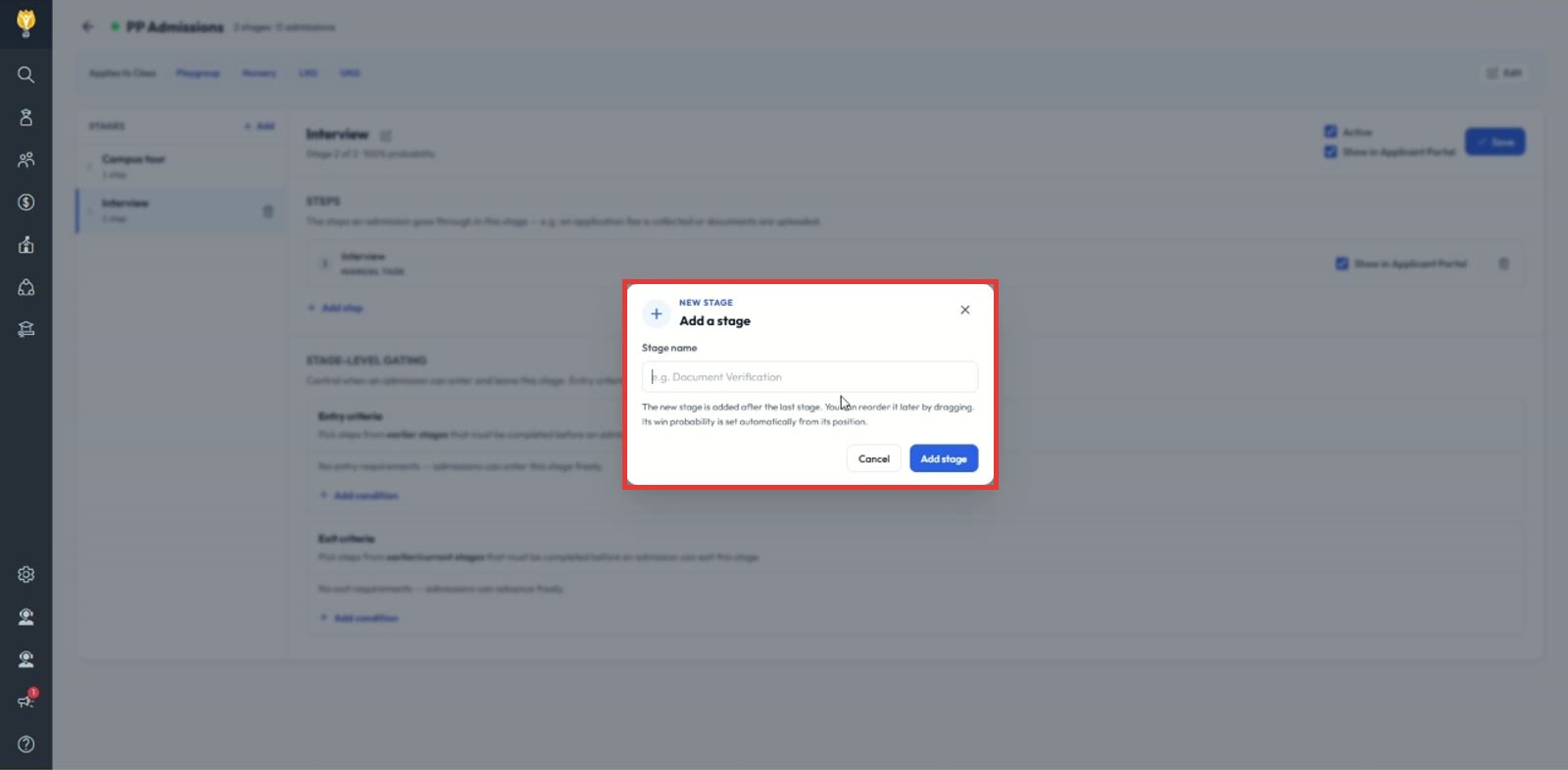
Note: A new stage is added after the last stage. Its win probability is set automatically from its position, for example Stage 2 of 4 is 50%.
Was this article helpful to you?
Yes0
No0