

 > Communication > Chat > View conversations monitored by you
Open Chat.
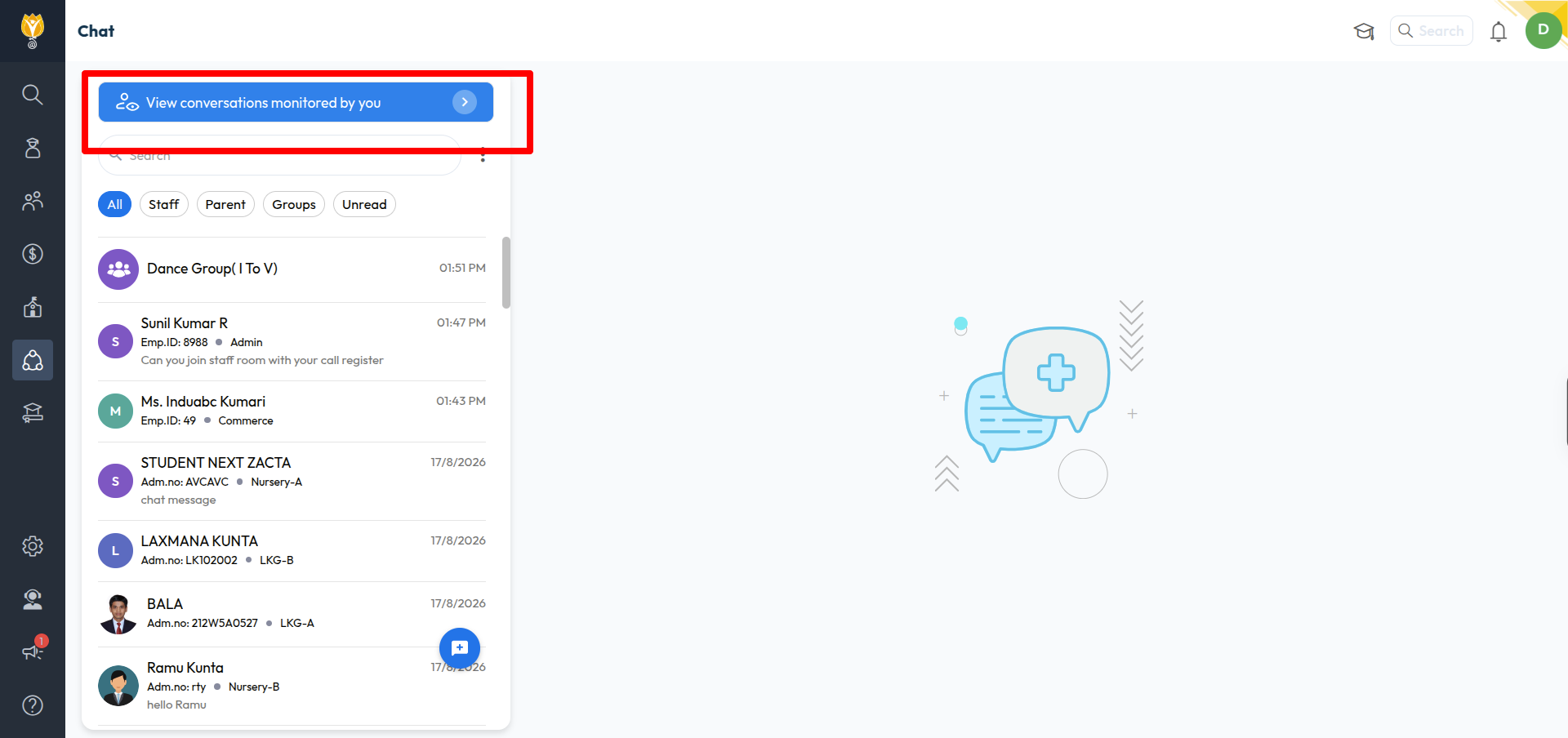
Click the blue View conversations monitored by you banner at the top of the chat list.
The Conversations Monitor screen opens with every conversation you have access to.
Click a conversation to read its messages on the right.
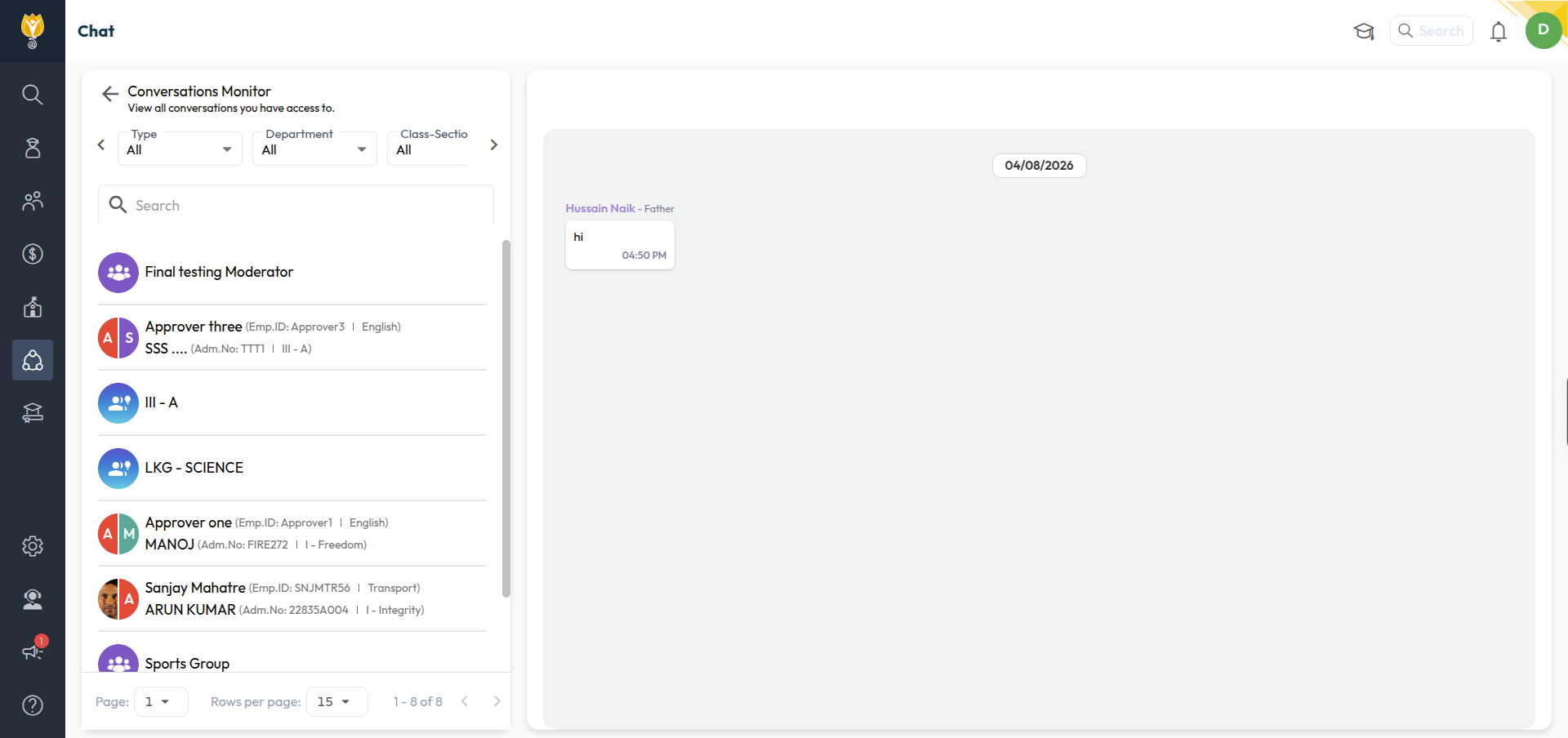
To find a conversation, use the filters at the top — Type, Department, Class-Section, and Date Range. Use the arrows on either side to scroll through them, or search by name. Use Page and Rows per page at the bottom for a long list.
Note: The banner appears only if you are a monitor for at least one chat. If you cannot see it, you have not been given monitor access. Contact your admin.
Was this article helpful to you?
Yes0
No0