

 > Communication > Chat > New Chat
A one-to-one chat is a private chat between you and one person. No one else can see it.
Open Chat.
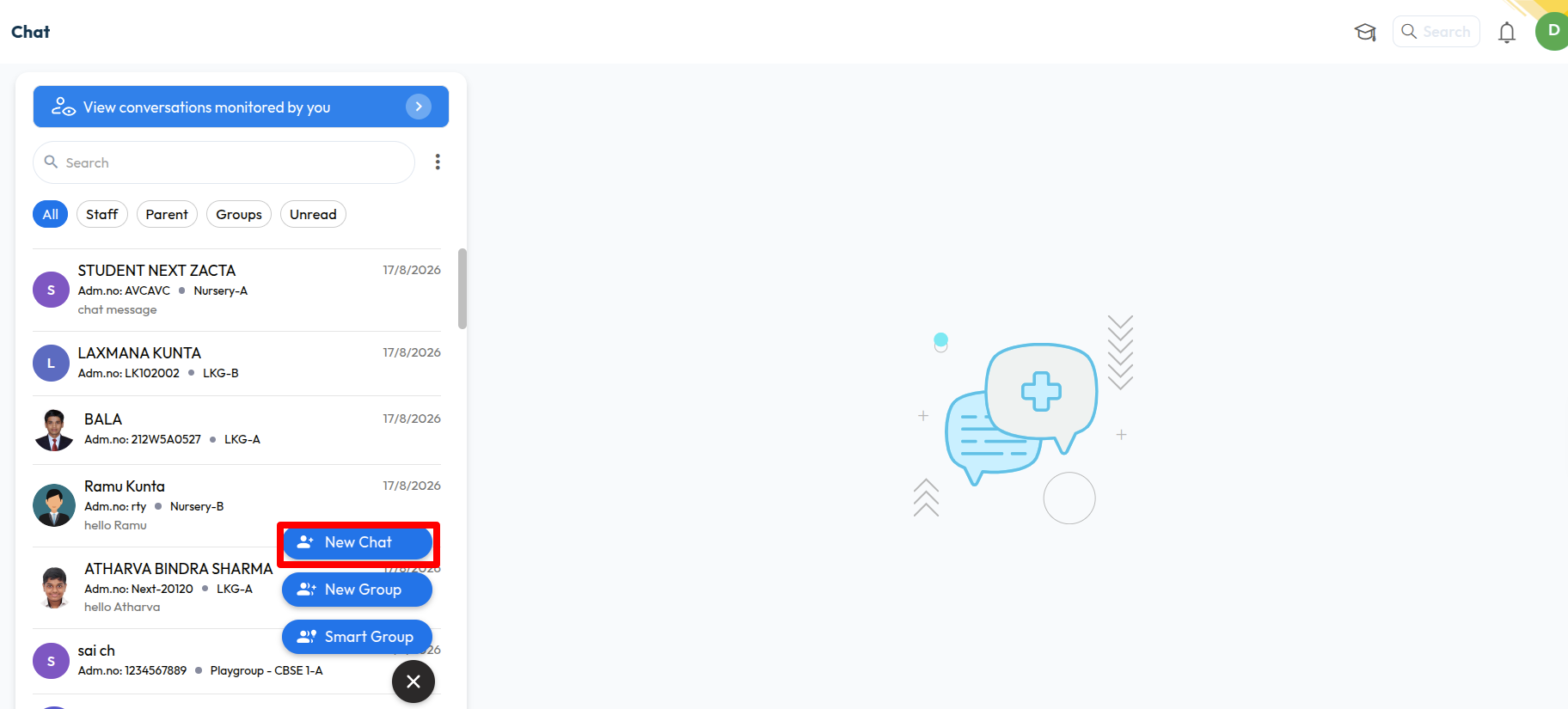
Click the blue chat button at the bottom, then click New Chat.
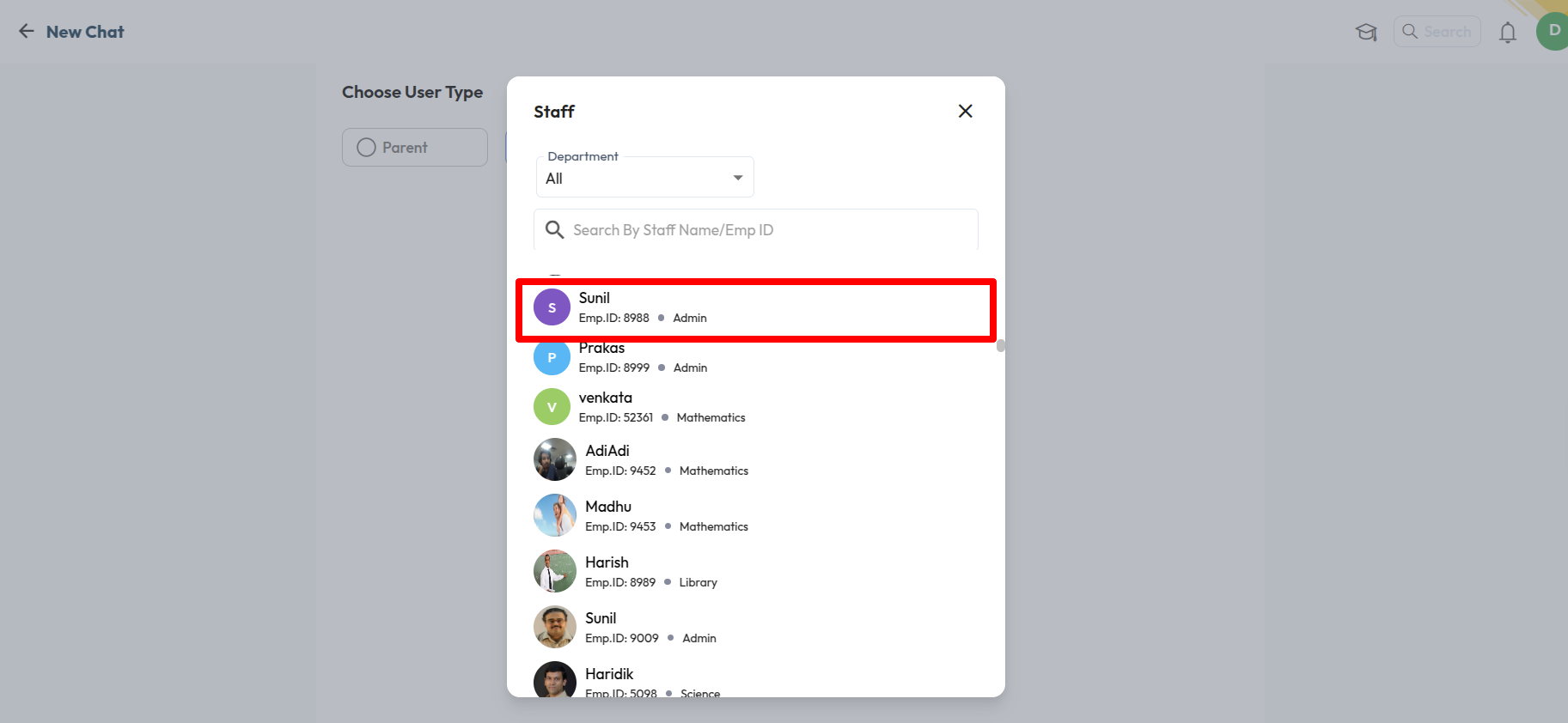
Under Choose User Type, select Parent or Staff.
Pick the person from the list. Use the filters or search box to find them faster.
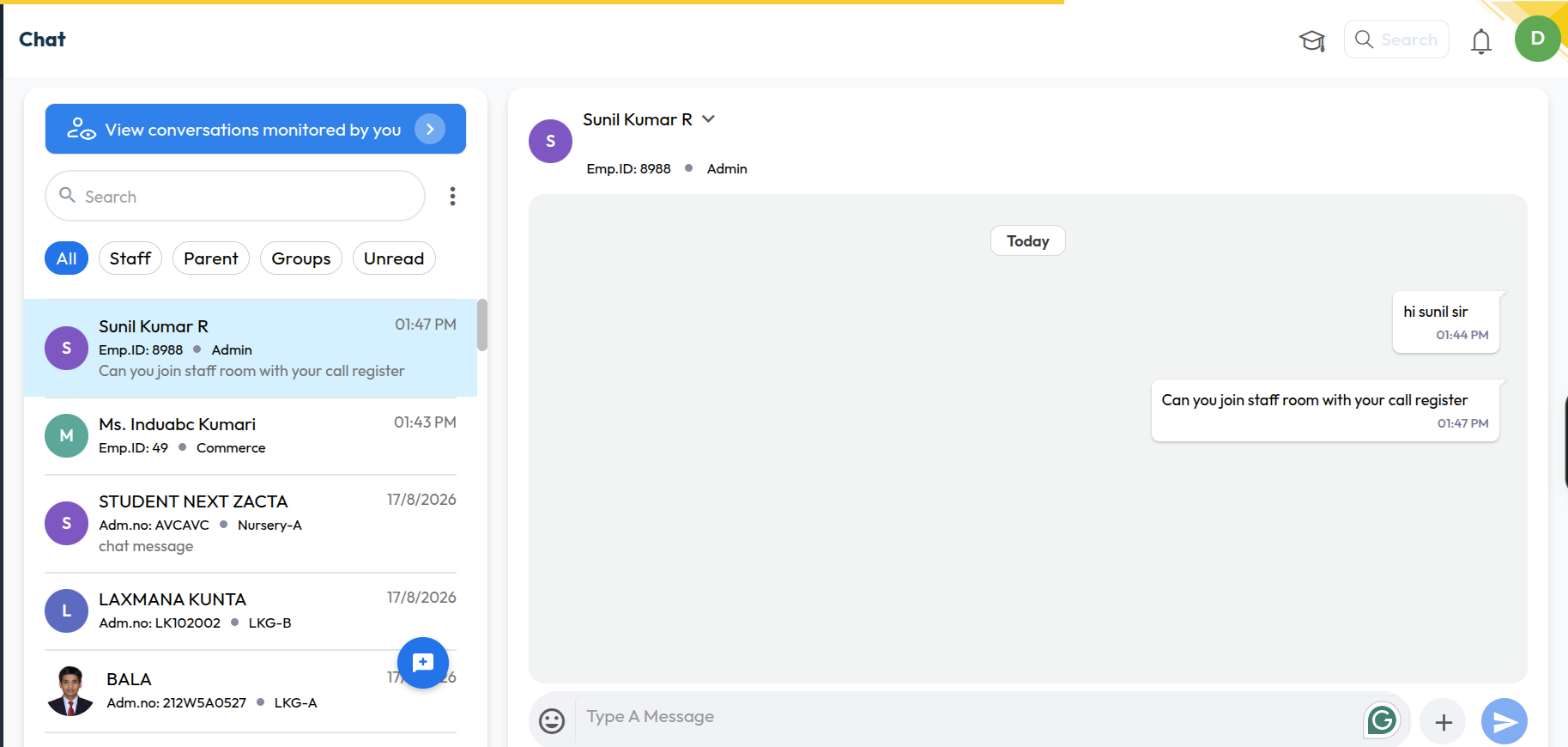
Type your message and click send.
Was this article helpful to you?
Yes0
No1