

 > Communication > Chat > ⋮ > Manage Monitor > + Monitor
Open Chat.
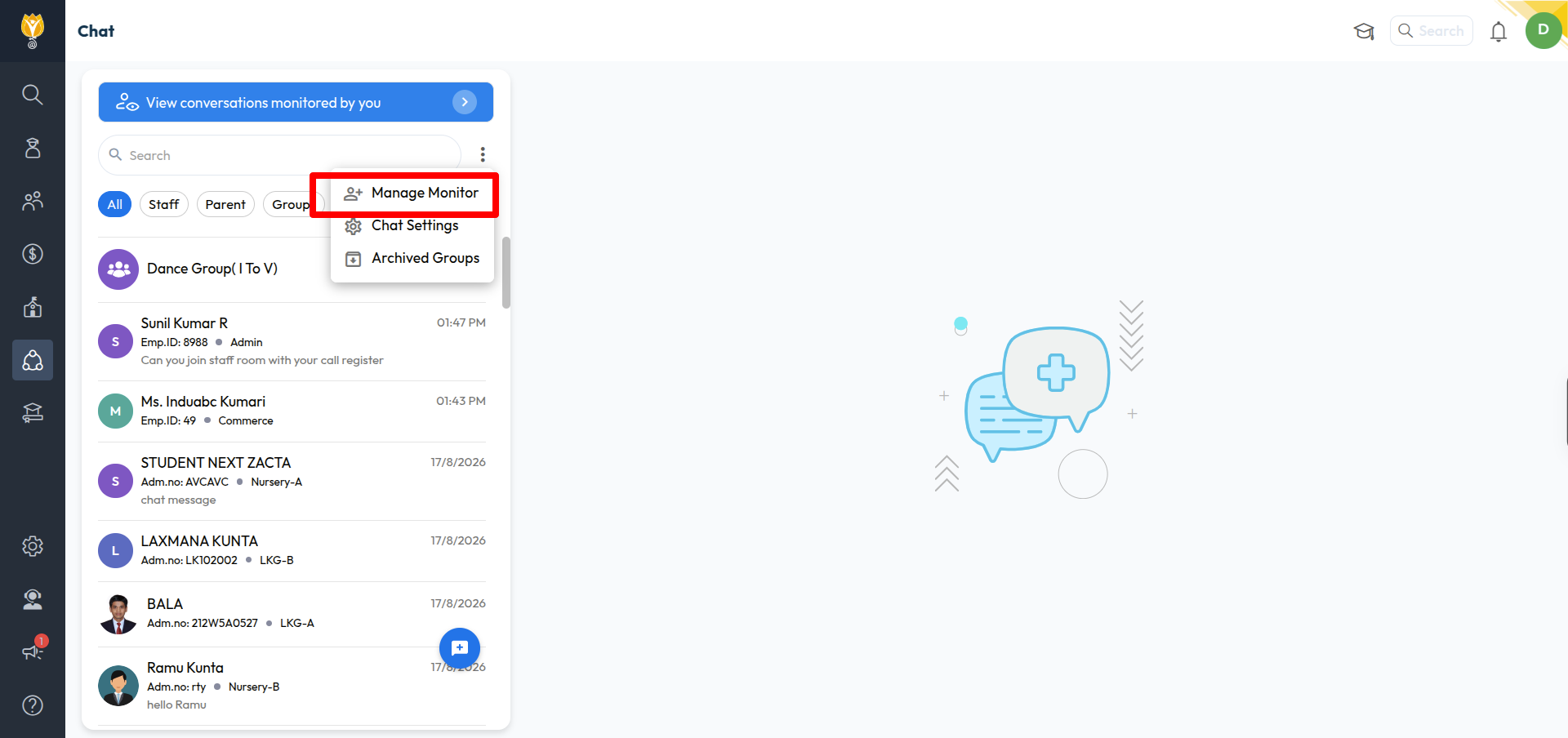
Click the ⋮ icon next to the search box.
Click Manage Monitor.
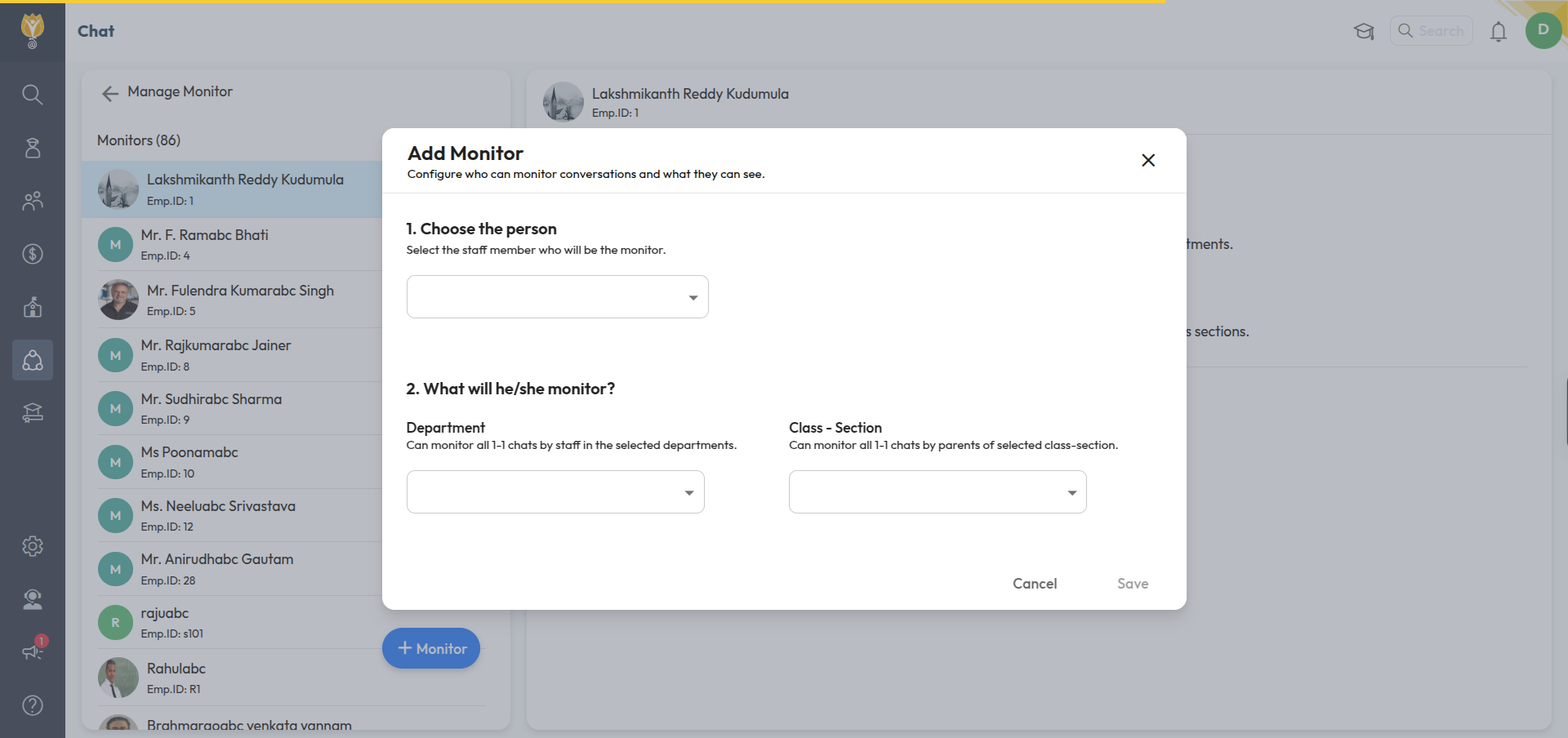
Click + Monitor.
Under Choose the person, select the staff member who will be the monitor.
Under What will he/she monitor?, select:
Department — all one-to-one chats by staff in the selected departments
Class – Section — all one-to-one chats by parents of the selected class-sections
Click Save.
Note: You can select Department, Class – Section, or both.
Was this article helpful to you?
Yes0
No0