

 > Communication > Chat > Smart Group > Class Teacher – Parent
This creates a group for each class-section, with all parents of that section and the class teacher.
Open Chat.
Click the blue chat button, then click Smart Group.
Select Class Teacher – Parent and click Continue.
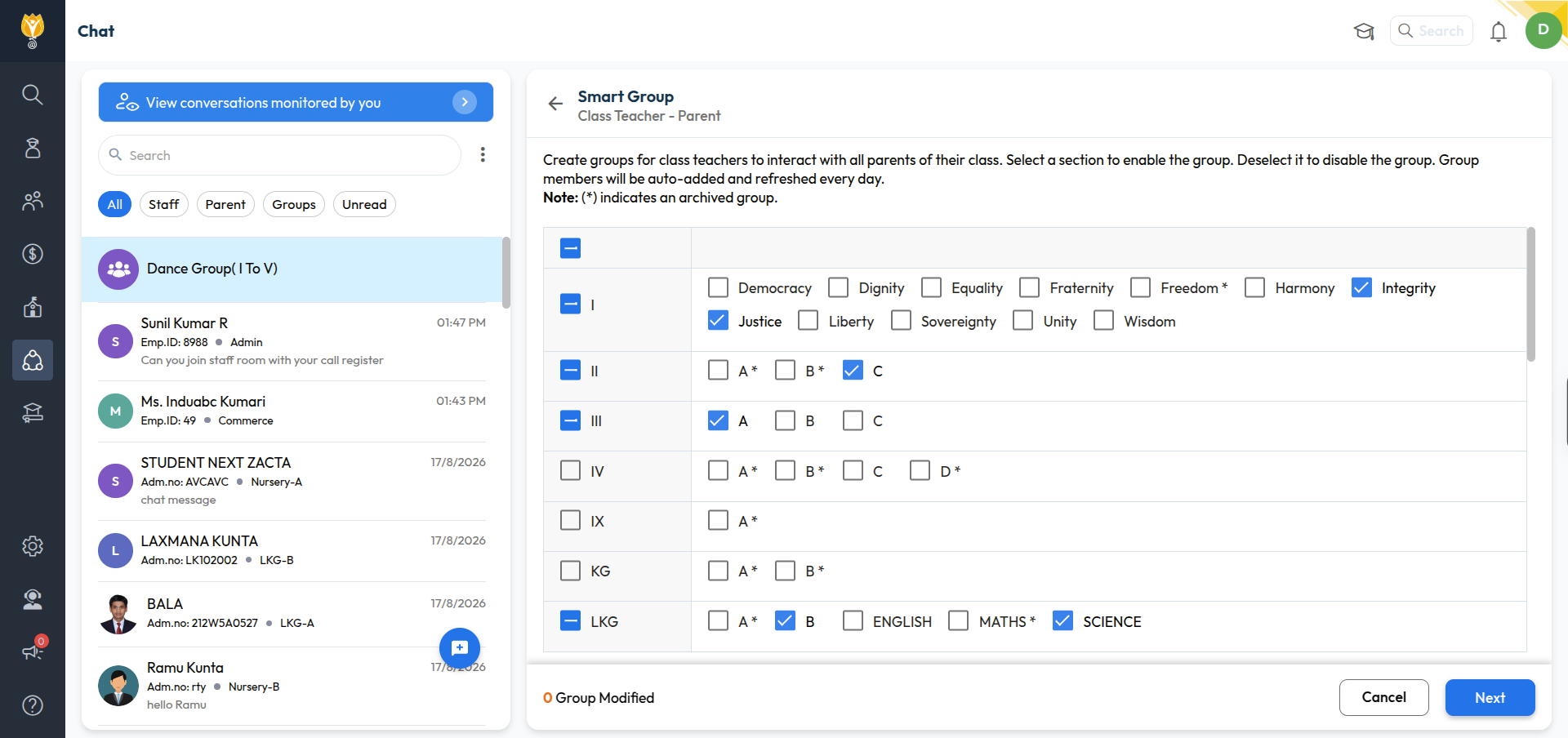
You will see a list of classes with their sections.
Tick a section to create the group. Untick it to disable the group.
Click Next.
Was this article helpful to you?
Yes0
No0