

 > Communication > Chat > New Group
Use a new group when you want to pick the members yourself — for example, a dance group for Annual Day.
Open Chat.
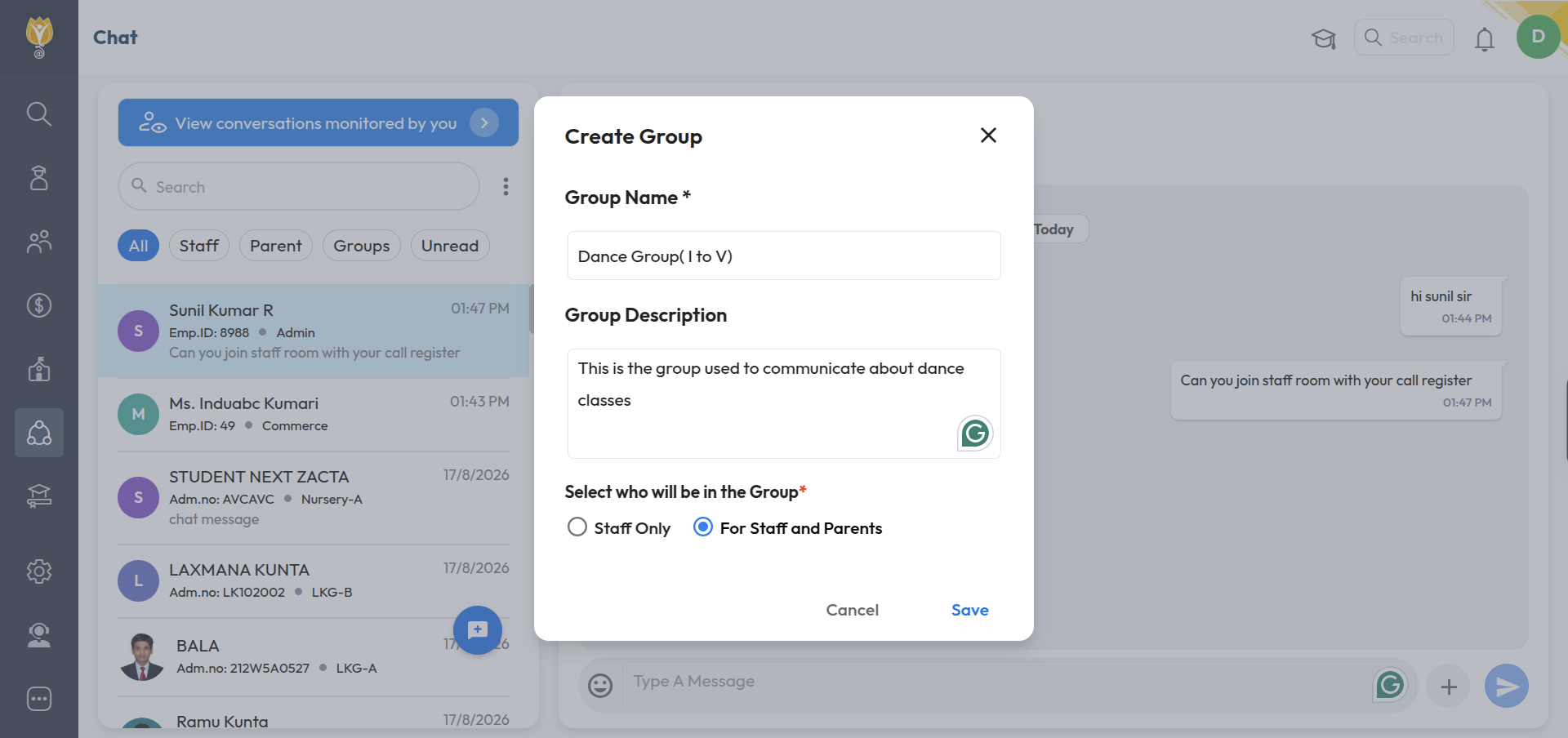
Click the blue chat button at the bottom, then click New Group.
Enter a Group Name and a Group Description.
Under Select who will be in the Group, choose Staff Only or For Staff and Parents.
Click Save.
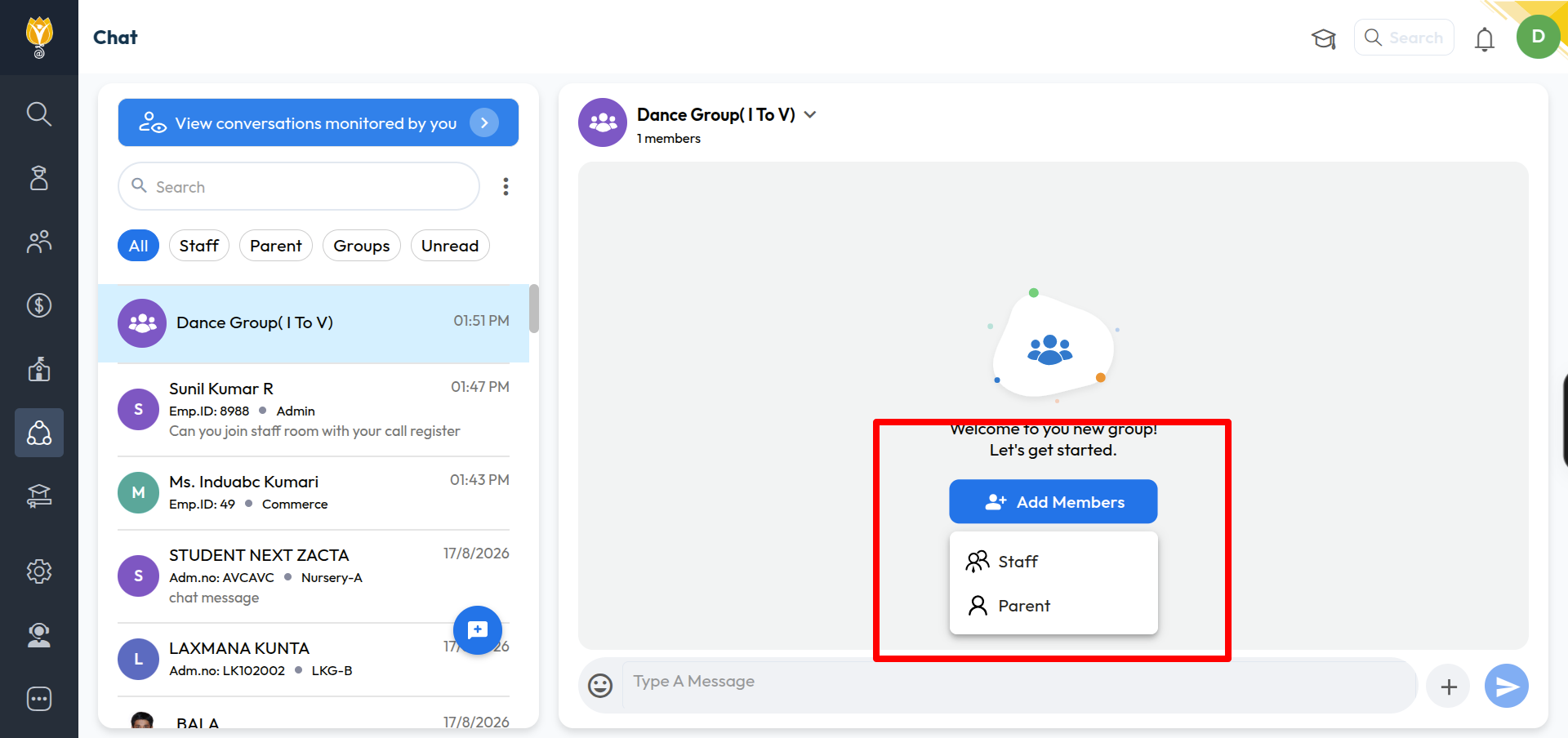
On the group screen, click Add Staff to add members. Search by name or employee ID, or filter by department.
Select the members and click Done, then click Save.
Was this article helpful to you?
Yes0
No0